Parts/Service for B1930HD / B2030HD / B2230HD / B2330HD / B2430HD(EU) / B2430HD(Australia)

Parts/Service for B1930HD / B2030HD / B2230HD / B2330HD / B2430HD(EU) / B2430HD(Australia)

Brand: SAMSUNG

Category: Computer

Document Type: Parts/Service

Language: EN
Uploaded: Nov. 21, 2025, 7:56 p.m.

Manual Publish Date: 2010-01-01

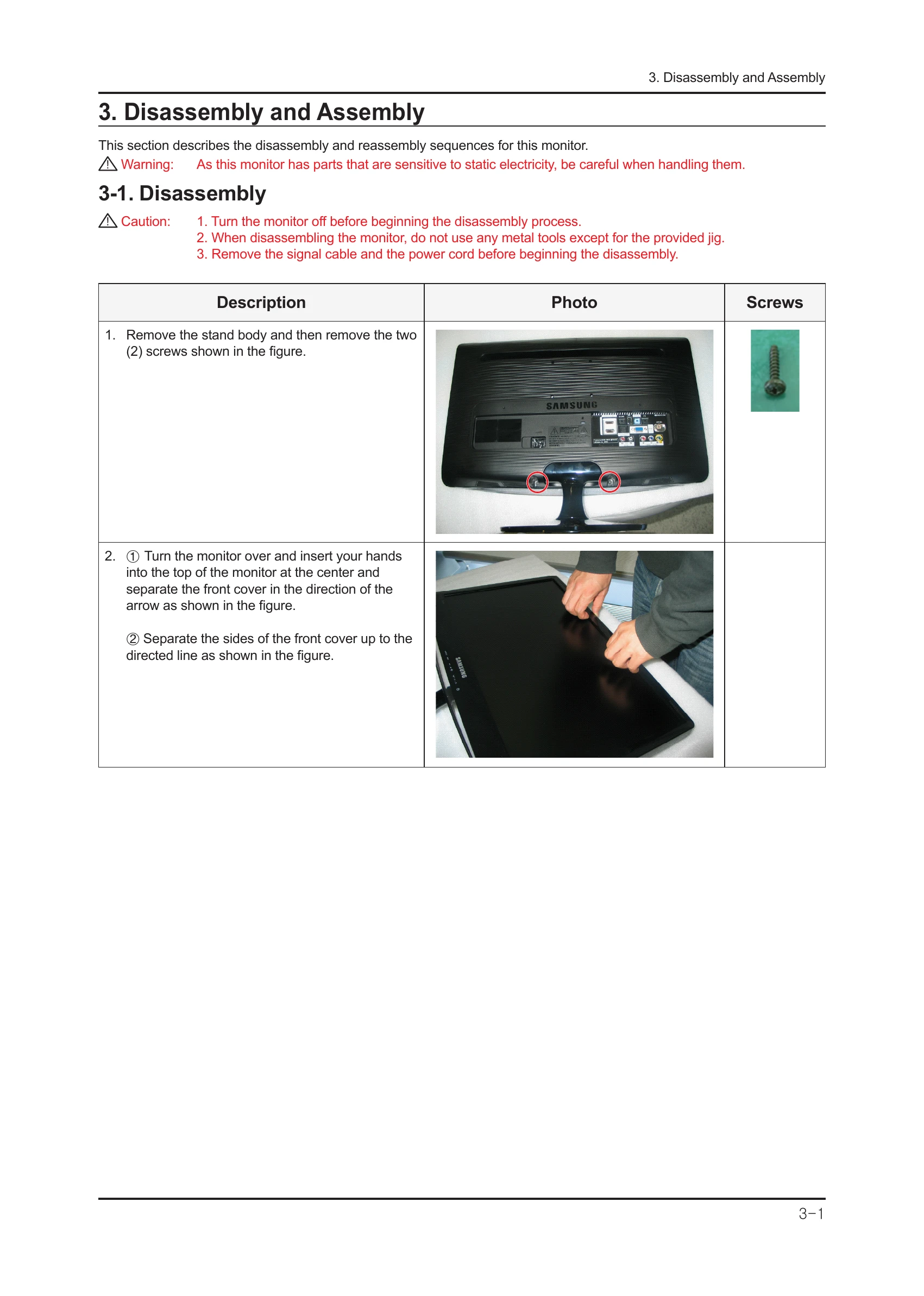
  • Disassembly Instructions: Step-by-step guide with images for disassembling the monitor, including screw removal, cover separation, and cable disconnection.
  • Troubleshooting: Covers common issues like 'No Power' and 'No Screen' for both PC (Analog) and DVI/HDMI inputs, with corrective actions and service mode access.
  • Adjustment Procedures: Includes instructions for accessing Service Mode, White Balance calibration, and White Ratio adjustment.
  • Software Upgrade: Details on updating firmware via USB and using the DDC Manager for Micom program upgrades.
  • Wiring Diagrams and Board Connections: Visual representations of internal connections and connector functions.

Troubleshooting and error codes

Problem Troubleshooting Steps
No Power
  1. Check Power Cord Connection.
  2. Check AC Power Adapter.
  3. Check Power Switch.
  4. Check Power Supply Board.
  5. Check Main Board.
PC (Analog) No Screen
  1. Check PC Connection Cable.
  2. Check Input Signal.
  3. Check VGA Signal.
  4. Check Main Board.
  5. Check LCD Panel.
DVI/HDMI No Screen
  1. Check DVI/HDMI Cable.
  2. Check Input Signal.
  3. Check DVI/HDMI Signal.
  4. Check Main Board.
  5. Check LCD Panel.
Privacy Policy