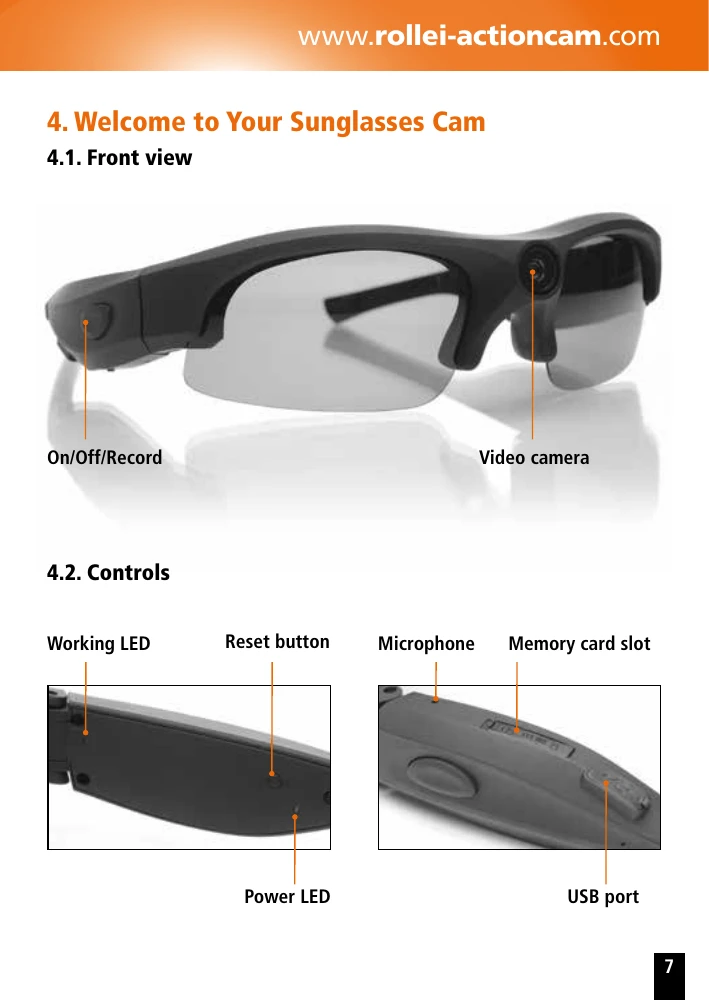
To turn on the Sunglasses Cam, briefly press the On/Off button. Video recording starts automatically. Press and hold the On/Off button for about 3 seconds to stop recording and shut down the cam. Insert a microSD/microSDHC memory card up to 32 GB before recording. Charge the battery by connecting the cam to a computer or USB power adapter via the mini-USB cable. The indicator LED turns green when fully charged. Connect the Sunglasses Cam to your computer using the USB cable to transfer video files from the 'DCIM' folder on the memory card. You can also adjust camera settings by editing the 'Setting.txt' file on the memory card.