Getting Started
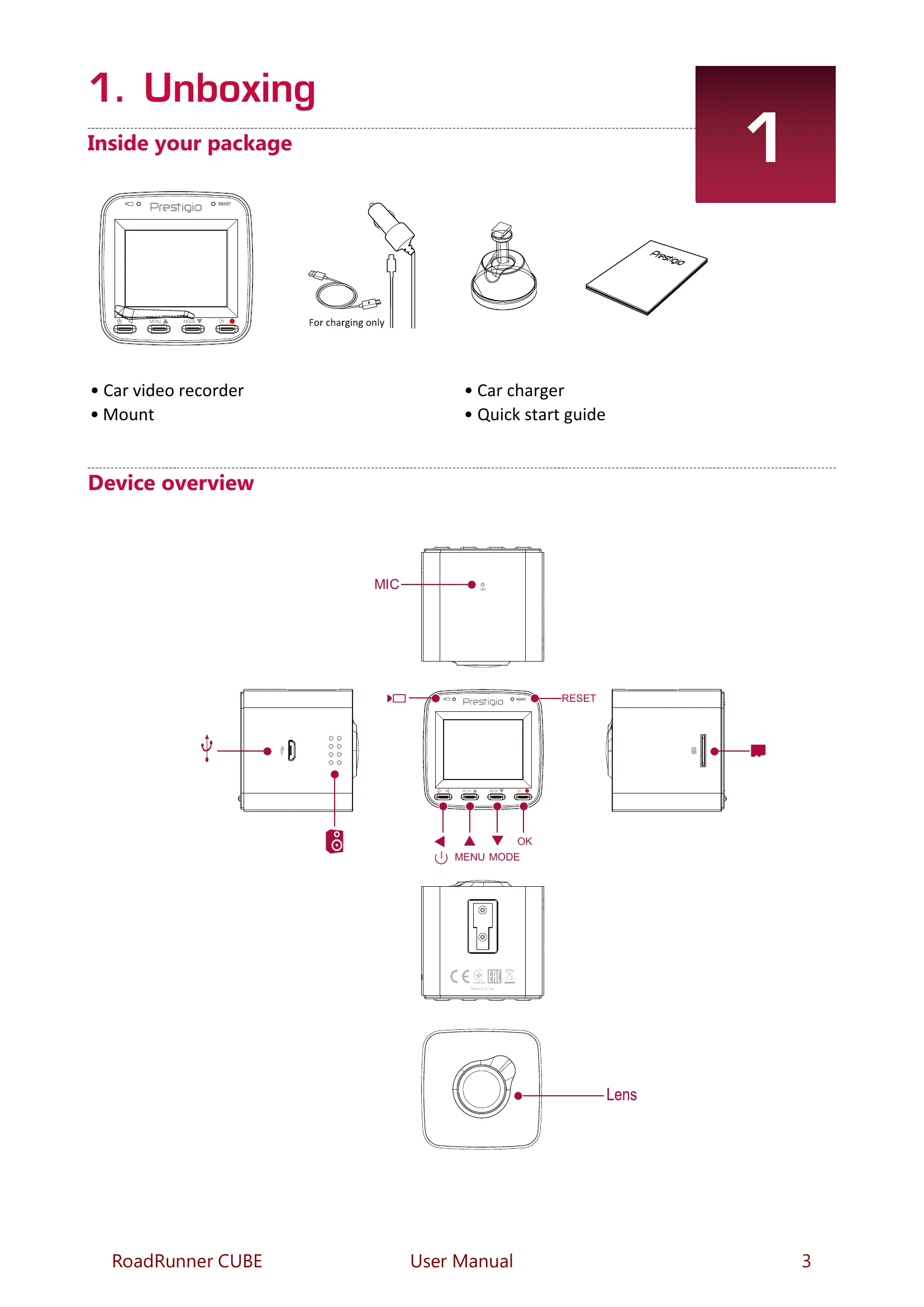
- Insert a microSD card: Ensure a microSD card is inserted for storage.
- Mount to Windshield: Attach the bracket, position the suction cup, and secure the mount to the windshield.
- Charge the Battery: Fully charge the Li-ion battery before first use (1-2 hours).
Settings
Adjust various settings like Movie Mode (resolution), Loop Recording, Record Audio, Exposure, Volume, file management (Delete, Protect), Beep Sound, Power Off, Clock Settings, Date Format, Date/Logo Stamp, Language, Frequency, Screen Savers, G-sensor, Parking Mode, Motion detection, Wi-Fi settings, and SD Card formatting.
Recording
- Auto video recording: Device turns on and records when the car engine starts.
- Manual video recording: Start/stop recording manually.
- Record sound: Turn audio recording on/off.
- Lock recording: Protect current video from being overwritten.
- Take a picture: Capture still images.
File Management
- Browse files: Navigate through recorded videos and photos.
- Delete a file: Remove selected files.
- Lock and unlock a file: Protect or unprotect files.
Playback
- Play video on DVR: View recordings directly on the device.
- Playback on PC: Remove the memory card and view on a computer.