Brand: Prestigio
Category: Car Video Recorder
Document Type: Manual
Language: EN
Brand: Prestigio
Category: Car Video Recorder
Document Type: Manual
Language: EN
Uploaded: Aug. 10, 2025, 12:47 a.m.
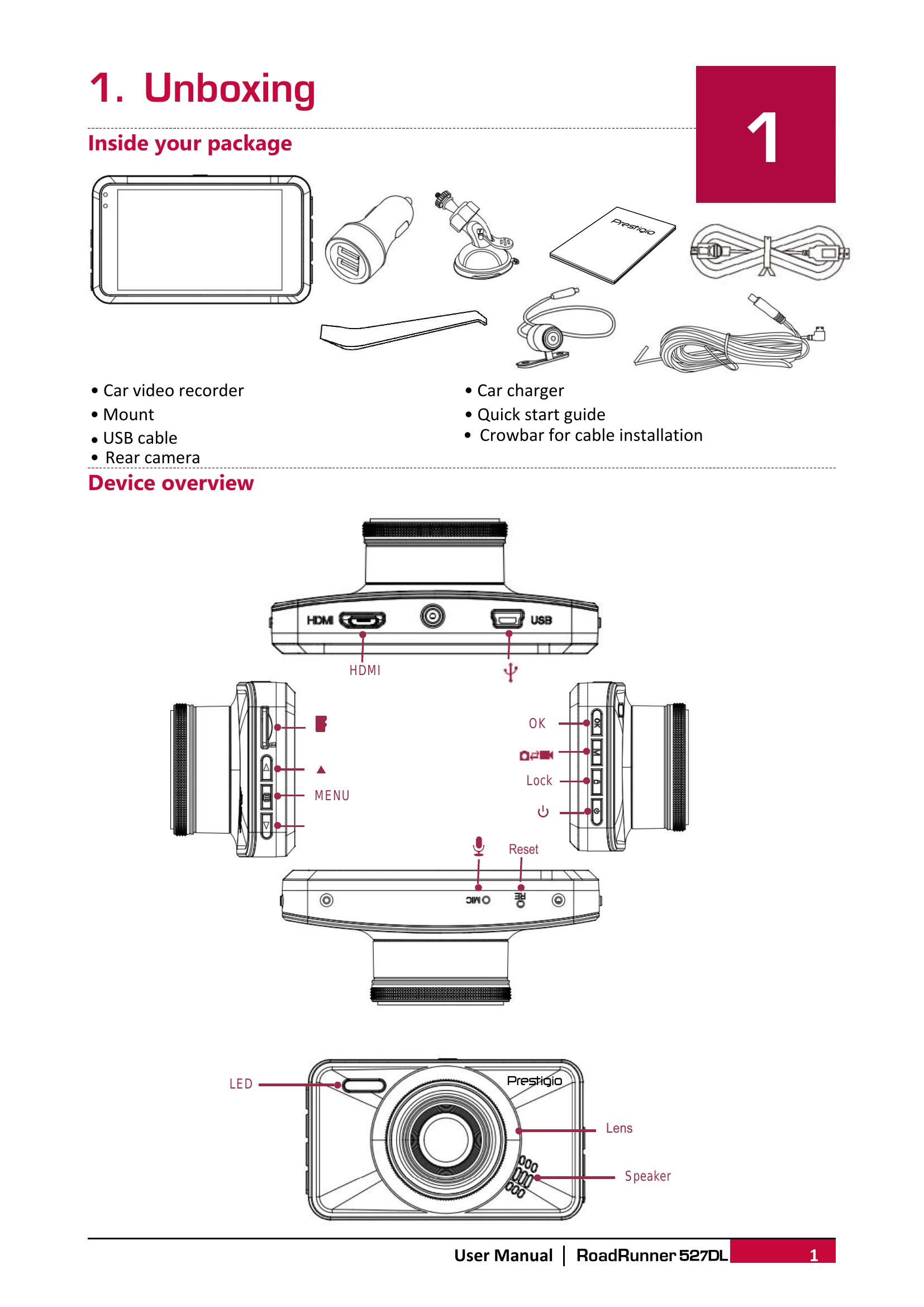
1. Insert a microSD card into the slot until it locks.
2. Mount the device to the windshield using the suction cup.
3. Charge the battery fully before first use (1-2 hours).
4. Install the rear view camera on the rear bumper or window and connect its cable to the DVR.
Auto Video Recording: Device turns on and starts recording when the car engine starts, and saves the last file upon engine shutoff.
Manual Video Recording: Press [OK] to start/stop recording.
Record Sound: Press [▲] to turn sound on/off.
Lock Video: Press [] during recording to lock the current video.
Take Picture: Press [MODE] to enter picture mode, then [OK] to take a photo.
Browse Files: In preview mode, press [MODE] twice to enter playback mode, then use [▲]/[▼] to scroll.
Delete File: Press [MENU] to select files for deletion and [OK] to confirm.
Lock/Unlock File: Press [MENU] to protect or unprotect files.
Play Video on DVR: In playback mode, use [▲]/[▼] to scroll, [OK] to play/pause, [MODE] to stop, and [MENU] to exit.
Playback on PC: Remove the microSD card and insert it into a computer's card reader.