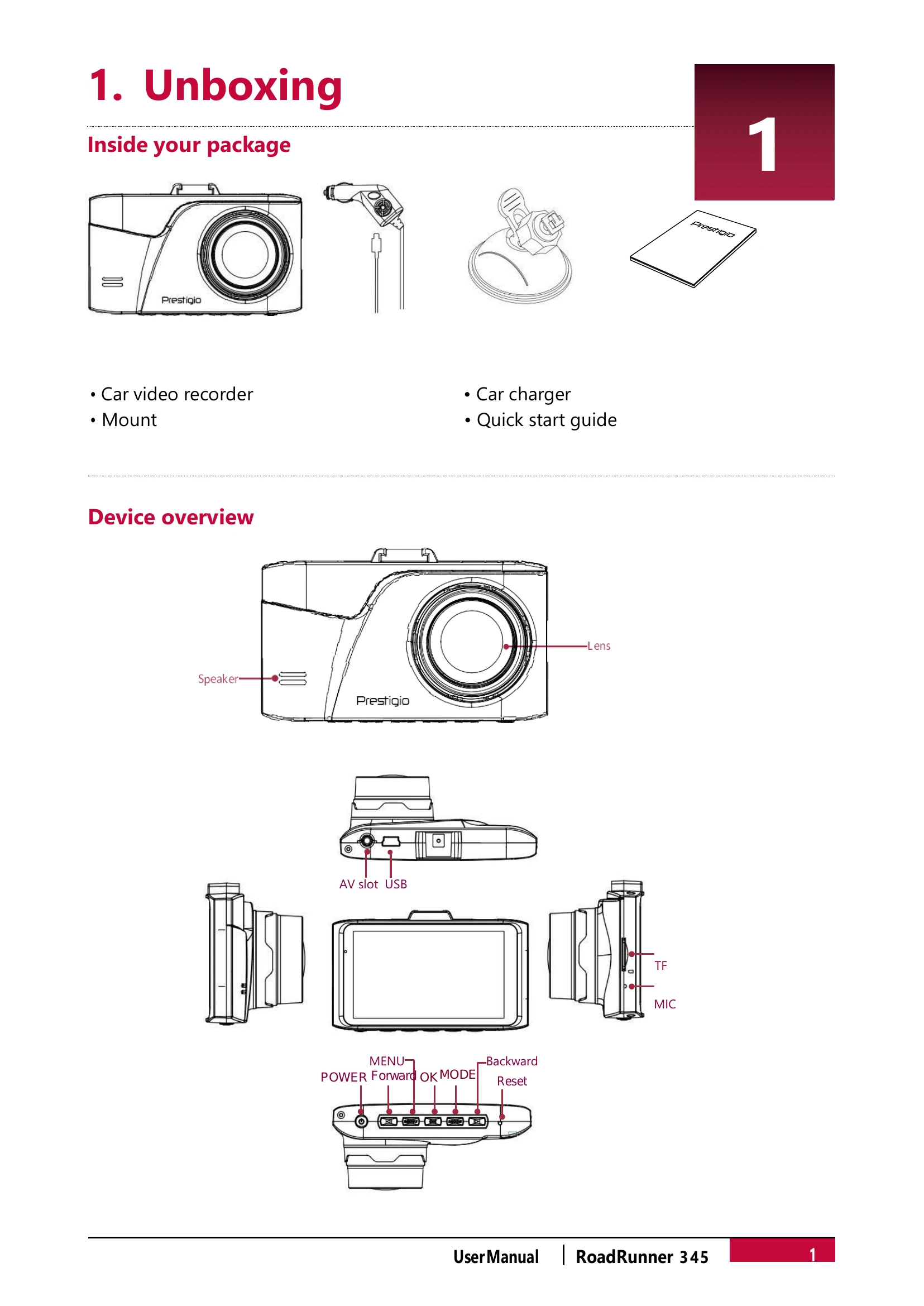
Mount the device to the windshield using the bracket and suction cup.
Charge the battery using the car charger.
Recording
Auto video recording: Connect to car charger; device turns on and records automatically.
Manual video recording: Press [OK] to start/stop. Long press [►] to record/stop sound. Long press [-] to lock video. Long press [MENU] for screen save. Short press [◀]/[▼] to zoom.
Take a picture: Press [MODE] to select picture mode, then [OK] to capture.
File Management
Browse files: In preview mode, press [MODE] twice for playback, use [◀]/[►] to scroll.
Delete a file: Press [MENU] to delete, confirm with [OK]. Remove protection first for locked files.
Lock/unlock a file: Press [MENU] to protect or unprotect.
Playback
Play on DVR: In playback mode, use [◀]/[►] to scroll, [OK] to play/pause, [MODE] to exit. Adjust volume with [◀]/[►].
Playback on PC: Remove memory card and insert into computer's card reader.