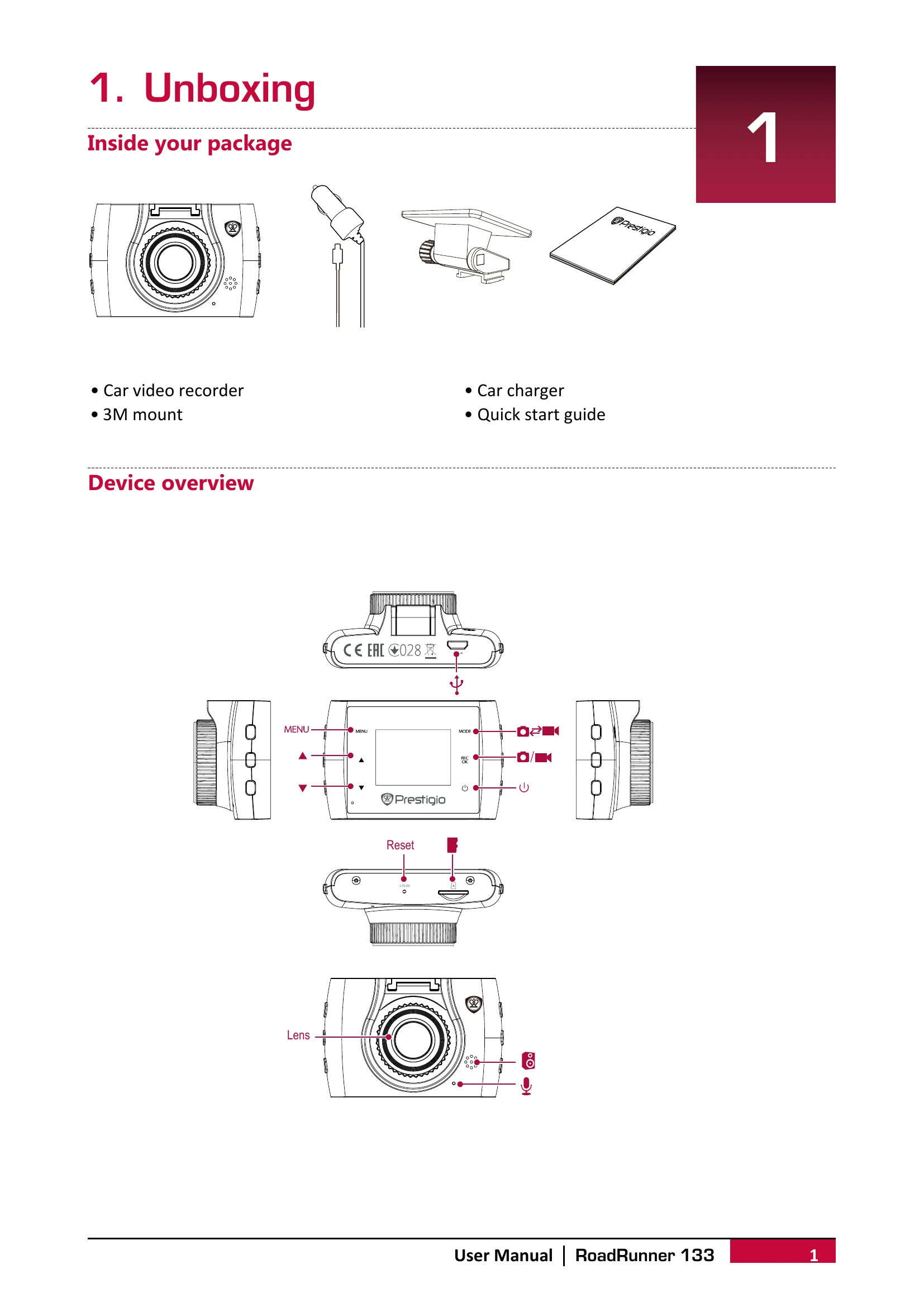
Insert a microSD card (not included) into the slot until it locks.
Install the 3M mount by following the directional arrows, then remove the protection paper and position the device on a clean windshield or dashboard.
Charge the Li-ion battery fully (1-2 hours) using the car charger or a micro USB cable connected to an AC adapter or computer.
Recording
Auto video recording: Connect to car charger; device turns on and starts recording automatically when the car engine launches, and saves the last file before turning off when the engine shuts down.
Manual video recording: In video preview mode, press [OK] to start/stop recording.
Record sound: In preview or recording mode, press [▲] to toggle sound on/off.
Lock video: During recording, press [MODE] to lock the current video.
Take picture: Press [MODE] to switch to picture mode, then press [OK] to capture photos.
File Management
Browse files: In video preview mode, press [MODE] twice to enter playback mode. Use [▲]/[▼] to scroll through files.
Delete file: Press [MENU] to select a file or all files for deletion, then press [OK] to confirm. Protected files must be unprotected first.
Lock/Unlock file: Press [MENU] to protect or unprotect selected files or all.
Playback
On DVR: In playback mode, use [▲]/[▼] to scroll files. Press [OK] to start/pause. Press [MODE] to stop. Press [MENU] to exit playback.
On PC: Remove the memory card and insert it into a computer's card reader. The DVR's USB port is for charging only.