Brand: PIONEER
Category: Stereo Receiver
Document Type: Manual
Language: EN
Brand: PIONEER
Category: Stereo Receiver
Document Type: Manual
Language: EN
Uploaded: Nov. 21, 2025, 6:02 p.m.
The Demo mode starts automatically when the power cord is plugged in. It can also be activated by pressing the P.BASS (DEMO) button for more than 3 seconds in STANDBY mode. Various patterns appear on the display. To cancel, press the STANDBY/ON button or a function button. Pressing P.BASS (DEMO) for more than 3 seconds in DEMO mode cancels the function.
Install in a well-ventilated location, away from high temperatures, humidity, direct sunlight, stoves, or radiators. Avoid damp or dusty environments.
Ensure at least 30 cm space above, 15 cm at rear, and 15 cm on each side for ventilation.
Avoid placing on heat-generating sources. Keep away from TVs to prevent noise or picture degradation. Place on a level surface.
Allow unit to stand for about an hour before switching on when moving from a cold to a warm environment.
| Symptom | Cause | Remedy |
|---|---|---|
| No sound from speakers. | AC cord is unplugged. | Plug power cord into wall socket correctly. |
| Cords are not connected properly. | Connect cords correctly referring to CONNECTIONS on P. 6 P. 7 | |
| Function is not set to the proper listening source on the receiver. | Select correct function. | |
| Cassette door does not open. | Power cord has been unplugged while the tape was running. | Plug in the power cord. |
| Cannot record. | Broken erasure prevention tabs. | Use a cassette that can be recorded on, or apply adhesive tape over the tab holes. |
| Sound is muffled. | Dirty heads. | Clean heads (refer to P. 38 |
| Previously recorded sounds remain. | ||
| Sound overly bright. Treble tones too strong. | Tape recorded with DOLBY NR but played without. | Turn on DOLBY NR system for tapes recorded with DOLBY NR.(XR-A670 only) |
| When playing tapes on the XR-A370 recorded using another component's Dolby NR function, reduce treble with the Sound Morphing function. | ||
| The Music Search (MS) does not work. (XR-A670 only) | The blank interval between two songs is shorter than 4 seconds. | Change to a tape having at least 4-seconds blank interval between two songs. |
| The fast forward or rewind operation has been started from stop mode. | First put the tape deck in play mode then press the fast forward or rewind button. | |
| Playback does not start. | Disc is loaded upside down. | Load a disc correctly with the label side (printed side) UP. |
| Dirt, smear, etc. on the disc. | Clean the disc (refer to P. 37 | |
| Disc is warped or has a bad scratch. | Replace the disc (refer to P. 37 | |
| Sound is distorted. | Antenna is not connected. | Connect the antenna correctly. |
| Antenna is in poor position. | Change the antenna position. | |
| Interference from nearby fluorescent light, hair dryer, or other electrical appliance. | Stop using device causing interference (refer to p. 9 | |
| There is no stereo sound. | The MONO indicator in the display window on the receiver is lit. | Press MONO so that the MONO indicator goes out (refer to P. 15 |
| Timer does not work. | Current time is not set. | Set current time. |
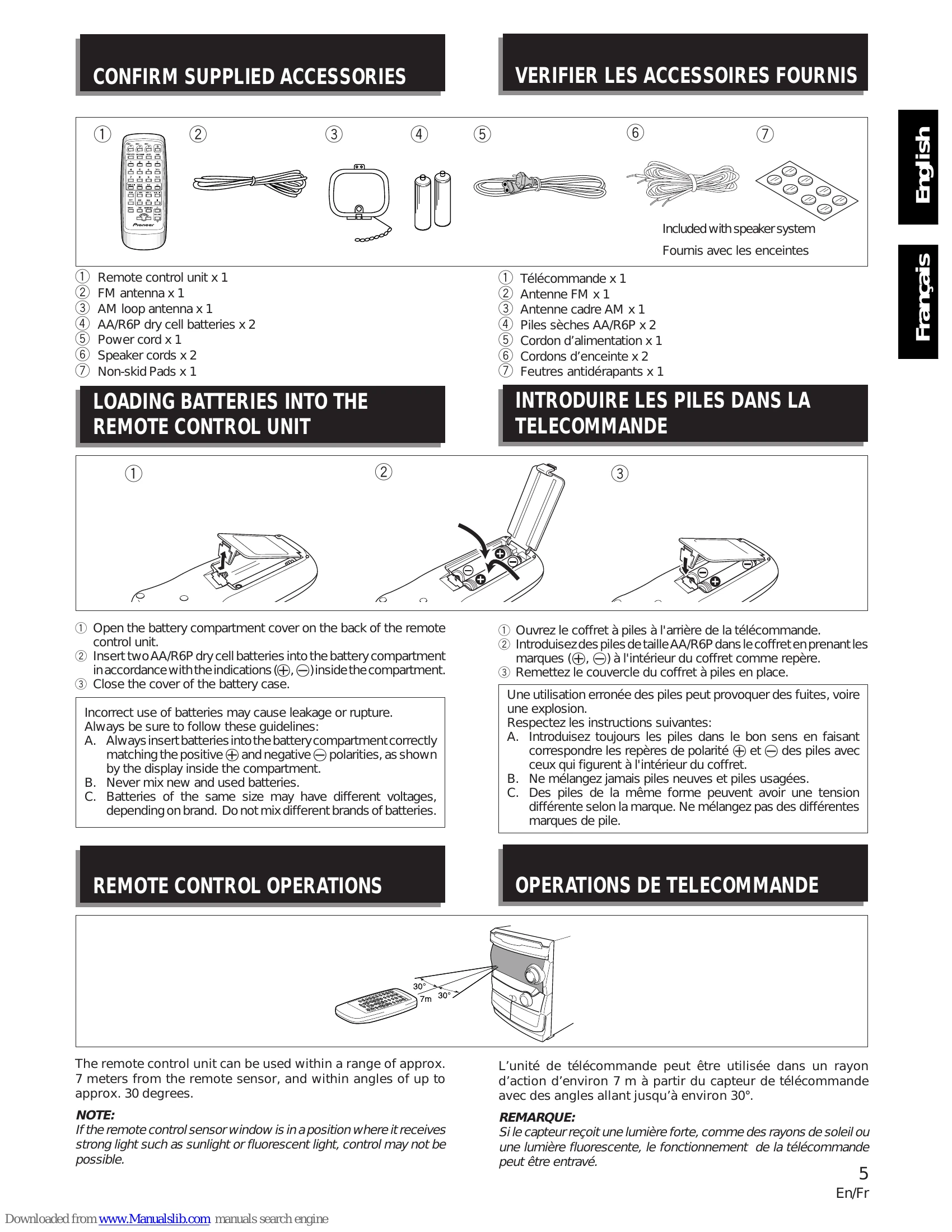
| Remote control does not work. | Batteries are dead. | Replace with new batteries. |
| A fluorescent light is shining on the remote sensor window. | Move the unit away from the fluorescent light (refer to P. 5 |