Brand: PIONEER
Category: Stereo Receiver
Document Type: Manual
Language: EN
Brand: PIONEER
Category: Stereo Receiver
Document Type: Manual
Language: EN
Uploaded: Nov. 21, 2025, 6:09 p.m.
Manual Publish Date: 2015-03-01
The warranty period is one year from the date of purchase.
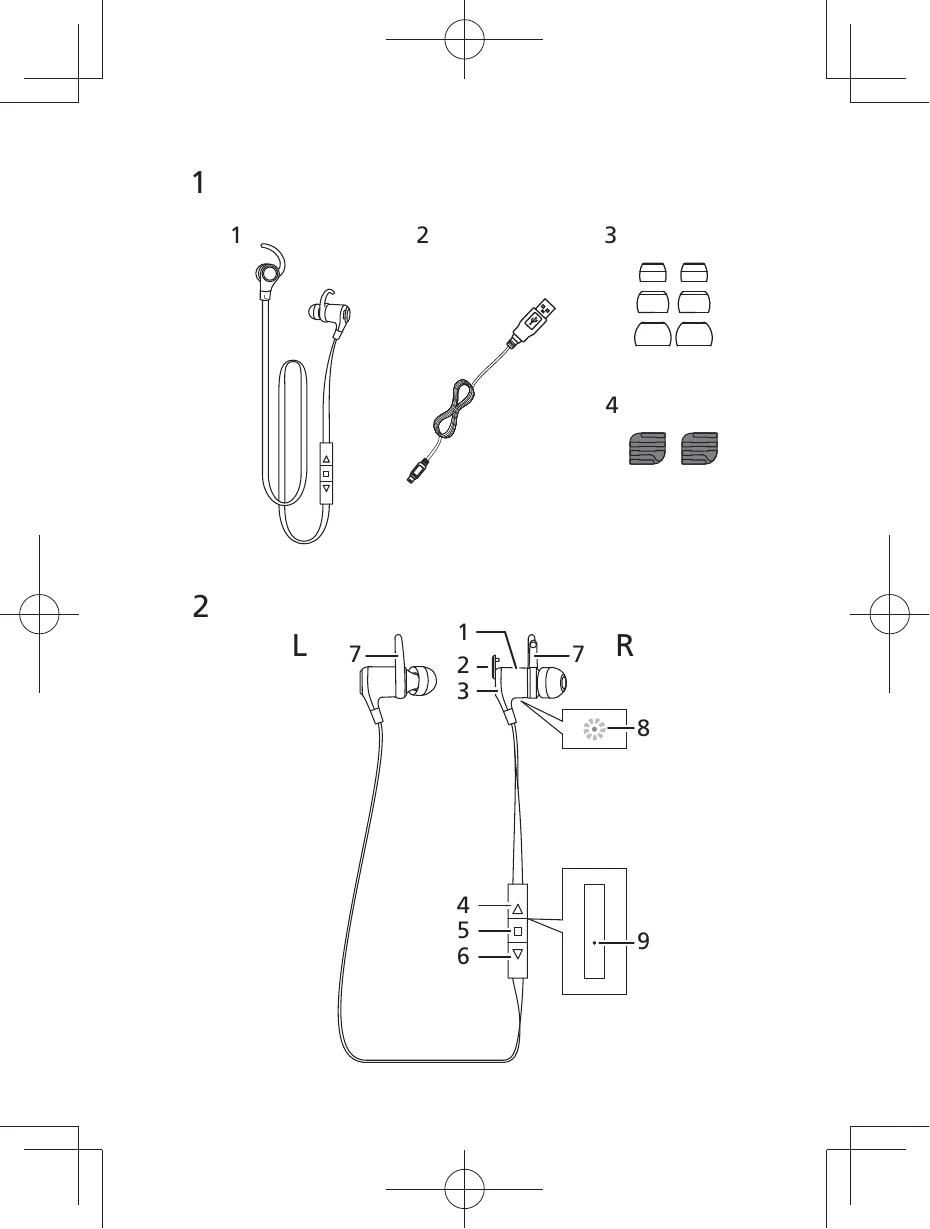
Before first use, pair the headphones with your Bluetooth device by holding the '■' button for 8 seconds until the LED flashes blue and red. Then, search for "SE-CL761BT" on your device and select it. The LED will flash blue twice every four seconds upon successful pairing.
Connect the headphones to a USB port using the included micro-USB cable. The LED indicator will turn red while charging and turn off when complete (approx. 2 hours). A full charge provides about 5 hours of continuous use or 150 hours of standby time.
Press the '■' button once to play/pause. Press '▲' once to return to the beginning of a track or hold to increase volume. Press '▼' once to advance to the next track or hold to decrease volume.
For calls, ensure pairing is complete using HFP or HSP profiles. Use the '▲' and '▼' buttons to adjust volume. The '■' button controls call functions like answering, ending, redialing, and switching between the headphone microphone and the phone's microphone.
| Problem | Remedy |
|---|---|
| Power won't turn on. | Recharge the wireless headphones. |
| The batteries will not charge. | Confirm that computer's power is ON. |
| Confirm that computer is not in power-saving mode. | |
| Confirm that accessory micro-USB cable is securely connected to both the wireless headphones and the computer. | |
| Can't perform pairing. | Place the wireless headphones and Bluetooth device closely together when performing pairing. |
| Can't perform Bluetooth connection. | Confirm that power is turned on for both wireless headphones and Bluetooth device. |
| Confirm that Bluetooth function is turned ON in the device you are connecting to. | |
| Confirm that power is turned on for both wireless headphones and Bluetooth device. | |
| Confirm that connection with Bluetooth device is set for profile A2DP. | |
| No sound. (When playing music) | Confirm that the connected music playback device is set for PLAY. |
| Confirm that sound volume controls on both wireless headphones and music playback device are set to appropriate levels. | |
| Confirm that connection with Bluetooth device is set for profile A2DP. | |
| Sound is distorted. (When playing music) | Check that no other devices utilizing the 2.4 GHz wavelength (including microwave ovens, wireless radios, etc.) are nearby, and that no obstructions block the signal path. |