Brand: PIONEER
Category: Audio Player
Document Type: Manual
Language: EN
Brand: PIONEER
Category: Audio Player
Document Type: Manual
Language: EN
Uploaded: Nov. 21, 2025, 8:25 p.m.
Refer to the enclosed warranty card for specific warranty details.
| Symptom | Probable cause | Remedy |
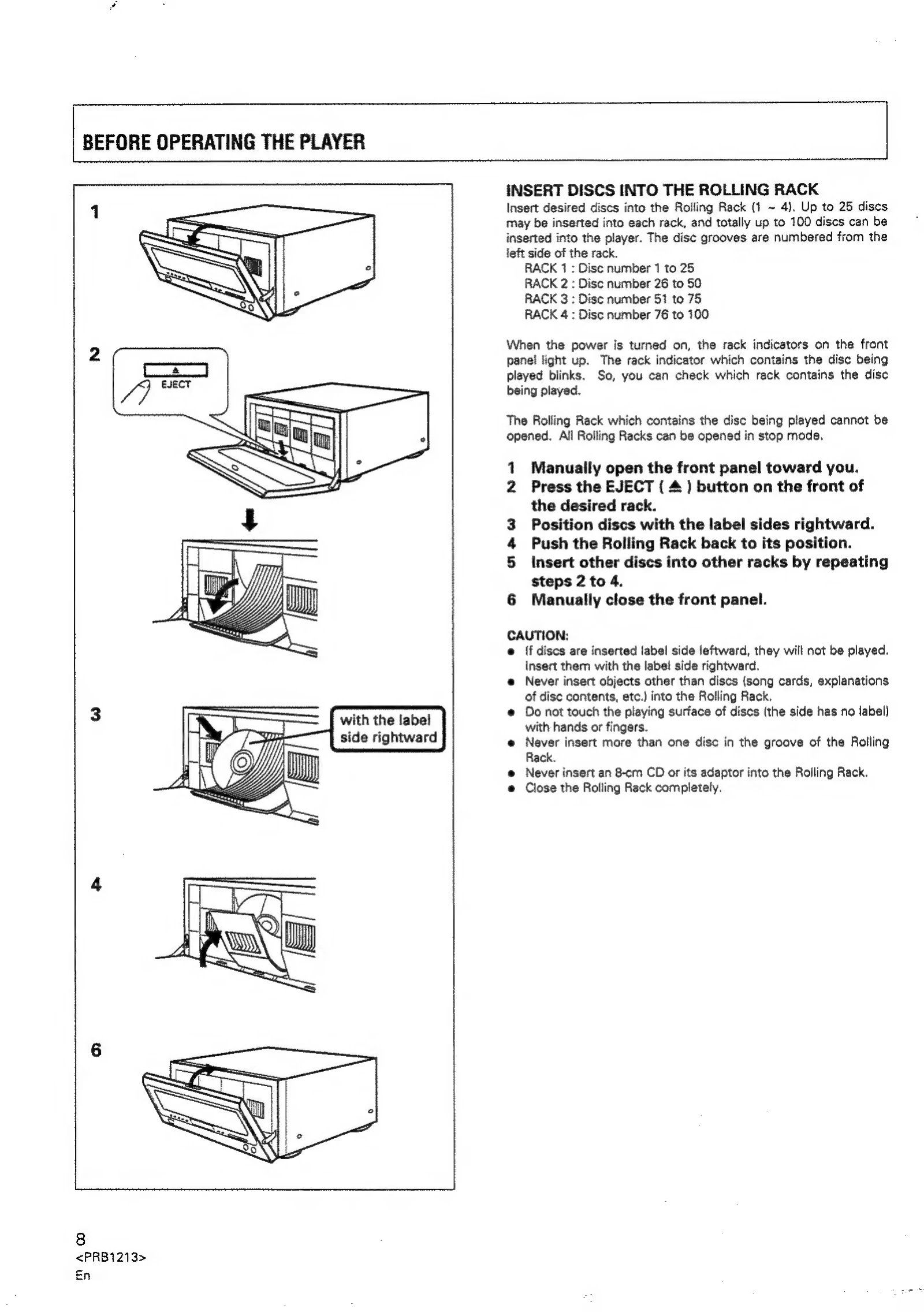
| The Rolling Rack is not opened when is pressed. | Power plug is disconnected from outlet. A disc in the rack is played. | Connect plug to wall outlet. Stop playback. |
| When playback is started, it stops immediately. | Disc is inserted in the wrong way. Smudges, etc., on the disc. | Insert the disc correctly with the label side rightward. Clean the smudges from the disc and then play it again. |
| Pauses or stops during playback. | Output cables are connected incorrectly or loosely. Incorrect operation of stereo amplifier. Pin plugs and/or amplifier terminals are dirty. Player is in pause mode. The disc is loaded with the label side leftward. | Connect properly. Check the settings of amplifier switches and sound volume controls. Clean away dirt. Press or . Reload the disc with the lable side rightward. |
| No sound | Incorrect connections. Pin plugs and/or amplifier terminals are dirty. Interference is being picked up from a TV set. | Connect to amplifier's AUX or CD terminals. Do not connect to PHONO terminals. Clean away dirt. Switch OFF TV set, or move player away from TV set. |
| Sound is distorted, noise is output. | Disc has bad scratch or warp. Disc is extremely dirty. | Replace the disc. Clean disc. |
| With certain discs, loud noise is produced, or play stops. | Interference is being picked up from the CD player. | Turn off POWER of the player, or move the player away from TV or tuner. |
| The picture of the TV screen is fluctuating or FM broadcast has noise interference. | Dead batteries. Too far from player or wrong angle. Obstruction between player and remote control unit. | Replace batteries. The distance between remote control unit and player should be no more than about 7 meters. The operational angle against the front panel is within 30' from right or left end of player. Relocate remote control unit or remove obstruction. |