Manual for 14pt1353

Manual for 14pt1353

Brand: PHILIPS

Category: Electronics

Document Type: Manual

Language: EN
Uploaded: Nov. 21, 2025, 8:11 p.m.

Warranty Information

Contact your dealer for any repair or breakdown issues.

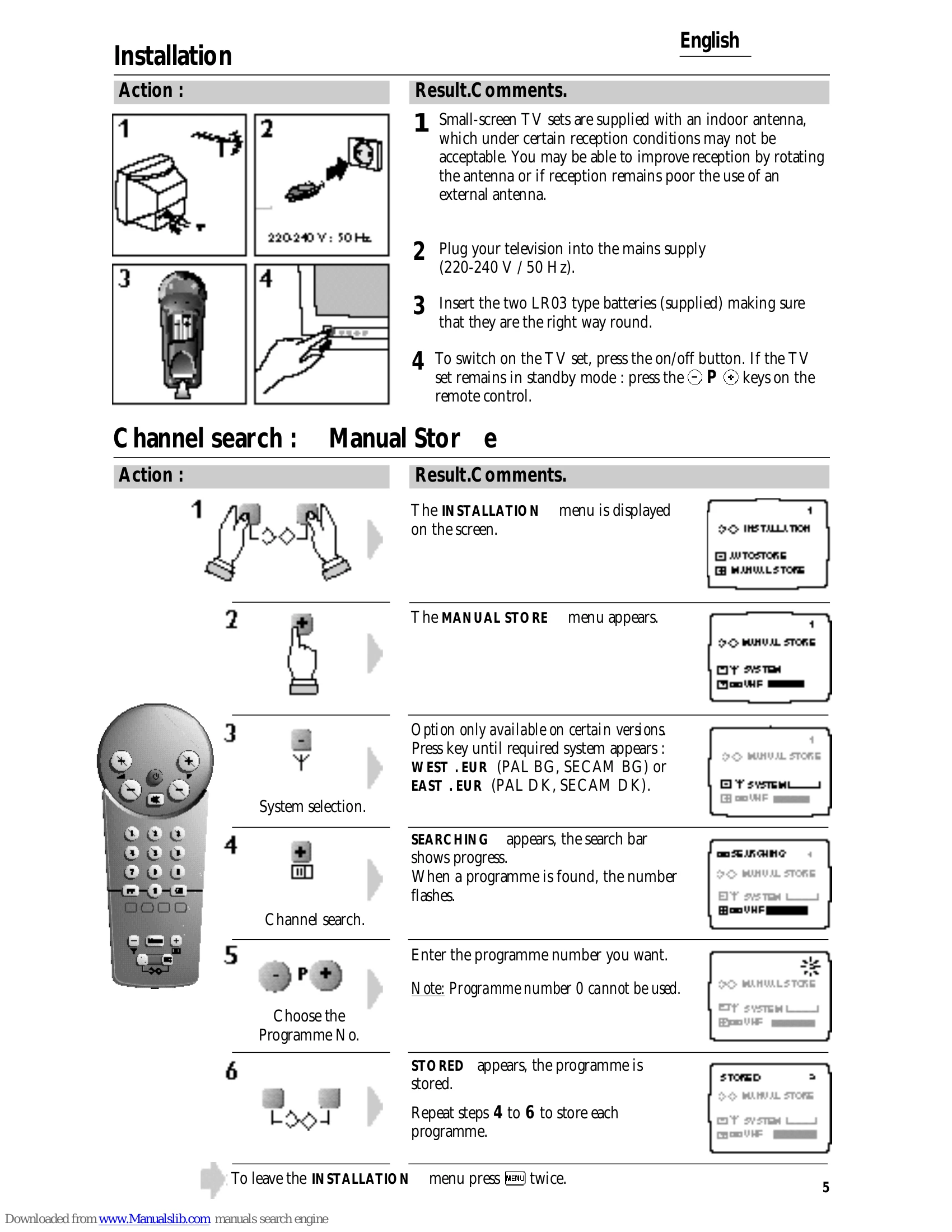
Installation: 1. Connect the indoor antenna or an external one if needed. 2. Plug the TV into the mains supply (220-240V, 50Hz). 3. Insert LR03 batteries into the remote control. 4. Switch on the TV using the power button or remote. Channel Search: 1. Access the INSTALLATION menu. 2. Select MANUAL STORE. 3. Choose your region (e.g., WEST-EUR, EAST-EUR). 4. Initiate channel search by pressing '+'. 5. Enter the desired program number. 6. Store the program. Repeat for all channels. AutoStore: 1. Press two keys to access INSTALLATION. 2. Select AUTOSTORE. 3. Choose system. 4. Start AutoStore for automatic channel tuning. 5. Renumber programs if desired using MANUAL STORE.

Troubleshooting and error codes

Problem Possible Cause Solution
Poor Picture Quality Proximity to mountains or high buildings, antenna orientation, or incorrect aerial connection. Change antenna orientation. Check aerial connection.
No Picture/Distorted Picture (Refer to Poor Picture Quality) (Refer to Poor Picture Quality)
No Sound Mute is activated. Press the Mute button again or adjust volume.
Privacy Policy