Brand: PENTAX
Category: Camera
Document Type:
Language: EN
Brand: PENTAX
Category: Camera
Document Type:
Language: EN
Uploaded: Aug. 9, 2025, 11:47 p.m.
Guaranteed against defects for 12 months from purchase, provided the equipment has not been abused.
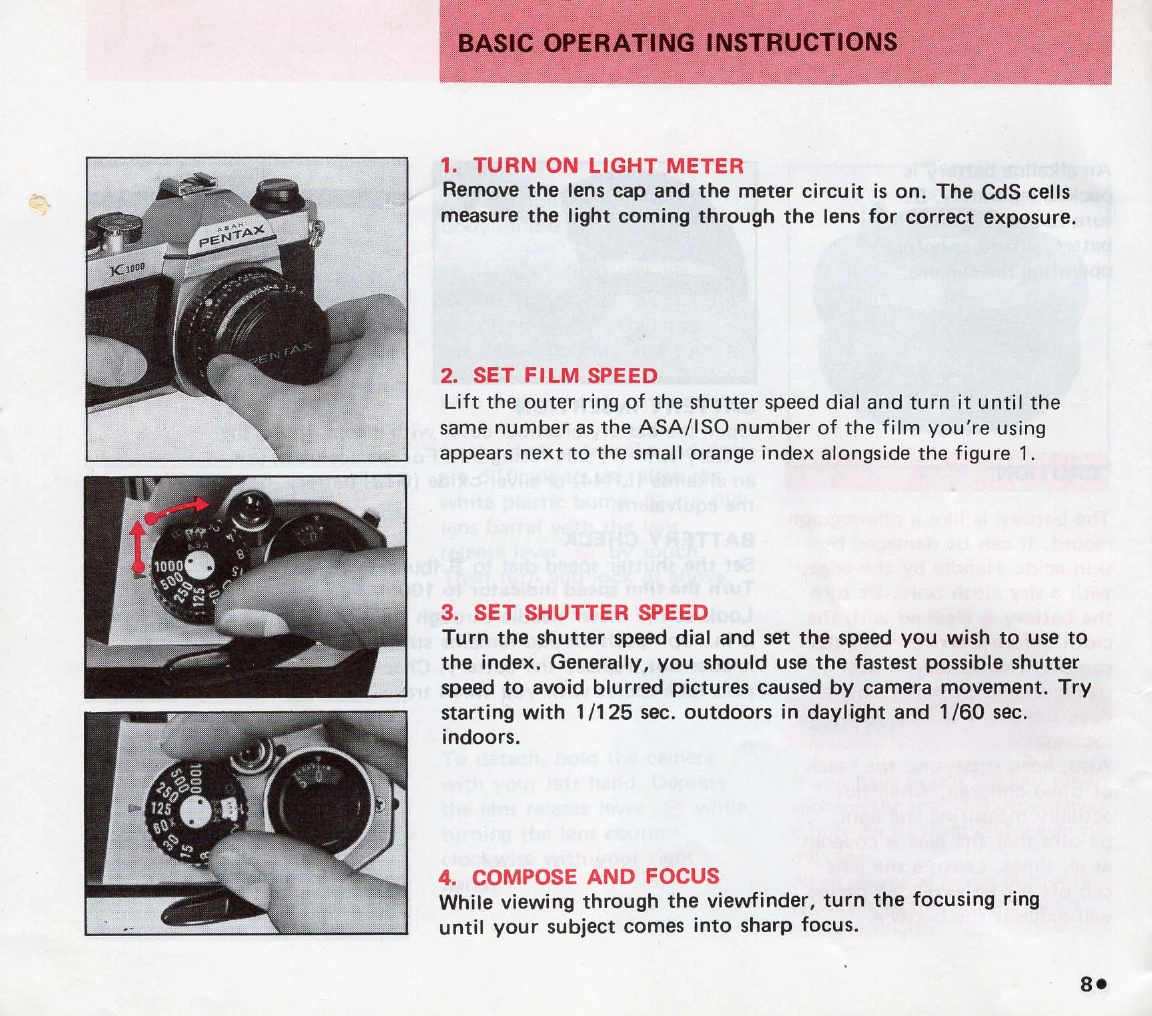
1. Turn on Light Meter: Remove the lens cap. The meter is now active, measuring light through the lens for exposure.
2. Set Film Speed: Lift the outer ring of the shutter speed dial and turn it to match your film's ASA/ISO number.
3. Set Shutter Speed: Turn the shutter speed dial to your desired speed. Faster speeds minimize blur from camera movement.
4. Compose and Focus: Look through the viewfinder and turn the focusing ring until the subject is sharp.
5. Rotate Diaphragm Ring: Adjust the aperture until the meter needle in the viewfinder is centered for correct exposure. Adjust shutter speed if the needle doesn't center.
6. Release Shutter: Cock the rapid-wind lever, hold the camera firmly, and press the shutter button. Cock the lever again for the next shot.
| Problem | Possible Cause | Solution |
|---|---|---|
| Underexposed Images | Incorrect film speed setting, insufficient light, shutter speed too fast, aperture too small. | Adjust film speed, use more light or flash, use slower shutter speed, open aperture. |
| Overexposed Images | Incorrect film speed setting, too much light, shutter speed too slow, aperture too large. | Adjust film speed, use less light, use faster shutter speed, close aperture. |
| Blurry Photos | Camera movement during exposure, subject movement, focus incorrect. | Use a tripod or faster shutter speed, instruct subject to stay still, refocus. |
| Meter Not Working | Battery dead or inserted incorrectly, meter circuit issue. | Replace battery, ensure correct insertion, contact service center. |
| Film Not Advancing | Film improperly loaded, transport mechanism issue. | Reload film, check take-up spool, contact service center. |