Brand: Panasonic
Category: Television
Document Type: Manual
Language: EN
Brand: Panasonic
Category: Television
Document Type: Manual
Language: EN
Uploaded: Nov. 21, 2025, 7:49 p.m.
None
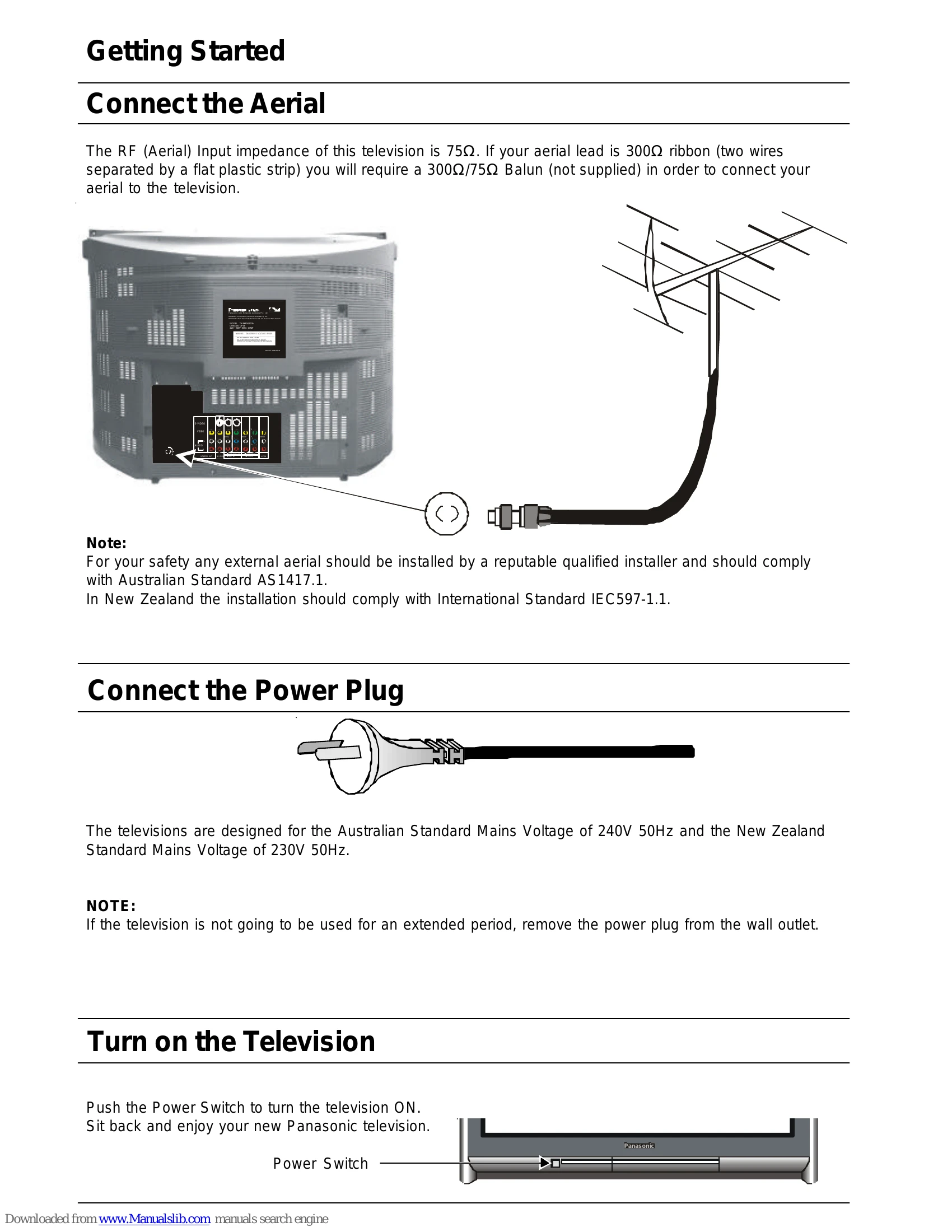
Connect the Aerial: Ensure your aerial is properly connected. If using a 300Ω ribbon lead, a 300Ω/75Ω Balun is required.
Connect the Power Plug: The TV is designed for 240V (Australia) or 230V (New Zealand) mains voltage. Remove the plug when not in use for extended periods.
Turn on the Television: Push the Power Switch to turn the TV ON.
Open Battery Cover: Slide the cover back by applying downward pressure.
Insert Batteries: Ensure correct polarity for two "AA" batteries.
Replace Battery Cover: Slide the cover forward until it clicks.
Battery Precautions: Do not use rechargeable batteries, mix battery types or old/new batteries, attempt to recharge, short circuit, disassemble, heat, or burn batteries.
Open the control panel door to access buttons like STR, F, -/V, +/Λ, and TV/AV.
Familiarize yourself with buttons such as Stand By, PICTURE, SOUND, SET UP, Stereo/Mono, 100Hz/Progressive, Surround, Aspect, Multi PIP, Recall, Normalisation, and STR.
| Picture | Sound | Check |
|---|---|---|
| Snowy Picture | Noisy Sound | Aerial Location, Direction or Connections. If watching tape, check Video heads and tracking. |
| Multiple Image | Normal Sound | Aerial Location, Direction or Connections. |
| Interference | Noisy Sound | Electrical Appliances, Motorcycles, Cars or Fluorescent Lamps. |
| Normal Picture | No Sound | Volume (Check the Mute function). |
| No Picture | No Sound | Not plugged in, switched OFF or Set to Stand By. Check volume, brightness, and contrast levels. Internal safety devices may be triggered; switch off for a few minutes. |
| No Colour | Normal Sound | Colour Control. If from tape, check tracking. Check the colour system. |
| Scrambled | Normal or Weak Sound | Retune the Television. |
| Colour Patches | Normal Sound | Magnetic Interference. Switch TV off for about 30 minutes. |
| Rolling Picture | Noisy Sound | Picture Menu (Refer to page 15). Sound Menu (Refer to page 17). |