Brand: Panasonic
Category: Portable Electronics
Document Type: Manual
Language: EN
Brand: Panasonic
Category: Portable Electronics
Document Type: Manual
Language: EN
Uploaded: Nov. 21, 2025, 7:28 p.m.
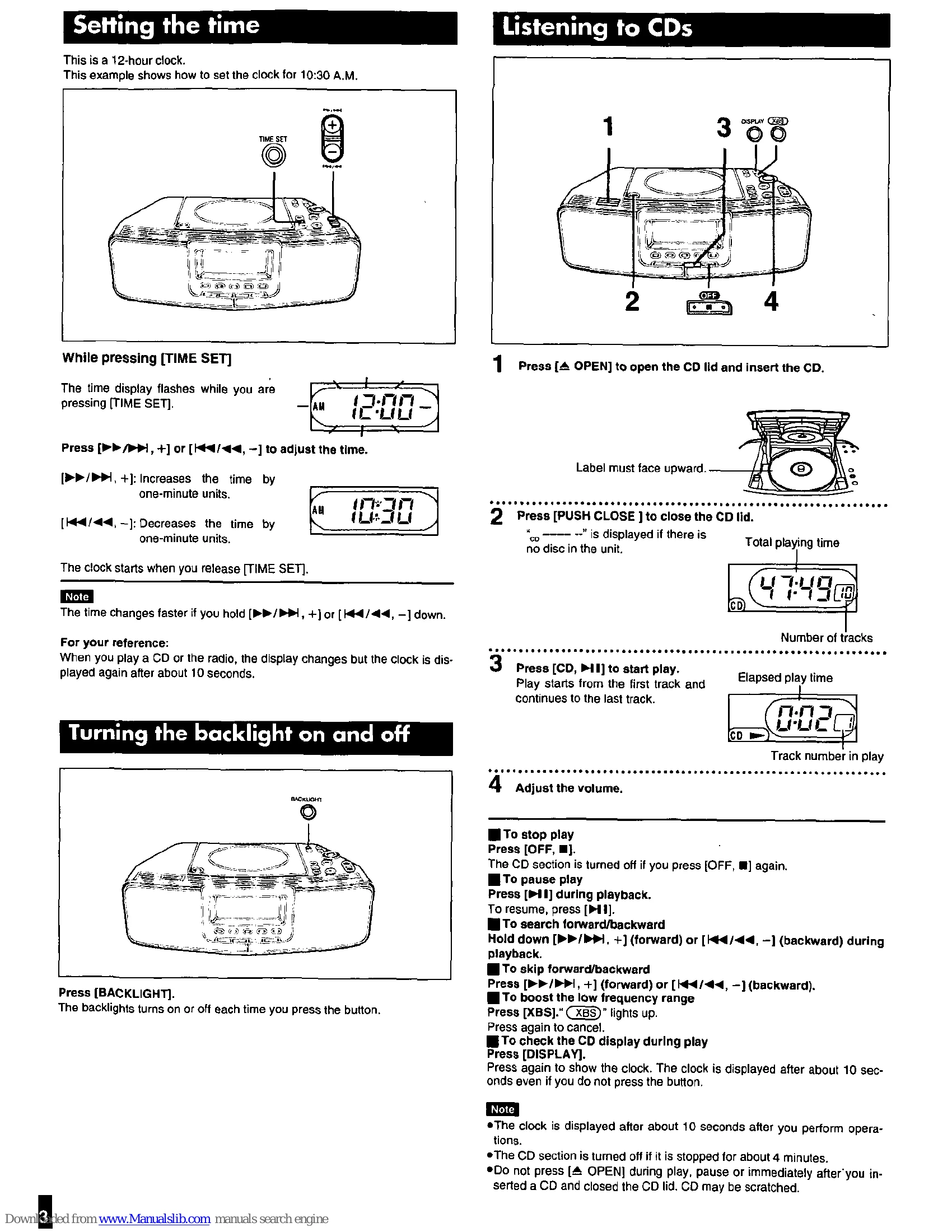
This is a 12-hour clock. Press and hold [TIME SET], then use [►►►►, +] or [/◄◄◄, -] to adjust the hour and minute. The clock starts when you release [TIME SET].
Press [BACKLIGHT] to turn the backlight on or off.
Turn down the volume, then connect headphones to [PHONES].
Set CD/Radio alarm (ALARM 1) or Buzzer alarm (ALARM 2) using [DISP/ADJ] and appropriate buttons. Adjust volume for CD/Radio alarm. Press [DOZE] to snooze.
Press [SLEEP] to set the timer (30, 60, 90, 120 minutes) or turn it OFF.
| Common problems | Problem | Check this |
|---|---|---|
| CD | -- is displayed. | •The clock hasn't been set. Set the current time. •A CD hasn't been inserted. |
| -- is displayed. | Ensure the alarm's indicator is on ("ALARM 1" or "ALARM 2"). | |
| The alarm doesn't sound at the set time. | •Reset the items into the memory. •Insert a memory back-up battery to preserve the contents of the memory. |
|
| The memory has been cleared. | Indicates an incorrect operation. Read the instructions. •Clean the CD. •Wait for an hour for condensation to dry, then try again. •Make sure the label is facing up. •Replace the CD if it is scratched, warped, or irregularly shaped. |
|
| Radio | "E" is displayed. | See CD troubleshooting. |
| Play doesn't start or display is incorrect. | Are you using the unit too near a TV or Tuner? Move the unit away from a TV or tuner or turn off. | |
| A lot of noise. |
FM stereo mode: If noise is excessive, press [MODE] so "MONO" lights up. |