Manual for KX-MB2100 series

Manual for KX-MB2100 series

Brand: Panasonic

Category: Office Equipment

Document Type: Manual

Language: EN
Uploaded: Nov. 21, 2025, 6:04 p.m.

Warranty Information

No warranty period is explicitly stated in the provided pages.

Introduction

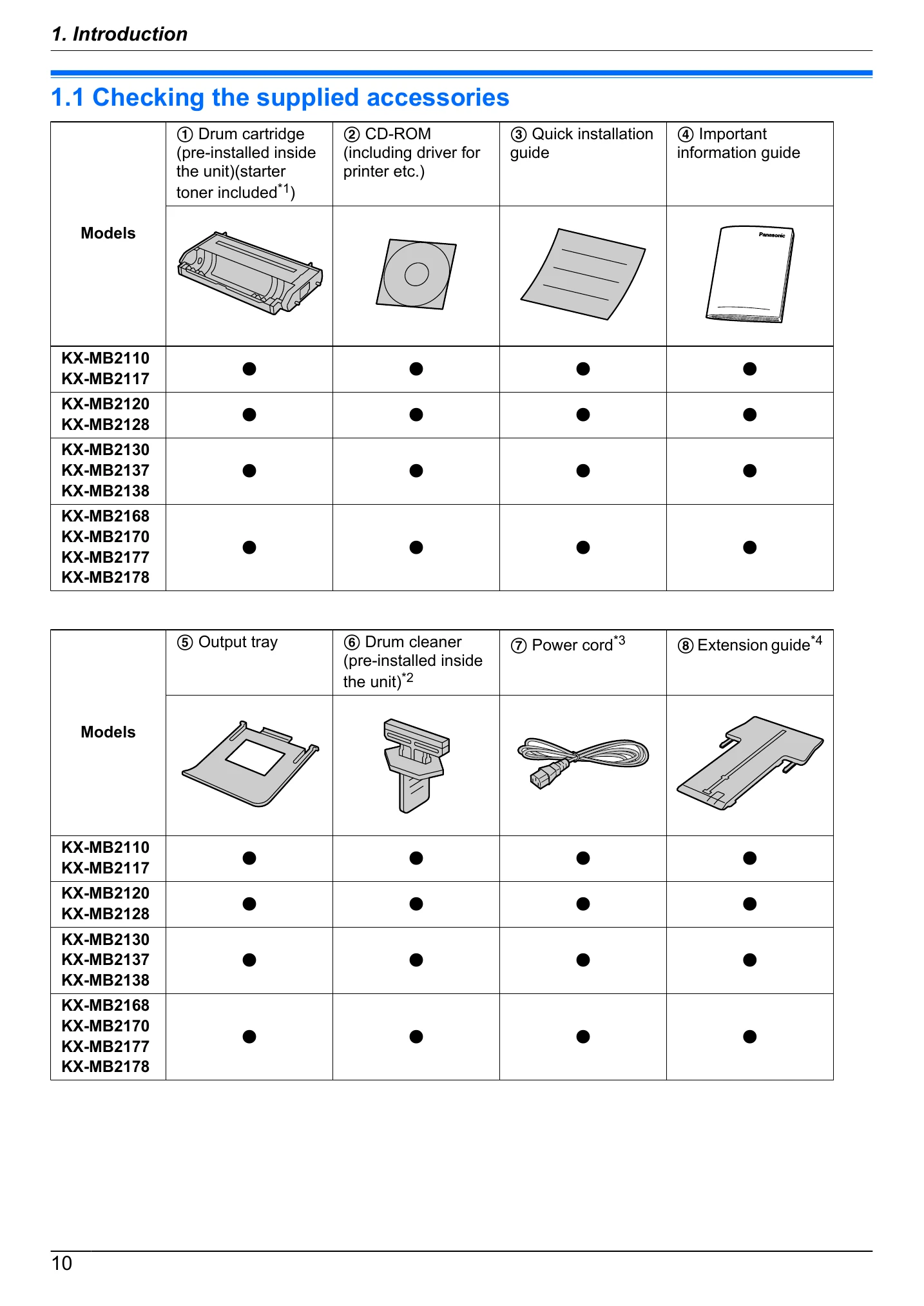
  • Accessories: Lists and describes the supplied accessories with a table indicating which models receive which accessories.
  • Finding the Controls: Provides an overview of the unit's controls and their functions.
  • Overview: Details the front and rear views of the unit, labeling parts and their functions.
  • Button Descriptions: Explains the function of each button on the control panel.

Installation and Preparation

  • Drum cartridge: Instructions on how to install the drum cartridge.
  • Output tray: Steps to expand and insert the output tray.
  • Connections: Guides on connecting power, telephone, and LAN cables.
  • Turning the power ON/OFF: How to operate the power switch.
  • Date and time: Recommends setting the date and time, and notes automatic setting with Caller ID.
  • Configuring the unit to access the LAN: Instructions for setting up IP address, subnet mask, and default gateway via DHCP or manually.
  • Wireless LAN settings: Steps for connecting to a wireless network using WPS or manually.
  • Required computer environment: Specifies the operating system and hardware requirements for using the Multi-Function Station.
  • Installing software: Guides on installing the Multi-Function Station software and drivers.
Privacy Policy