Manual for KeyMission 80

Manual for KeyMission 80

Brand: Nikon

Category: Digital Camera

Document Type: Manual

Language: EN

Uploaded: Aug. 10, 2025, 12:15 a.m.
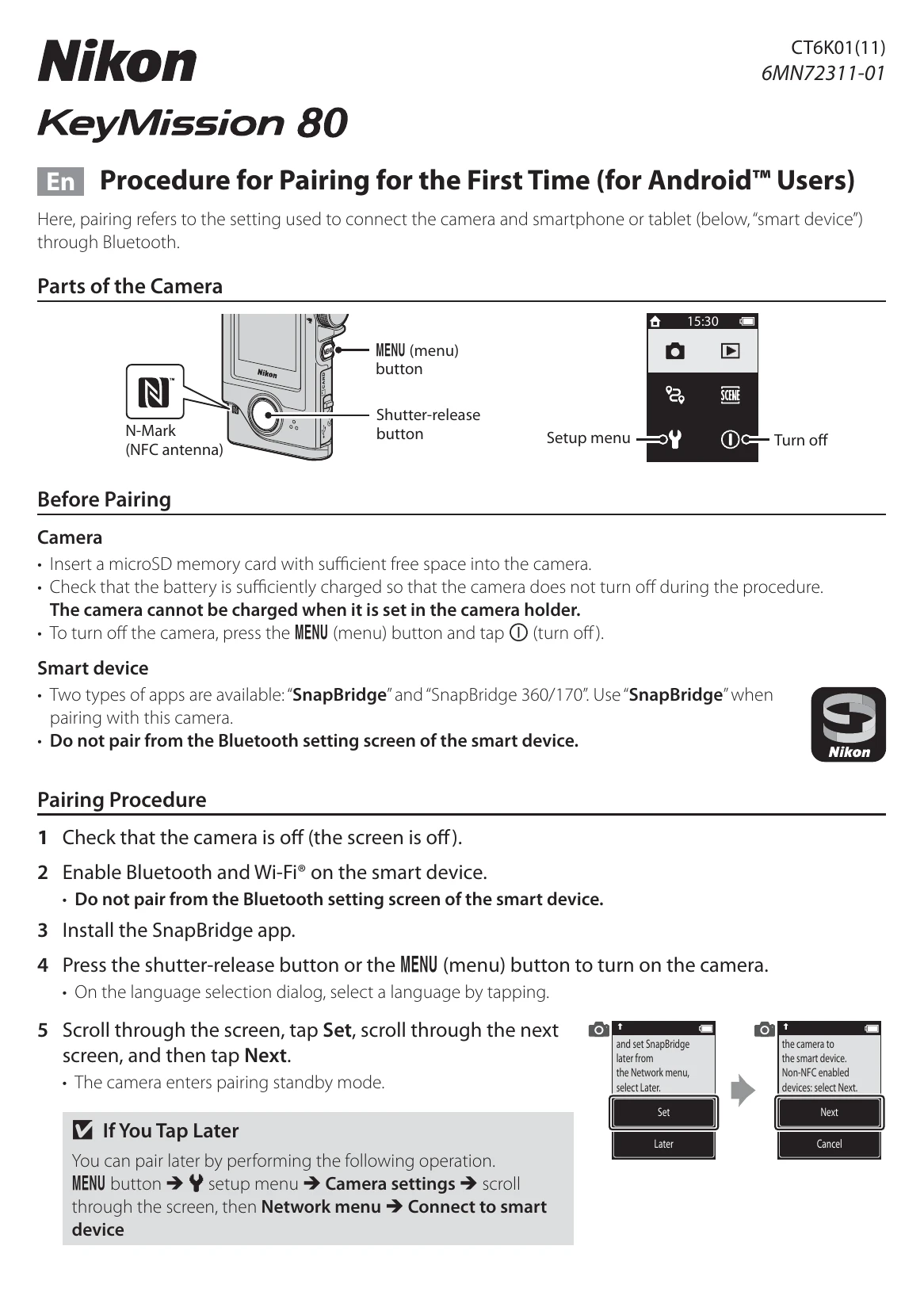
Before Pairing

Camera

  • Insert a microSD memory card with sufficient free space into the camera.
  • Check that the battery is sufficiently charged so that the camera does not turn off during the procedure.
  • The camera cannot be charged when it is set in the camera holder.
  • To turn off the camera, press the MENU (menu) button and tap ⓘ (turn off).

Smart device

  • Two types of apps are available: "SnapBridge" and "SnapBridge 360/170". Use "SnapBridge” when pairing with this camera.
  • Do not pair from the Bluetooth setting screen of the smart device.

Pairing Procedure

  1. Check that the camera is off (the screen is off).
  2. Enable Bluetooth and Wi-Fi® on the smart device.
  3. Install the SnapBridge app.
  4. Press the shutter-release button or the MENU (menu) button to turn on the camera.
    • On the language selection dialog, select a language by tapping.
  5. Scroll through the screen, tap Set, scroll through the next screen, and then tap Next.
    • The camera enters pairing standby mode.
  6. Scroll through the screen on the camera and when the screen shown on the right is displayed, launch the SnapBridge app on the smart device.
  7. When the screen shown on the right is displayed on the smart device, tap the camera name.
  8. Check the authentication code.
    • Confirm that the camera and smart device display the same authentication code.
    • Perform the following operations on the camera and smart device at the same time.
      • On the camera, tap OK.
      • On the smart device, tap Pairing (the name of the button varies with the smart device).
  9. Follow the on-screen instructions to complete the pairing process.
    • Camera: If pairing is successful, the screen shown on the right is displayed. Tap Next, and then follow the on-screen instructions.
    • Smart device: Follow the on-screen instructions.
Privacy Policy