Manual for FP-68T30

Manual for FP-68T30

Brand: NEC

Category: Television

Document Type: Manual

Language: EN
Uploaded: Nov. 21, 2025, 8:24 p.m.

Warranty Information

No specific warranty period mentioned in the provided pages.

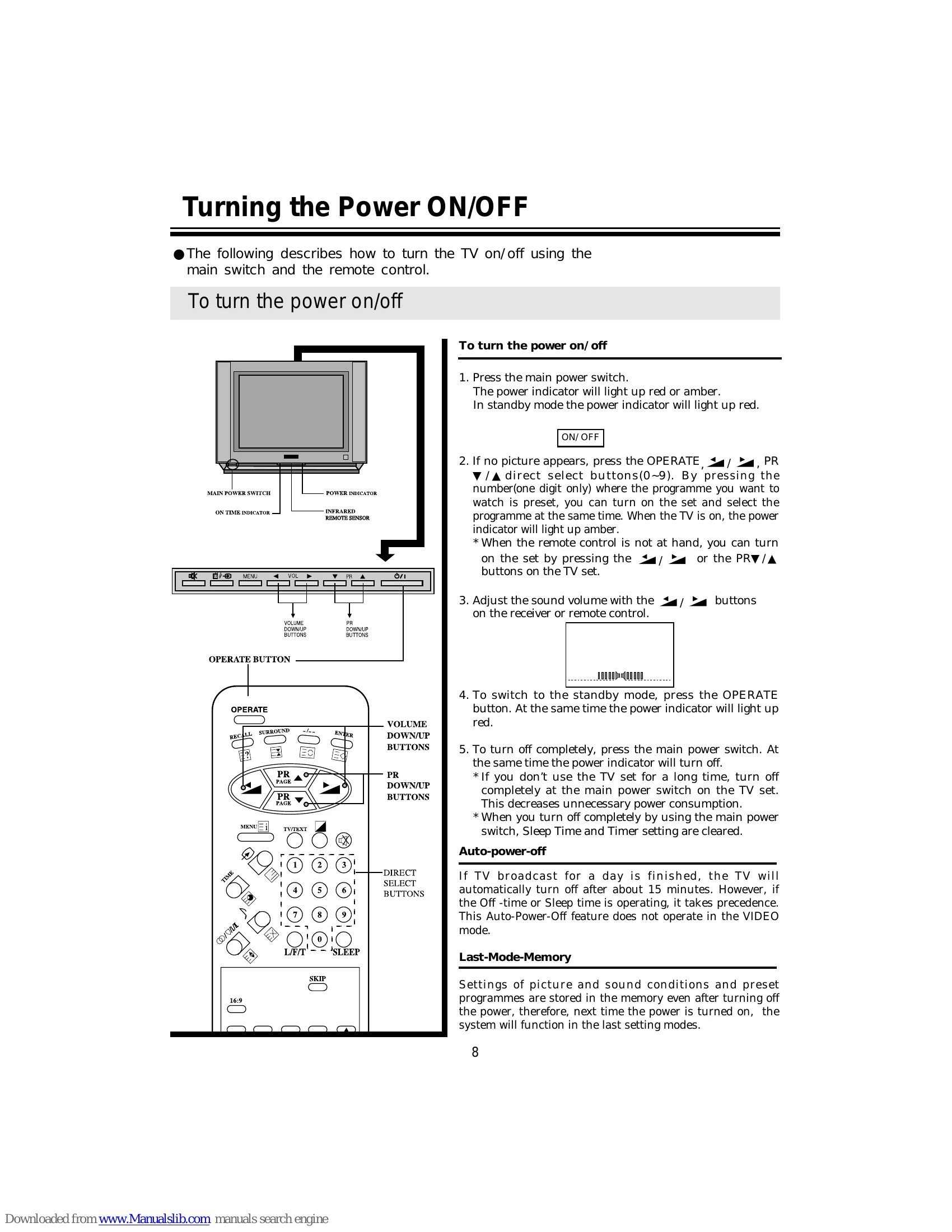
  • Power ON/OFF: Use the main power switch or the OPERATE button on the remote. The power indicator shows the status.
  • Watching TV: Use direct select buttons (0-9) or PR +/- buttons to choose programmes. Adjust volume with VOL +/- buttons.
  • Tuning: Use AUTO SEARCH to preset all active programmes or SEARCH to preset specific programmes. MFT (Manual Fine Tuning) can be used for picture and sound adjustments.
  • VIDEO Input: Connect external devices via AV or S-VIDEO terminals. Use the TV/VIDEO button to select the input source.
  • Picture & Sound Controls: Selectable picture modes (MEMORY, MILD, STANDARD) and sound settings are available.
  • Teletext: Press TV/TEXT to enter Teletext mode. Use PAGE SELECTOR or PAGE UP/DOWN buttons to navigate pages.

Troubleshooting and error codes

Item Button
contrast weaker stronger
brightness darker lighter
color paler deeper
tint purplish greenish
sharpness softer sharper

*for NTSC only

* The TINT() is adjustable for 3.58NTSC or 4.43NTSC broadcast systems. "X" display appears when the TINT() is selected in other cases.

* The SHARPNESS() is not adjustable in the double window mode. "X" display appears when the SHARPNESS() is selected in the double picture mode.

Privacy Policy