Manual for TN30

Manual for TN30

Brand: Motorola

Category: Navigation Device

Document Type: Manual

Language: EN
Uploaded: Nov. 21, 2025, 6:01 p.m.

Warranty Information

The manual does not specify a warranty period.

  • Getting Started: Turn on your MOTONAV TN30 by pressing and holding the Power button. Follow the on-screen prompts to set language, review warnings and EULA, set time zone, and choose measurement units. Pair with your Bluetooth phone for hands-free calls. Verify current location on the map view screen.
  • Mounting: Secure the device in your car using the included mounting holder. Attach the suction cup to the windshield or dashboard. Adjust the extension arm for optimal viewing.
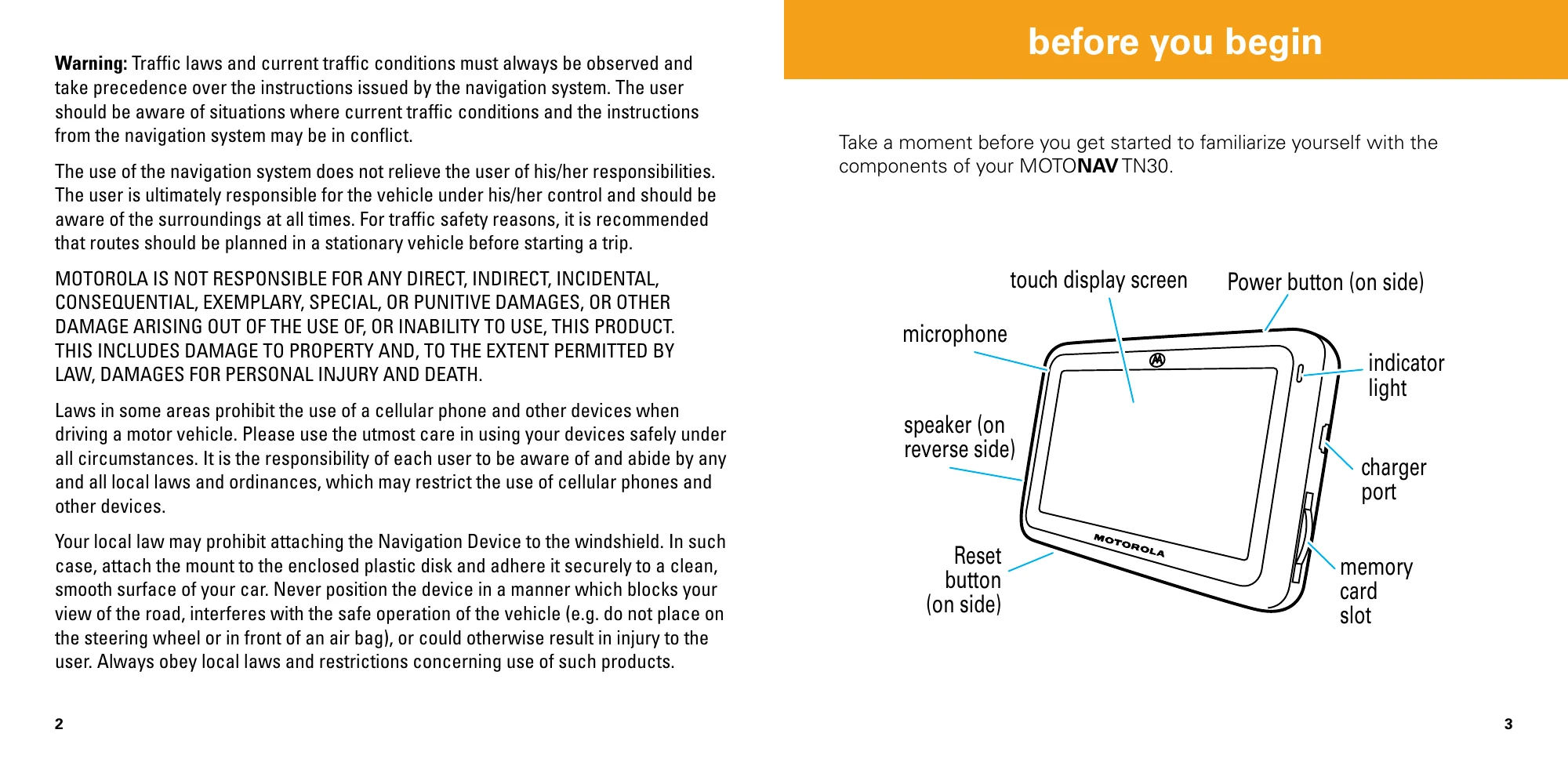
  • Powering: Use the included car charger to power the device. The indicator light is orange while charging and turns green when fully charged.
  • Navigation: From the map view, tap Menu, then Go!. Choose to find a route by Address or by Destination (e.g., Food, Fuel, Lodging). Enter details and tap Go. The route screen displays details like travel distance and ETA.
  • Calls: Establish Bluetooth connection with your phone. Incoming calls are notified on screen; tap Answer or Ignore. While on a call, you can mute/unmute, end the call, or transfer it between the device and your phone. To make a call, tap the Call icon and choose from recent calls, redial, or dial by number.
Privacy Policy