Installation Guide for 520

Installation Guide for 520

Brand: Motorola

Category: Computer Hardware

Document Type: Installation Guide

Language: EN
Uploaded: Nov. 21, 2025, 8:06 p.m.

Manual Publish Date: 2001-03-01

Warranty Information

Motorola warrants the product against material defects and workmanship for one year from shipment.

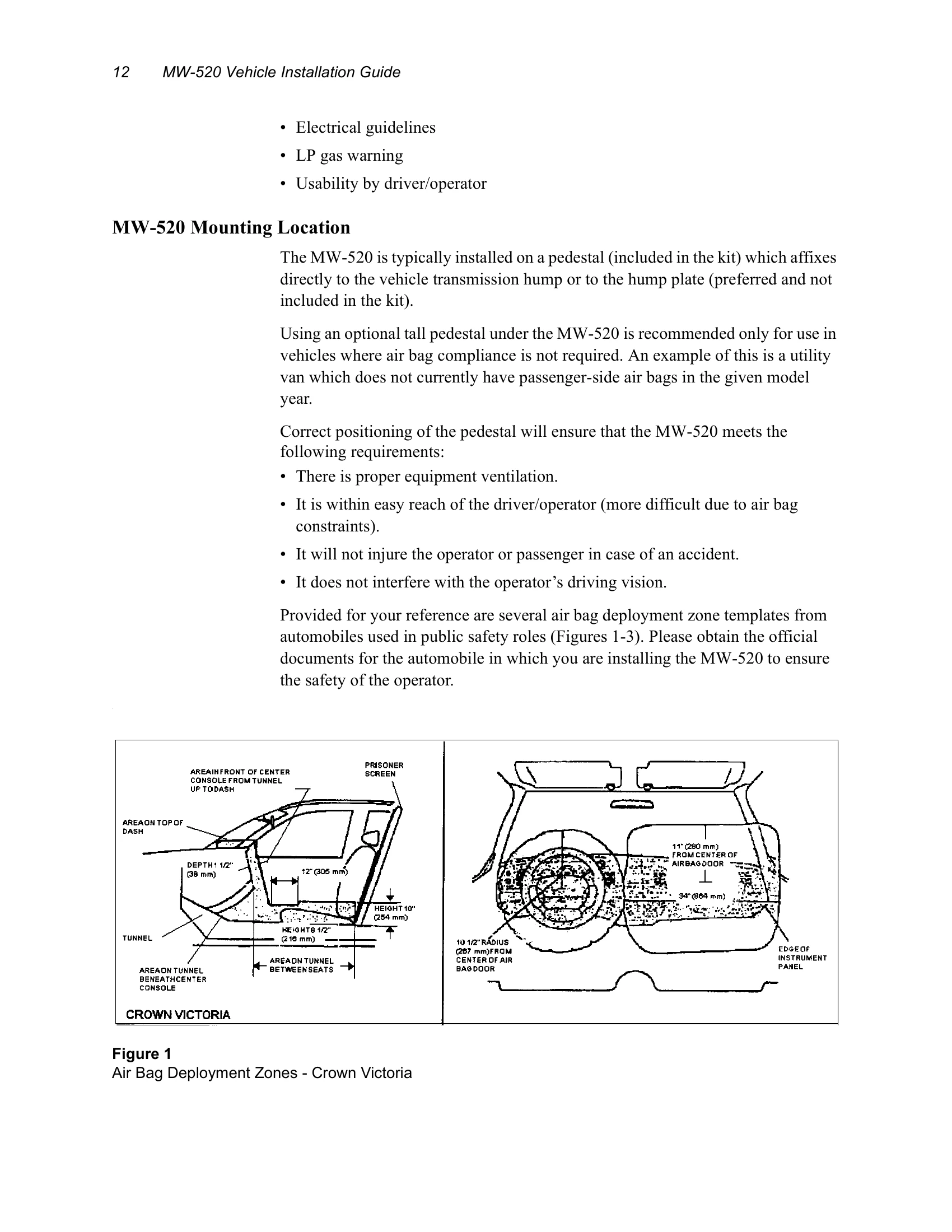
The MW-520 Mobile Workstation combines desktop computing power with mobile flexibility. It handles applications with local databases and graphical images. The integrated radio-modem provides data access without a separate modem. The workstation is mountable in vehicles, even those with airbags, offering user-friendly operation with backlit display controls and an uplit, removable keyboard. The mount assembly includes a pedestal, CPU arm, and display assembly for flexible placement and adjustment. Installation involves mounting the pedestal, CPU, display, and keyboard according to provided instructions and diagrams, ensuring proper ventilation and avoiding interference with vehicle systems and safety features like airbags. Interconnection of components includes RF antenna, parallel port, keyboard, RS-232, DC power, and optional GPS antenna connections. The unit is turned on via a main power switch and a soft power switch on the display.

Troubleshooting and error codes

Issue Possible Cause Remedy
No power DC cable not connected Connect DC cable.
Display blank Incorrect display connection Check display connections.
Keyboard not responding Incorrect keyboard connection Check keyboard connection.
Interference Improper installation or nearby RF sources Follow installation guidelines and reposition antenna if necessary.
Privacy Policy