Brand: Motorola Solutions
Category: Networking
Document Type: Manual
Language: EN
Brand: Motorola Solutions
Category: Networking
Document Type: Manual
Language: EN
Uploaded: Nov. 21, 2025, 9:14 p.m.
This manual provides comprehensive instructions for operating and managing the Motorola LPR Network Camera. It covers initial setup, network connection (LAN and WAN), live view, system configuration (basic information, date/time, local config, storage), image configuration (display, video/audio, OSD), alarm configuration, and maintenance (backup, reboot, upgrade, logs). The manual also details search functionalities for images and videos, both locally and from an SD card.
| Problem | Solution |
|---|---|
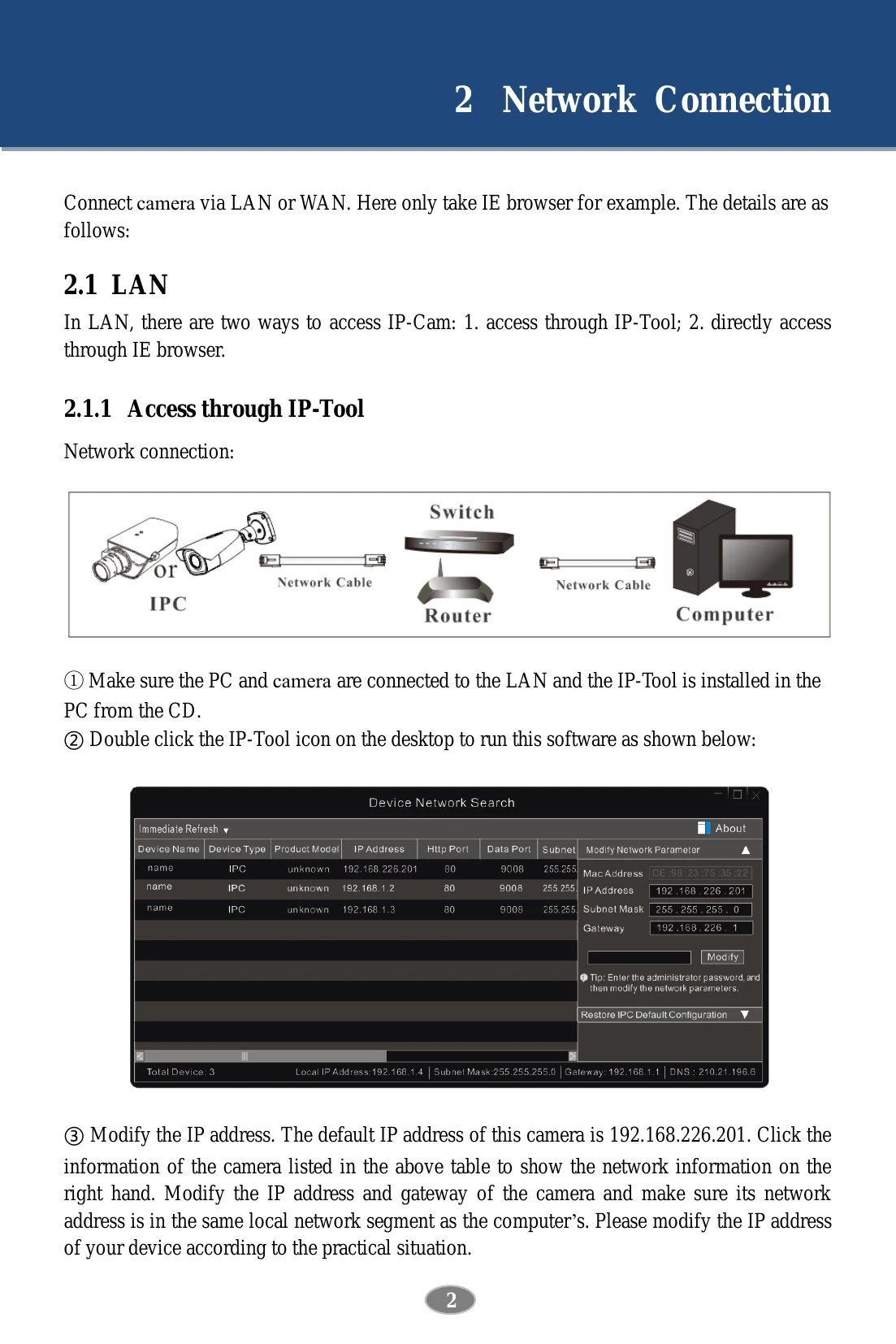
| How to find the password? | Reset the device to the default factory settings. Default IP: 192.168.226.201; User name: admin; Password: 123456 |
| Fail to connect devices through IE browser. |
A: Network is not well connected. Check the connection and make sure it is connected well. B: IP address is not available. Reset the IP address. C: Web port number has been changed: contact administrator to get the correct port number. D: Exclude the above reasons. Restore to default setting by IP-Tool. |
| IP tool cannot search devices. | It may be caused by the anti-virus software in your computer. Please exit it and try to search device again. |
| IE cannot download ActiveX control. |
A. IE browser may be set up to block ActiveX. Follow the steps: Open IE browser and then click Tools-----Internet Options. Select Security------Custom Level.... Enable all the options under “ActiveX controls and plug-ins". Click OK to finish setup. B. Other plug-ins or anti-virus blocks ActiveX. Please uninstall or close them. |
| No sound can be heard. |
A: Audio input device is not connected. Please connect and try again. B: Audio function is not enabled at the corresponding channel. Please enable this function. |