Manual for LDT422V

Manual for LDT422V

Brand: MITSUBISHI ELECTRIC

Category: Monitor

Document Type: Manual

Language: EN
Uploaded: Nov. 21, 2025, 7:31 p.m.

Warranty Information

Refer to the user's manual for warranty details, as they are not explicitly stated in the provided pages.

Features

  • Full 1920 x 1080 High-definition Resolution
  • Wide-range Color Temperature Adjustment
  • Tiling Capability with Frame compensation
  • PiP, PoP and Side-by-side
  • Programmable Scheduling Function
  • Screen-saver Functions
  • Side Border Color Select
  • Power-on Delay
  • Flexible Landscape & Portrait Positioning
  • Closed Caption

Preparation for Use

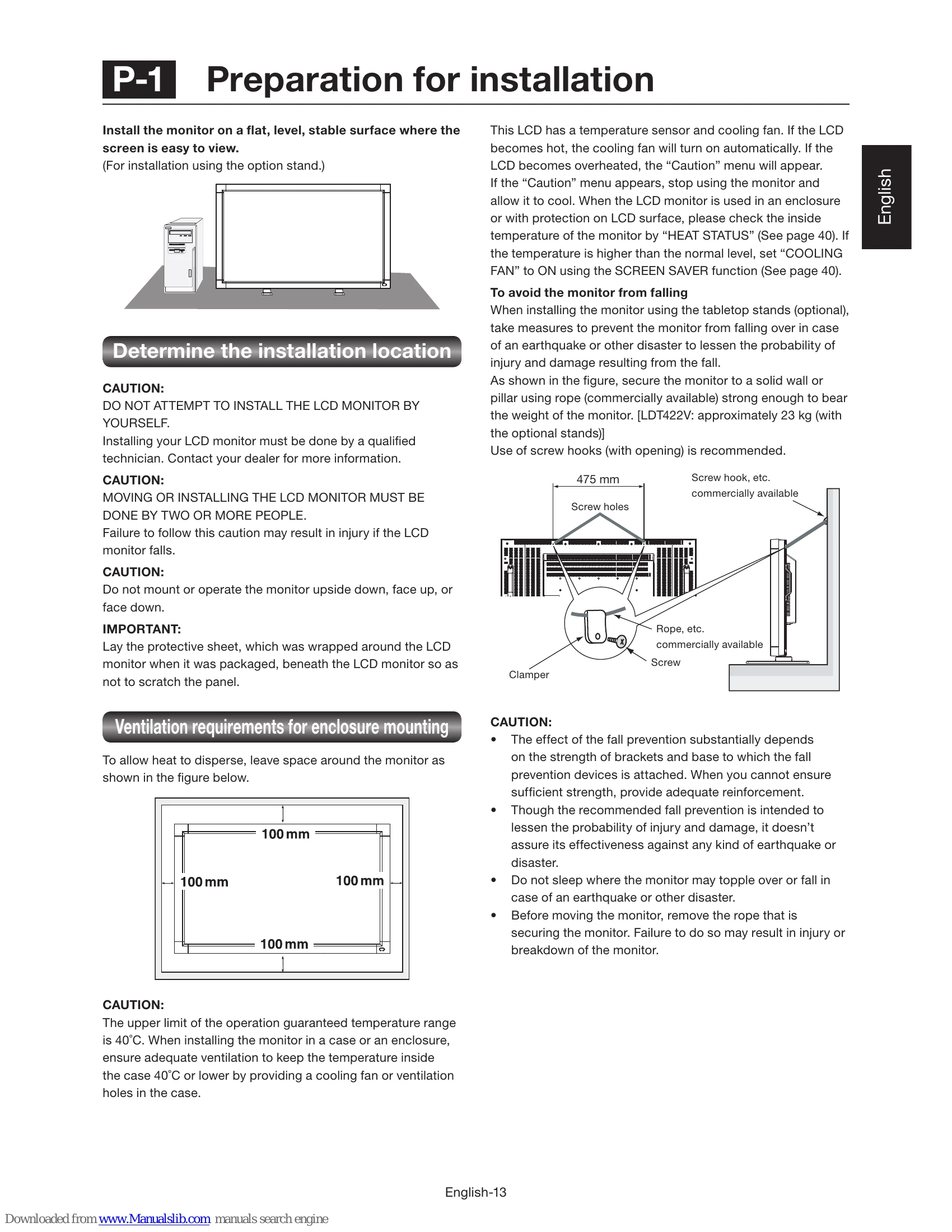
  • P-1 Preparation for installation: Determine installation location and ventilation requirements.
  • P-2 Installing the monitor: Install stands, main switch cover, or wall/ceiling mount. Can be installed in portrait position.
  • P-3 Installing the speakers: Connect optional speakers.
  • P-4 Connection procedure: Connect computers (analog/digital), video devices (component/HDMI, composite/S-video), and stereo amplifiers.
  • P-5 Connecting the power cord: Connect the power source.

Troubleshooting and error codes

Problem Possible Cause/Solution
No picture
  • Signal cable not securely connected.
  • Display card not seated properly.
  • Power switches not ON.
  • Incorrect graphics mode selected.
  • Incompatibility or incorrect settings.
  • Bent or pushed-in pins on signal cable connectors.
Power button does not respond Unplug and replug the monitor's power cord to reset.
Image persistence
  • LCD technology may experience temporary image persistence. Turn off the monitor for a duration equal to the time the image was displayed.
  • Display moving images, use a screen saver, or turn off the monitor when not in use.
Image is unstable, unfocused or swimming
  • Signal cable not securely attached.
  • Adjust OSD Image Adjust controls (fine adjustment).
  • Re-adjust OSD settings if display mode changed.
  • Check compatibility and signal timings.
  • Change video mode to non-interlace and use 60 Hz refresh rate if text is garbled.
Image of component signal is greenish Check if the DVD/HD input connector is selected.
LED on the monitor is not lit
  • Power Switch must be ON and power cord connected.
  • Computer not in power-saving mode.
RED LED on the monitor is blinking Contact authorized MITSUBISHI ELECTRIC service facility.
Displayed image is not sized properly
  • Use OSD Image Adjust controls (coarse adjustment).
  • Ensure correct graphics mode is selected.
Selected resolution is not displayed properly Use OSD Display Mode to check and select the appropriate resolution.
No sound
  • Check speaker cable connection.
  • Check if mute is activated.
  • Check if volume is set to minimum.
Wireless remote control is not available
  • Check batteries and their insertion.
  • Ensure remote is pointing at the monitor's sensor.
"SCHEDULE"/"OFF TIMER" function is not working properly
  • "SCHEDULE" is disabled if "OFF TIMER" is set.
  • "OFF TIMER" resets if power supply is interrupted unexpectedly.
Privacy Policy