Brand: MITSUBISHI ELECTRIC
Category: Computer
Document Type: Manual
Language: EN
Brand: MITSUBISHI ELECTRIC
Category: Computer
Document Type: Manual
Language: EN
Uploaded: Nov. 21, 2025, 6:42 p.m.
Manual Publish Date: 1996-01-01
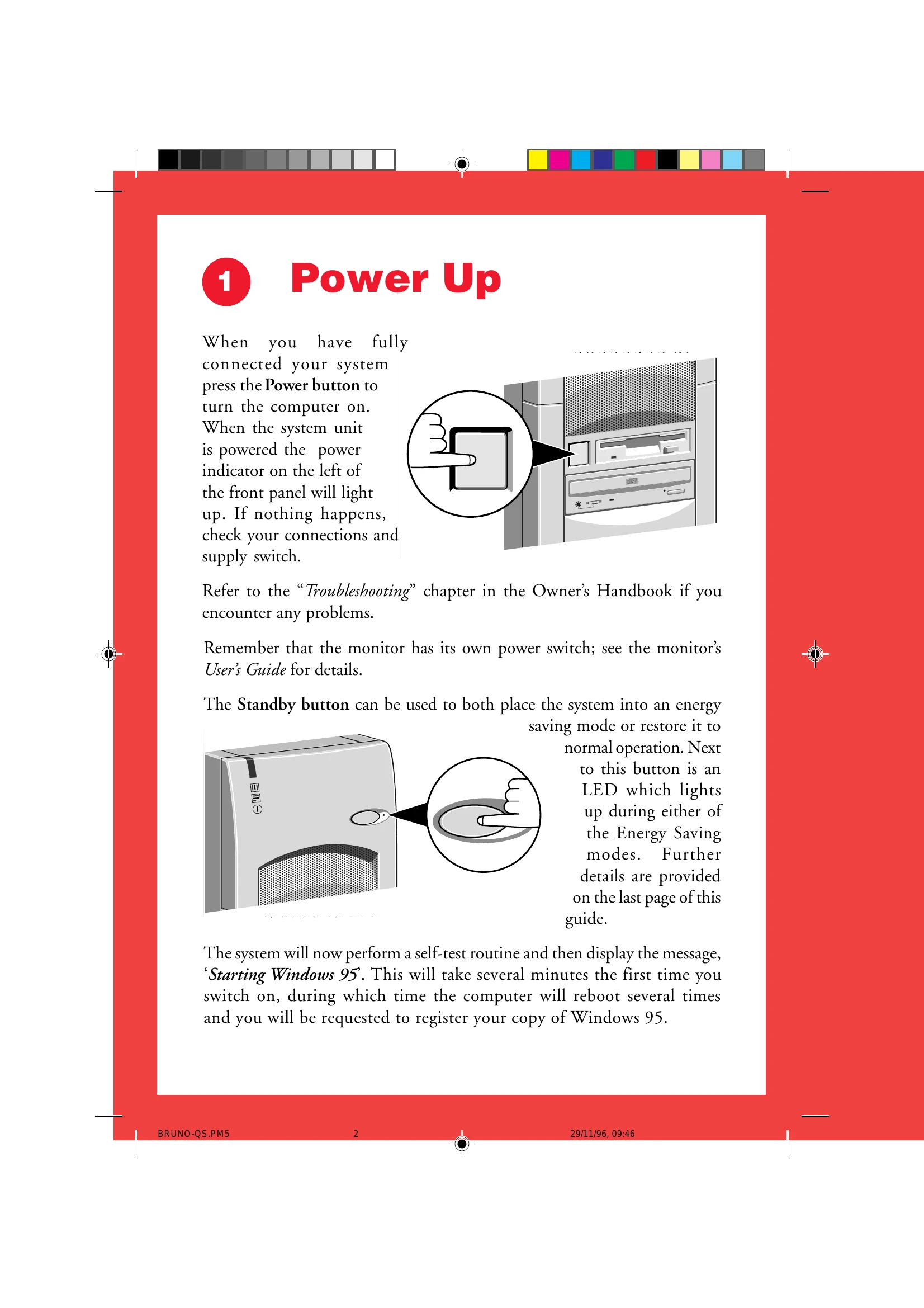
Fully connect your system. Press the Power button. The power indicator on the front panel will light up. If nothing happens, check connections and supply switch. The monitor has its own power switch. The Standby button can be used for energy saving mode or to restore normal operation.
Insert two AA batteries. Use the integral two-button mouse to control multimedia functions. Press MENU to display the remote status window. The red button accesses the help file.
Insert the appropriate CD into the CD-ROM drive. Press the button on the drive to open the platter, place CD label-up, then push the button again to close. Use the remote control MENU button, then press the coloured button labelled 'Games' to access the Entertainment Centre.
The system has Energy Star power-saving features. It enters 'Low Power' mode when unattended, followed by 'Standby' mode. Restore by moving the mouse or pressing a key. Pressing the STANDBY button puts the system into standby mode.
| Code | Cause | Code | Cause |
|---|---|---|---|
| 0 | Keyboard locked | 301 | Keyboard clock line failure |
| 062 | Boot failure (default values loaded) | 301 | Keyboard data line failure |
| 101 | Timer tick interrupt failure | 301 | Keyboard stuck key failure |
| 102 | Timer 2 test failure | 303 | Keyboard controller failure |
| 106 | Diskette controller failure | 604 | Diskette drive 0 failure |
| 110 | System board memory parity interrupt | 604 | Diskette drive 1 failure |
| 114 | Option ROM checksum failure | 605 | Diskette unlocked problem |
| 151 | Real time clock failure | 662 | Diskette drive configuration |
| 161 | Real time clock battery failure | 762 | Coprocessor configuration |
| 162 | CMOS RAM checksum failure | 962 | Parallel configuration |
| 162 | Invalid configuration information | 1162 | Serial configuration |
| 163 | Time of day not set -preboot | 1762 | Hard disk configuration |
| 164 | Memory size does not match CMOS | 1780 | Fixed disk 0 failure |
| 165 | Add/remove MC card | 1781 | Fixed disk 1 failure |
| 166 | Memory configuration change | 1782 | Fixed disk 2 failure |
| 175 | Bad EEPROM CRC #1 | 1783 | Fixed disk 3 failure |
| 176 | System tampered | 1800 | No more IRQ available |
| 177 | Bad PAP checksum | 1801 | No more room for option ROM |
| 178 | EEPROM is not functional | 1802 | No more I/O space available |
| 183 | PAP update required | 1803 | No more memory <1Mb available |
| 184 | Bad POP checksum | 1804 | No more memory >1MB available |
| 185 | Corrupted Boot sequence | 1805 | Checksum error or 0 size option ROM |
| 186 | Hardware problem | 1806 | PCI-PCI bridge error |
| 187 | VPD S/N not set | 1962 | No bootable device |
| 188 | Bad EEPROM CRC #2 | 2400 | Display adapter failed ; using alternate |
| 189 | Excessive password attempts | 2462 | Video configuration |
| 201 | Base memory error | 5962 | IDE CD-ROM configuration |
| 229 | External cache failure | 8601 | Pointer device failure |
| 301 | Keyboard failure | 8603 | Pointer device has been removed |