Brand: Miele
Category: Dishwasher
Document Type: Manual
Language: EN
Brand: Miele
Category: Dishwasher
Document Type: Manual
Language: EN
Uploaded: Nov. 21, 2025, 6:12 p.m.
Manual Publish Date: 2017-06-19
Miele cannot be held liable for damage caused by improper or incorrect use or operation of the machine.
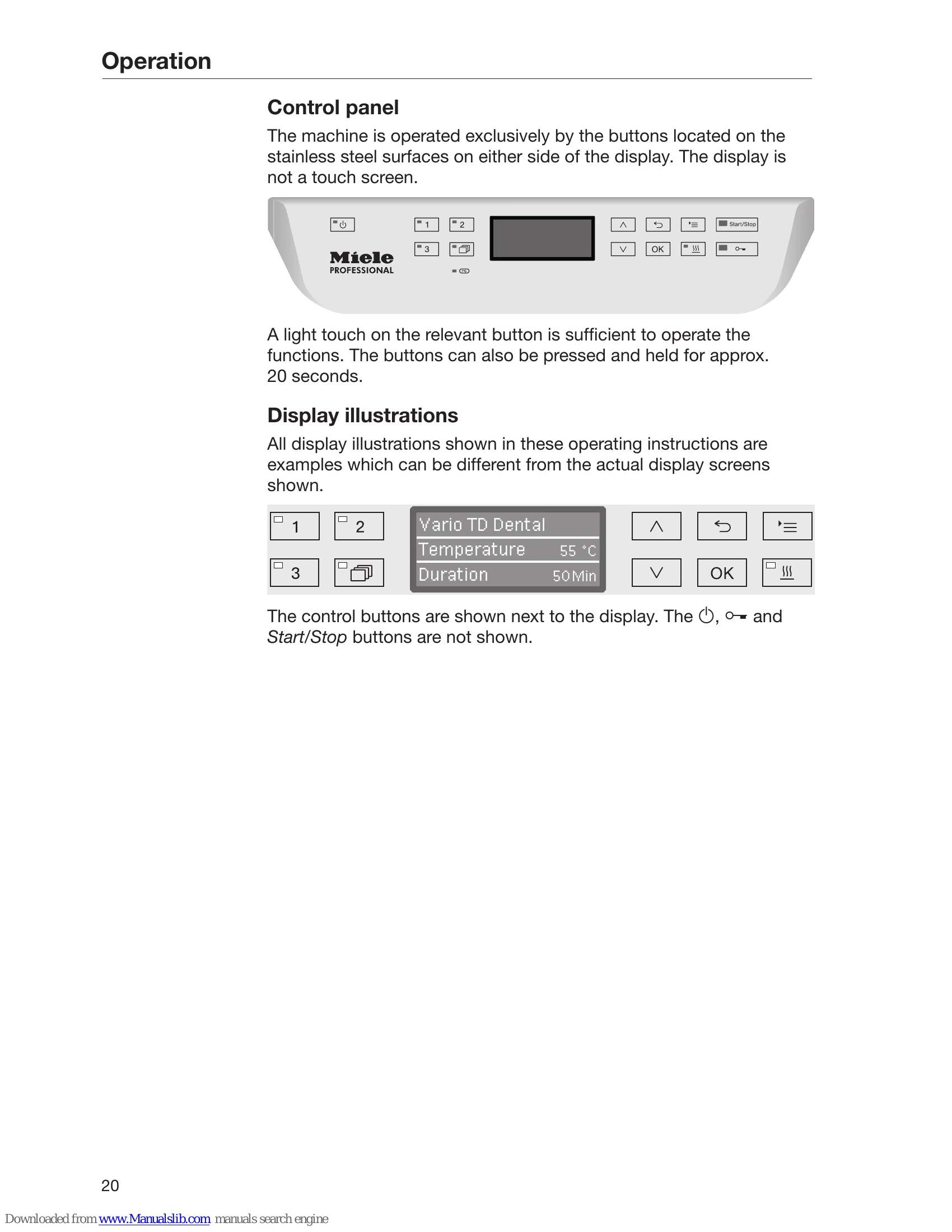
| Button | LED | Status |
|---|---|---|
| ON | The machine is switched on. | |
| FLASHES | The machine is ready for use. | |
| OFF | The machine is switched off. | |
| Program selection buttons 1, 2 and 3 | ON | The respective program has been selected. At the end of the program the LED will remain lit until a different program is selected. |
| OFF | The program is not selected or the program settings are being selected. | |
| ON | A program has been selected from the program list. At the end of the program the LED will remain lit until a different program is selected. | |
| OFF | No program has been selected from the list or the program settings are being selected. | |
| SSS | ON | The additional "Drying Assistance" function has been activated for the selected program (not available for all programs; see "Program chart"). |
| OFF | The additional "Drying Assistance" function has been deactivated. | |
| Start/Stop button | ON | A program is running. |
| FLASHES GREEN | A program has been selected, but has not yet started. | |
| FLASHES RED | A fault has occurred (see "Frequently asked questions"). | |
| OFF | A program has finished. | |
| ON | The door is closed (locked) and there is no program running. | |
| FLASHES | A program has finished and the door is closed (locked). | |
| OFF | A program is running or the door is open (unlocked). |