Brand:
LG
Category: Mobile Phone
Document Type: Manual
Language: EN
Brand:
LG
Category: Mobile Phone
Document Type: Manual
Language: EN
Uploaded: Nov. 21, 2025, 6:13 p.m.
LG provides a 12-month limited warranty for the mobile phone, covering parts and labor for defects.
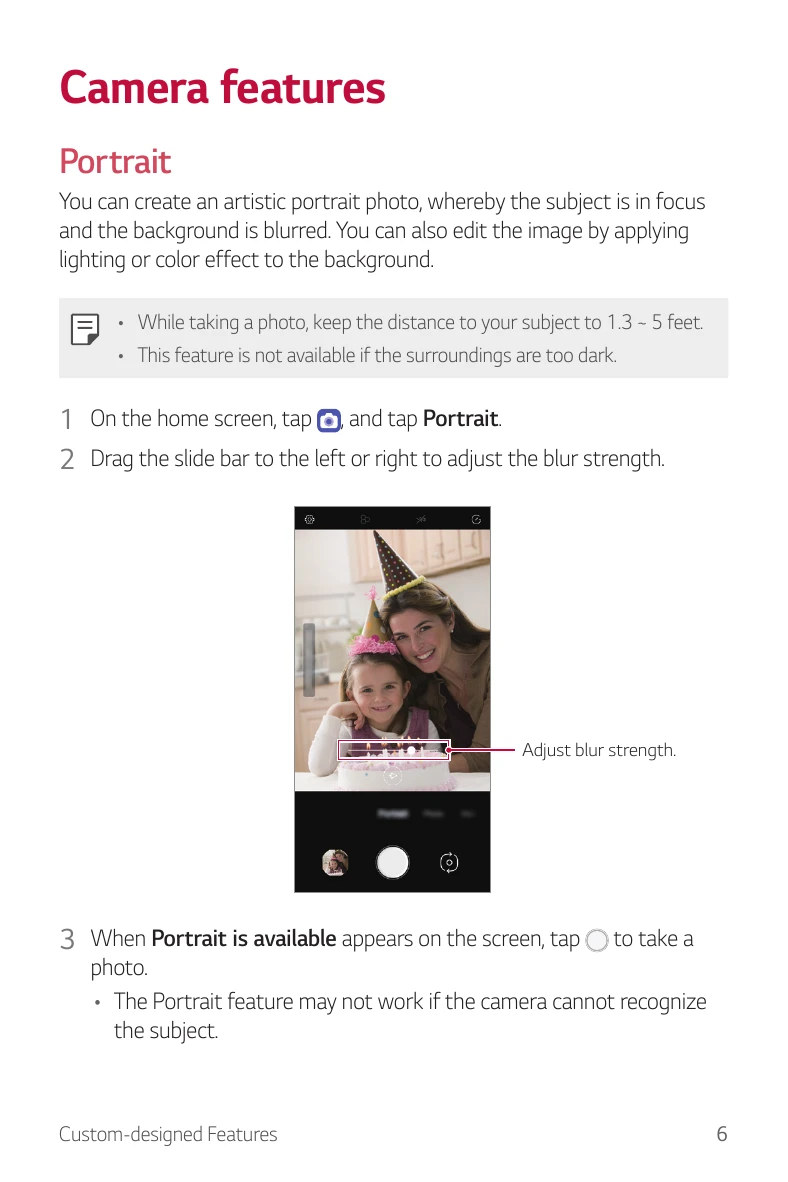
Portrait Mode: Create artistic portrait photos with a blurred background. Adjust blur strength using a slider.
Creating a Movie: Combine images and videos to create a movie. Select media, arrange it, add effects, and save.
Making a GIF: Easily create GIF files from recorded videos by selecting a start point and length.
Access Google Assistant by pressing the dedicated key or saying 'OK Google'/'Hey Google'. Sign in with your Google Account and configure voice match for unlocking.
Register your fingerprint to unlock the screen, access locked content, or confirm purchases. Ensure the sensor is clean and dry for optimal performance.
Recent Uses Screen: Swipe up and hold the Home button to view recent apps.
Pop-up Window: Open multiple apps simultaneously. Swipe up and hold from the bottom, tap the app icon, and select 'Pop-up window'. Resize and move windows as needed.
Multi Window: Use two apps at once. Swipe up and hold from the bottom, tap the app icon, select 'Multi window', and choose another app for the second half of the screen.