Brand:
LG
Category: Home Theater System
Document Type: Manual
Language: EN
Brand:
LG
Category: Home Theater System
Document Type: Manual
Language: EN
Uploaded: Nov. 21, 2025, 8:46 p.m.
Safety Information: Read all safety precautions carefully to prevent fire, electric shock, and other hazards. Ensure proper ventilation and power cord usage.
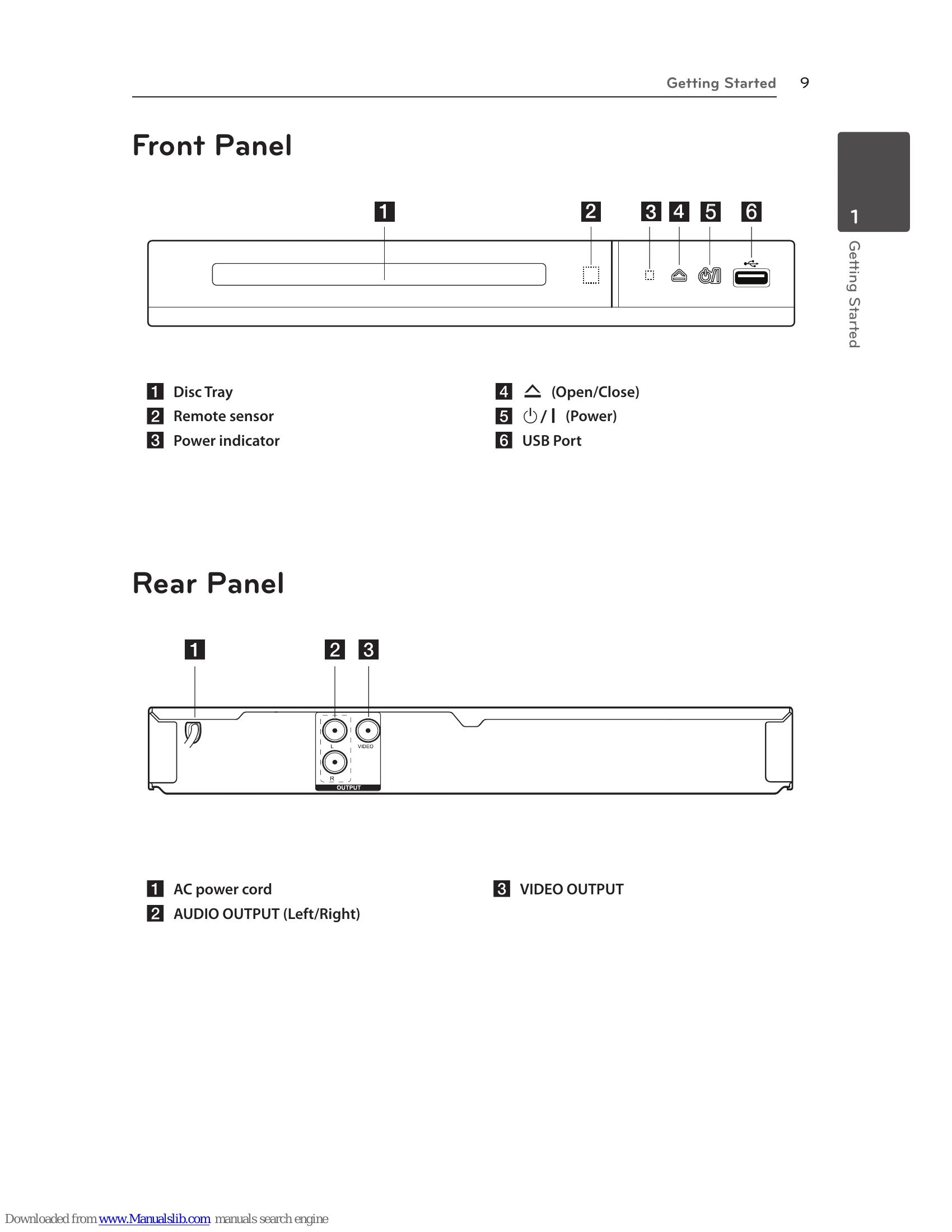
Connecting: Connect the DVD player to your TV using RCA to SCART cable or to an amplifier using audio cables.
System Setting: Set up initial language, TV aspect ratio, display mode, audio, lock settings, and other options through the setup menu.
Operating: Play DVDs, CDs, or files from USB devices. Navigate menus, select audio/subtitle languages, and use advanced playback features like slow motion and zoom.
Troubleshooting: Refer to the table for solutions to common issues like no power, playback problems, remote control malfunction, and poor picture/sound quality.
| Symptom | Cause | Solution |
|---|---|---|
| No power. | The power cord is disconnected. | Plug the power cord into the wall outlet securely. |
| The power is on, but the unit does not work. | No disc is inserted. | Insert a disc. |
| The unit does not start playback. | An unplayable disc is inserted. | Insert a playable disc. (Check the disc type and regional code.) |
| The remote control does not work properly. | The rating level is set. | Change the rating level. |
| The remote control is not pointed at the remote sensor on the unit. | Point the remote control at the remote sensor of the unit. | |
| The remote control is too far from the unit. | Operate the remote control closer to the unit. | |
| Poor picture quality and sound distortion. | Fingerprints and dust are stained on the disc. | Wipe the disc from the center to out with a clean cloth. Do not use strong solvents. (alcohol, benzine, thinner, commercially available cleaners) |
| No picture. | The TV is not set to receive the signal from the unit. | Select the appropriate video input mode on the TV. |
| The video cable is not connected securely. | Connect the video cable securely. | |
| No sound. | The equipment connected with the audio cable is not set to receive the signal from the unit. | Select the correct input mode of the audio amplifier. |
| The AUDIO options are set to the wrong position. | Set the AUDIO settings to the correct position. |