Brand:
LG
Category: Home Theater System
Document Type: Manual
Language: EN
Brand:
LG
Category: Home Theater System
Document Type: Manual
Language: EN
Uploaded: Nov. 21, 2025, 9:11 p.m.
LG Electronics offers a limited warranty with labor for 90 days and parts for one year from the date of purchase.
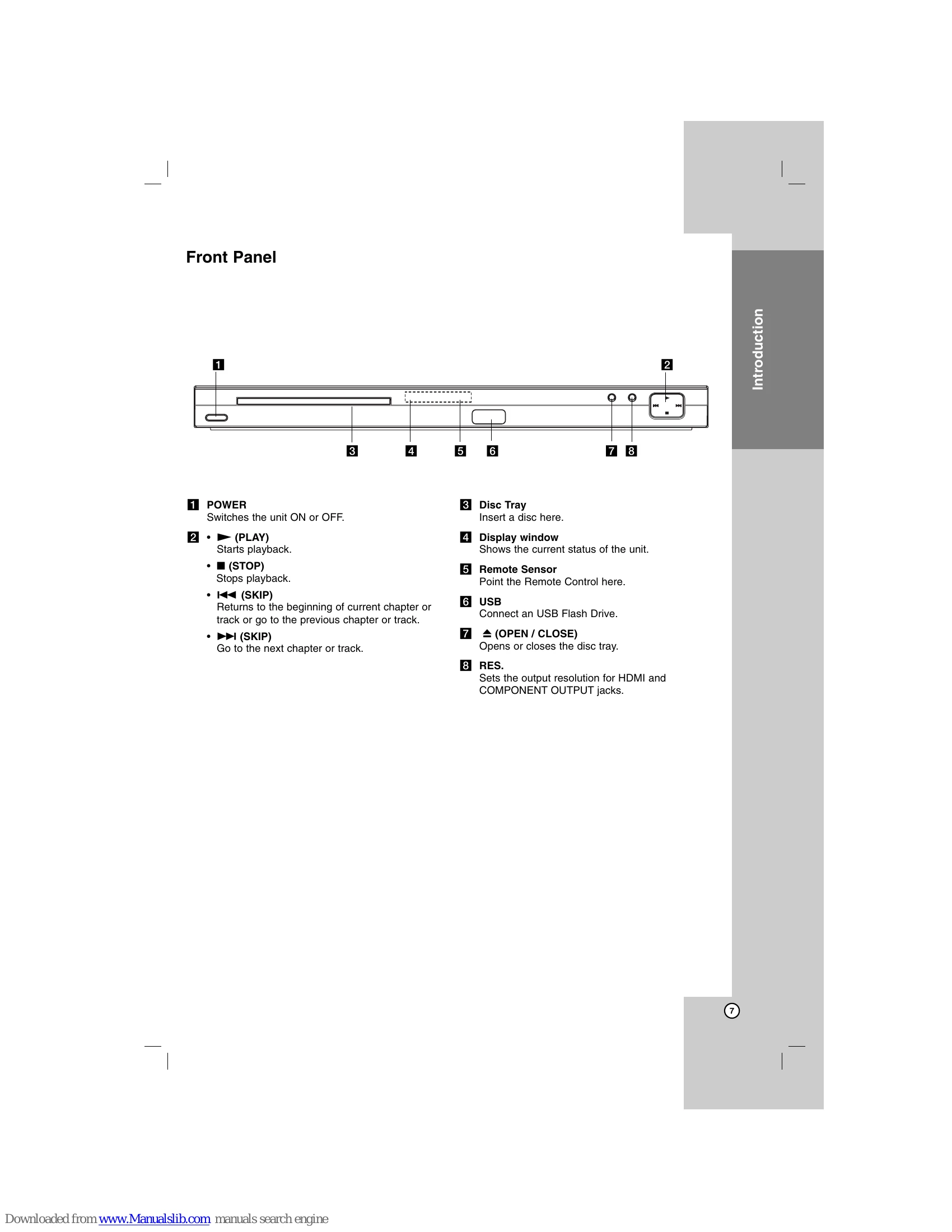
Power: Switches the unit ON or OFF.
Playback Controls:
Disc Tray:
Display and Setup:
Remote Control: Point the Remote Control at the remote sensor and press the buttons.
| Symptom | Possible Cause | Correction |
|---|---|---|
| No power. | The power cord is disconnected. | • Plug the power cord into the wall outlet securely. |
| The power is on, but the unit does not work. | • No disc is inserted. | • Insert a disc. (Check the disc indicator in the display window is lit.) |
| No picture. | • The TV is not set to receive DVD signal output. • The video cable is not connected securely. | • Select the appropriate video input mode on the TV. • Connect the video cable securely. |
| No sound. | • The equipment connected with the audio cable is not set to receive DVD signal output. • The power of the equipment connected with the audio cable is turned off. • The AUDIO options are set to the wrong position. | • Select the correct input mode of the audio receiver so you can listen to the sound from the unit. • Turn on the equipment connected with the audio cable. • Set the AUDIO option to the correct position, then turn on the unit again by pressing POWER. |
| The unit does not start playback. | • An unplayable disc is inserted. • The rating level is set. | • Insert a playable disc. (Check the disc type and regional code.) • Change the rating level. |
| The Remote Control does not work properly. | • The Remote Control is not pointed at the remote sensor on the unit. • The Remote Control is too far from the unit. | • Point the Remote Control at the remote sensor of the unit. • Operate the Remote Control closer to the unit. |