Brand:
LG
Category: Home Appliance
Document Type: Manual
Language: EN
Brand:
LG
Category: Home Appliance
Document Type: Manual
Language: EN
Uploaded: Nov. 21, 2025, 7:29 p.m.
Manual Publish Date: 2020-12-01
| Cycle | Temp. erature | Dry Level | Display time | Drying | Cooling | Wrinkle care |
| Perm. Press | Normal Dry | Low Adjustable | 32min | Electro-sensor: Saturation Temp-Control: 52±3°C (126±5°F) | Default time: 5min Temp-Control: 47±5°C (113±9°F) | Time: 3Hr |
| Normal | Medium | Normal Dry Adjustable Gas : 63 | Electro-sensor: Saturation Temp-Control: 60±4°C (140±7°F) | Default time: 5min Temp-Control: 47±5°C (113+9°F) | ||
| Sensor Dry * | Delicates | Low Adjustable | 28min | Electro-sensor: Saturation Temp-Control: 52±3°C (126±5°F) | Default time: 5min Temp-Control: 47±5°C (113±9°F) | Time: 3Hr |
| Bedding | Medium | Normal Dry Adjustable | 55min | Electro-sensor: Saturation Temp-Control: 60±4°C (140±7°F) | Default time: 5min Temp-Control: 47±5°C (113+9°F) | |
| Heavy Duty | High | Normal Dry Adjustable | 54min | Electro-sensor: Saturation Temp-Control: 60±4°C (155 ±7°F) | Default time: 5min Temp-Control: 47±5°C (113+9°F) | |
| Manual Dry ** | Speed Dry | High Adjustable | 25min | Off | Default time: 5min Temp-Control: 47±5°C (113±9°F) | |
| Air Dry | No Heat | Off Adjustable | 30min | Saturation | Default time: 5min Temp-Control: (47±5°C) (113±9°F) | Time: 3Hr |
| FRESEEN UP | Medium | Off | 20min | Saturation (66±5℃) | Default time: 5min Temp-Control: (45±5℃) | Off Time: 6min On Time: 10sec |
| Motor | Heater | Temperature Control for each cycle | |
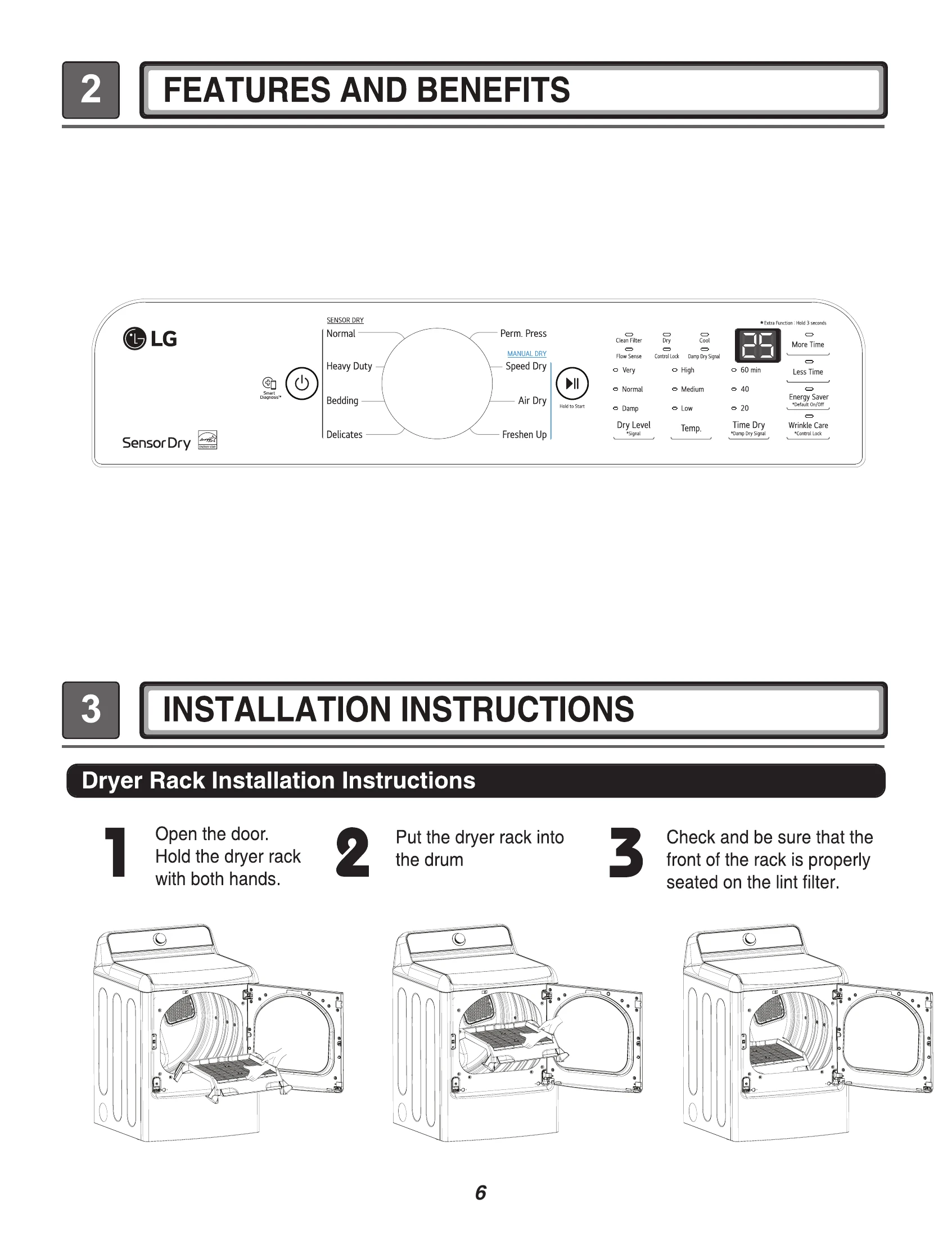
NOTE The Energy Saver option is turned on by default in the Cotton/Normal cycle.
Turn off the Energy Saver option for a faster Normal cycle which begins with heated drying.
To turn the Energy Saver default off, press and hold the Wrinkle Care button for three seconds.
ON or OFF appears in the display.
| Error Code | Possible Causes | Solutions |
|---|---|---|
| tE1 or tE2 | • Temperature sensor failure. • Humidity Sensor failure. |
• Turn off the dryer and call for service. |
| HS | • Electric dryer power cord is not connected correctly, or house power supply is incorrect. | • Turn off the dryer and call for service. • Check the power supply or the connection of power cord to the terminal block. Refer to the Connecting Electric Dryers section of this manual for complete instructions. |
| PS or PF or nP | • House fuse is blown, circuit breaker has tripped, or power outage has occurred. | • Reset circuit breaker or replace fuse. Do not increase the fuse capacity. If the problem is a circuit overload, have it corrected by a qualified electrician. |
| The display shows "d90", "d95" 890 895 |
• The duct work is about 90%-95% blocked.("d90" or "d95" error code displayed 2 hours only) • House exhaust system blocked. |
• Do not use the dryer until the exhaust system has been cleaned and/or repaired. Using the dryer with a severely restricted exhaust is dangerous and could result in a fire or other property damage. • Check the outside dryer vent while the dryer is operating to make sure there is strong airflow. • If ther exhaust system is extremely long, have it repaired or rerouted. • Keep the area around the dryer clean and free of clutter. • Check the vent hood for damage or lint clogging. • Make sure the area around the vent hood is clear. • Install a shorter or straighter duct run. See the Instructions. |
| FLOW SENSE™ indicator shows four bars during the drying cycle or the display shows "d80" after drying. | • Ductwork is too long or has too many turns/restrictions. • Significant blockage of the ductwork due to lint buildup or debris. • The appliance has detected a restriction in the external dryer venting. |
Ductwork should be checked/cleaned soon. Dryer can be used in this condition, but drying times may be longer. If exhaust restrictions are sensed by the FLOW SENSE™ system, the indicator will remain on for two hours after the end of the cycle. Opening the door or pressing the POWER button will turn off the display. |
| Check the duct condition | If the FLOW SENSET™ LED is turned on, check the exhaust system for restrictions and damage. Repair or replace the exhaust system as needed. |