Brand:
LG
Category: Desktop Computer
Document Type: Manual
Language: EN
Brand:
LG
Category: Desktop Computer
Document Type: Manual
Language: EN
Uploaded: Nov. 21, 2025, 7:57 p.m.
Refer to the owner's manual for warranty information; service may be charged for self-replacement of parts like the flash memory battery.
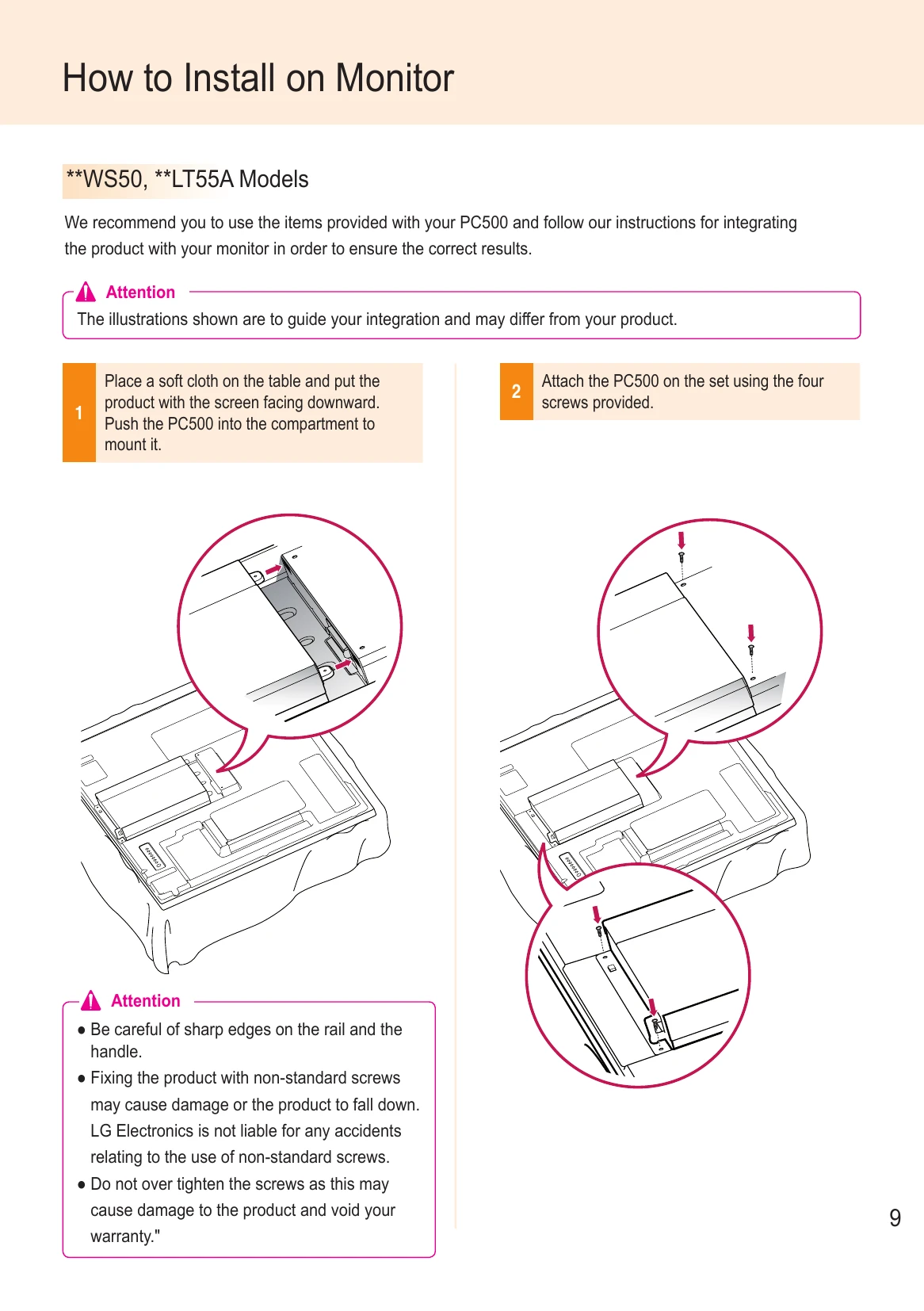
This manual guides you through the setup and operation of your LG Mini-PC for Signage. Key operations include installing the device on a monitor, connecting cables (HDMI, DP, RS-232C, LAN), and configuring display and audio settings within Windows. It also covers connecting multiple monitors for tiled displays and basic network setup. Please refer to specific sections for detailed instructions on each procedure.
| Question | Answer |
|---|---|
| Where can I get a vaccine program? | This Mini PC comes packaged with the Windows program only. Please purchase a vaccine program separately for use. |
| The screen resolution is not adequate. | Check whether the screen resolution of Windows is set properly. |
| The edges of the image are cropped off. | For some models, you need to set the monitor input to PC mode. For more information, please refer to the owner's manual of your monitor. |
| I want to use MST (Multi Stream Transport) in the PC500. |
- To use MST, you need the latest BIOS and video driver. (Supported versions: BIOS Version PC500F05 or later and video driver v13.302 or later) - PC500 has two DP with HBR2 ports. MST does not support these two ports simultaneously. - To use MST, you need a monitor that supports MST and cables certified for DisplayPort that support HBR2 or later. - When four or more FHD videos are being played simultaneously, video performance may be reduced depending on the operating environment of MST (i.e., bit rate, encoding method, video player, etc.). |