Manual for LVC-SX703PC/OC/MC LVC-SX703PB/OB/MB

Manual for LVC-SX703PC/OC/MC LVC-SX703PB/OB/MB

Brand: LG logo LG

Category: Camera

Document Type: Manual

Language: EN
Uploaded: Nov. 21, 2025, 7:58 p.m.

Manual Publish Date: 2006-11-07

Warranty Information

None

  • Basic Connection: Connect the camera to a monitor or VCR, use a commercially available AC 24V adaptor, and plug into a wall outlet. Adjust picture using monitor controls.
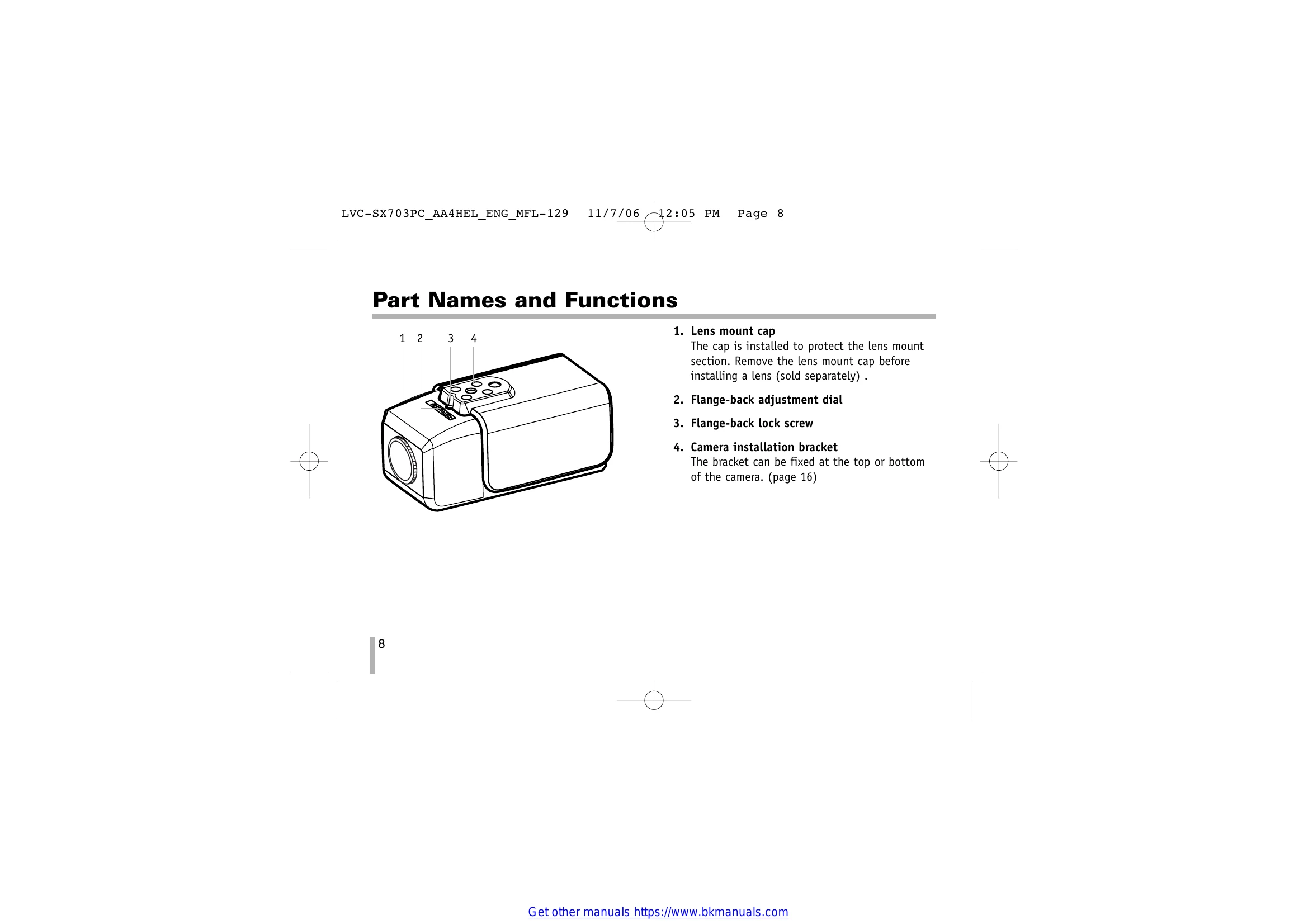
  • Mounting the Lens: Remove the lens mount cap, align and install the auto-iris lens (CS or C mount), and connect the lens plug to the camera's LENS connector.
  • Flange-back Adjustment: Loosen the fixing screw, turn the adjusting ring to focus while watching the monitor, and then tighten the screw.
  • Menu Operation: Use the buttons on the side panel (Up, Down, Left, Right, Set) to navigate and adjust settings on the on-screen menu.
  • Exposure Settings: Adjust brightness, AGC MAX, shutter speed, and flickerless settings via the EXPOSURE menu.
  • Day/Night Setting: Select between AUTO, EXT, NIGHT, or DAY modes for optimal performance in different lighting conditions.
  • Motion Detector Setting: Configure sensitivity, area, and alarm settings for motion detection.
  • Privacy Masking Setting: Select areas of the screen to mask (black out) for privacy.
  • Special Menu Settings: Access options like EFFECT, D-ZOOM, USER TITLE, TITLE DISP, SYNC, and PIX MAPPING for advanced adjustments.
  • RS-485 Protocol: For external control via RS-485, use specific command formats for functions like menu navigation and button presses.
  • Specifications: Review technical details including pixel count, resolution, illuminance, power consumption, and dimensions.
Privacy Policy