Brand:
LG
Category: Camera
Document Type: Manual
Language: EN
Brand:
LG
Category: Camera
Document Type: Manual
Language: EN
Uploaded: Nov. 21, 2025, 9:01 p.m.
Refer to the warranty information provided with your product for details on coverage and duration.
This manual covers the operation of the LG Color Video Camera, including installation, setup, and menu navigation. Key features include high resolution, day/night function, and various customizable settings accessible through an on-screen menu.
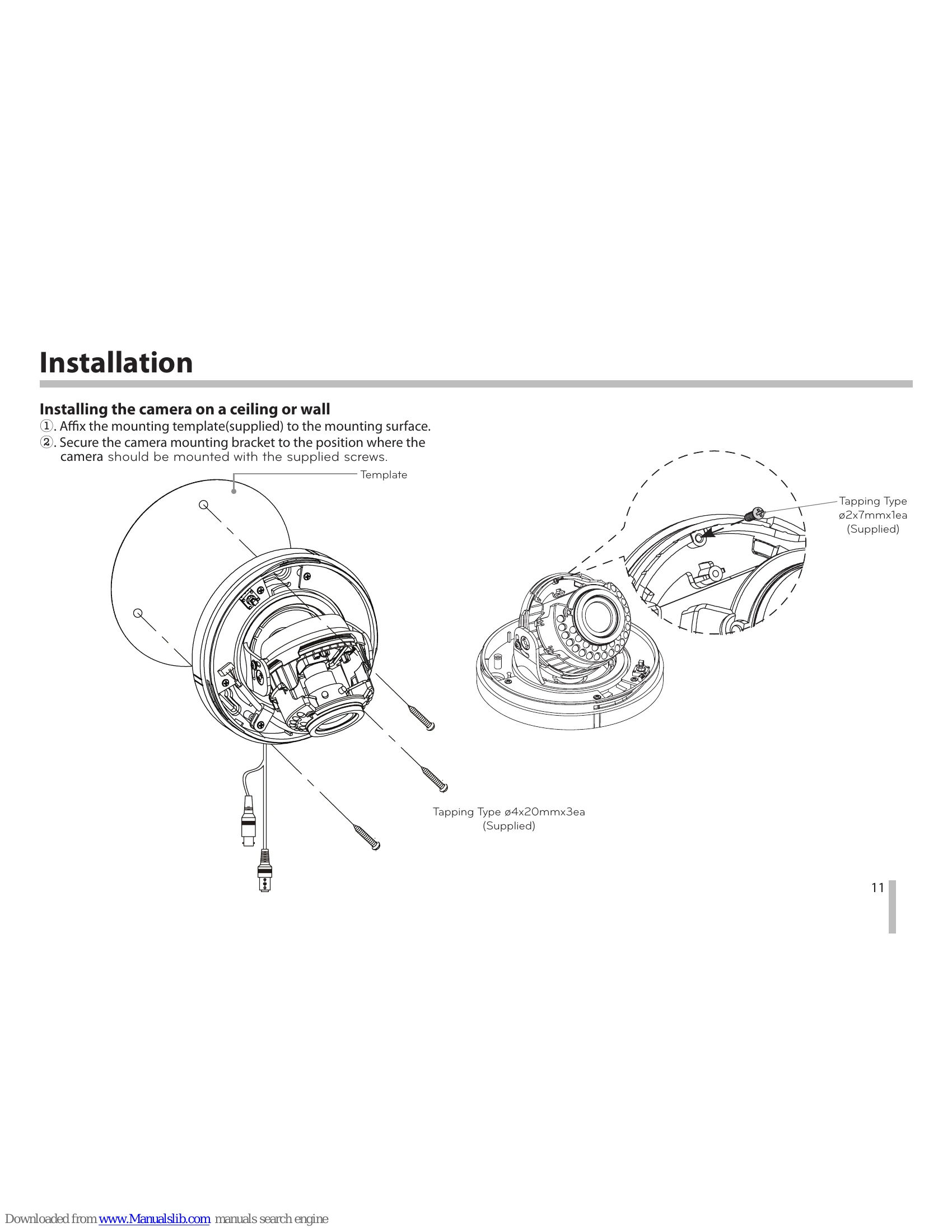
Install the camera on a ceiling or wall using the provided template and screws. Adjust the camera lens and dome cover for the desired view.
Connect the camera to a power supply (DC 12V or AC 24V) and a video output device (DVR, monitor) using the appropriate cables.
Navigate the on-screen menu using the UP, DOWN, LEFT, RIGHT, and SET buttons to adjust settings such as exposure, white balance, privacy zones, and motion detection.
Customize various camera settings including:
| Problem | Solution |
|---|---|
| No image displayed | Check power connection. Ensure video output cable is securely connected to the camera and display device. Verify the correct input is selected on the display device. |
| Image is too dark/bright | Adjust BRIGHTNESS setting. Adjust AGC (Automatic Gain Control) setting. Ensure appropriate lighting conditions. |
| Image is blurry | Adjust lens focus. Clean the camera lens. |
| Interference in image | Ensure proper cable connections. Check for sources of electromagnetic interference. Adjust SHARPNESS settings if applicable. |
| Camera not responding | Power cycle the camera. Reset the camera to factory settings. Contact service personnel if the issue persists. |