Brand: Lenovo
Category: Smartphone
Document Type:
Language: EN
Brand: Lenovo
Category: Smartphone
Document Type:
Language: EN
Uploaded: Aug. 10, 2025, 12:06 a.m.
Manual Publish Date: 2015-05-01
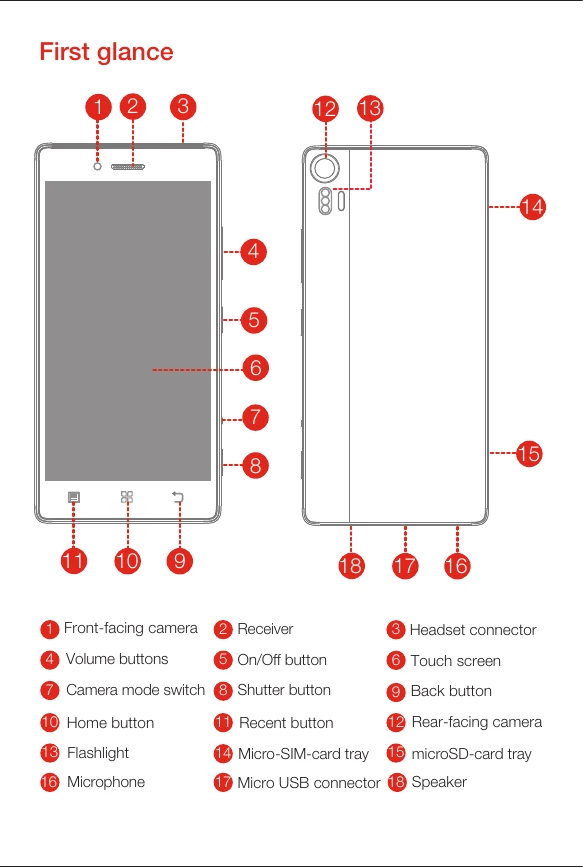
Insert the Micro SIM card and microSD card as shown in the diagrams. Ensure the cards are in the correct orientation before inserting the tray back into the slot.
Connect your smartphone to a power outlet using the provided cable and USB power adapter, or connect it to a computer using the USB cable.
Turn on: Press and hold the On/Off button until the Lenovo logo appears.
Turn off: Press and hold the On/Off button for a few seconds, then tap "Power off".
Restart: Press and hold the On/Off button for about 10 seconds.