Brand: Lenovo
Category: Smartphone
Document Type:
Language: EN
Brand: Lenovo
Category: Smartphone
Document Type:
Language: EN
Uploaded: Aug. 10, 2025, 12:07 a.m.
Manual Publish Date: 2013-10-01
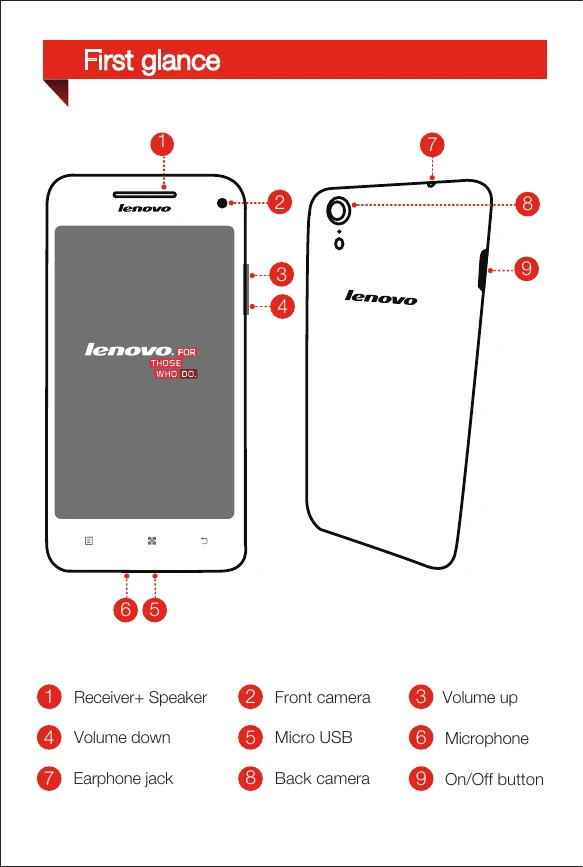
1. First Glance: Familiarize yourself with the phone's components like the receiver/speaker, cameras, volume buttons, Micro USB port, microphone, earphone jack, and on/off button.
2. Installing the Micro SIM Card: Insert the Micro SIM card provided by your carrier using the SIM eject tool. Ensure the phone is off before inserting or removing the SIM card to avoid damage.
3. Charging the Battery: Before first use, charge the battery using either the included USB cable and power adapter connected to a power outlet, or by connecting to a computer.