Brand: Lenovo
Category: Smartphone
Document Type:
Language: EN
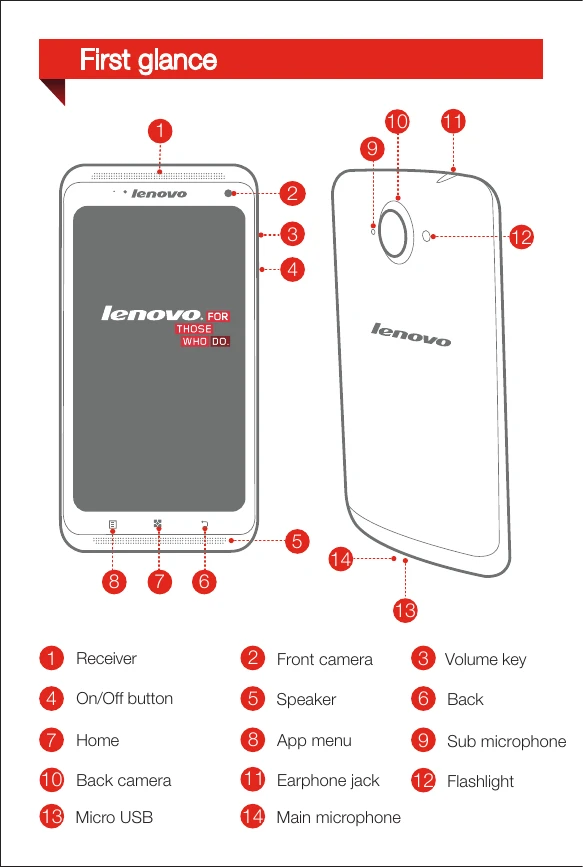
Brand: Lenovo
Category: Smartphone
Document Type:
Language: EN
Uploaded: Aug. 10, 2025, 12:05 a.m.
Manual Publish Date: 2013-10-01
Method 1: Connect your phone to a power outlet using the included cable and USB power adapter.
Method 2: Charge the battery using a computer.
| ID | Name | Role | Status | Actions |
|---|---|---|---|---|
| 1 | Alice Smith | Frontend Developer | Active | |
| 2 | Bob Johnson | Backend Developer | Inactive | |
| 3 | Charlie Brown | UI/UX Designer | Active | |
| 4 | Diana Prince | Project Manager | Active | |
| 5 | Ethan Hunt | QA Tester | Pending |