Manual for S660

Manual for S660

Brand: Lenovo

Category: Smartphone

Document Type:

Language: EN
Uploaded: Aug. 10, 2025, 12:07 a.m.

Manual Publish Date: 2014-02-01

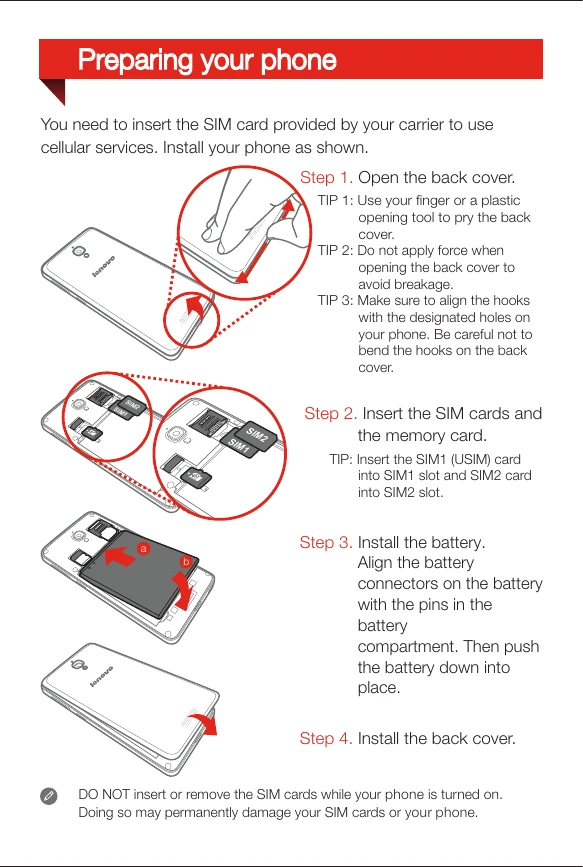
Preparing Your Phone

  1. Open the back cover by gently prying it with your finger or a plastic opening tool.
  2. Insert the SIM cards and memory card into their respective slots.
  3. Install the battery by aligning the connectors and pushing it into place.
  4. Install the back cover.

Charging the Battery

  • Connect your phone to a power outlet using the included cable and USB power adapter.
  • Alternatively, charge the battery using a computer via USB.

Refer to the icons for battery status: Low battery, Fully charged, Charging.

Privacy Policy