Manual for S580

Manual for S580

Brand: Lenovo

Category: Smartphone

Document Type:

Language: EN
Uploaded: Aug. 10, 2025, 12:07 a.m.

Manual Publish Date: 2014-08-01

Warranty Information

Refer to the "Rechargeable battery notice" in the Important Product Information Guide for battery safety information.

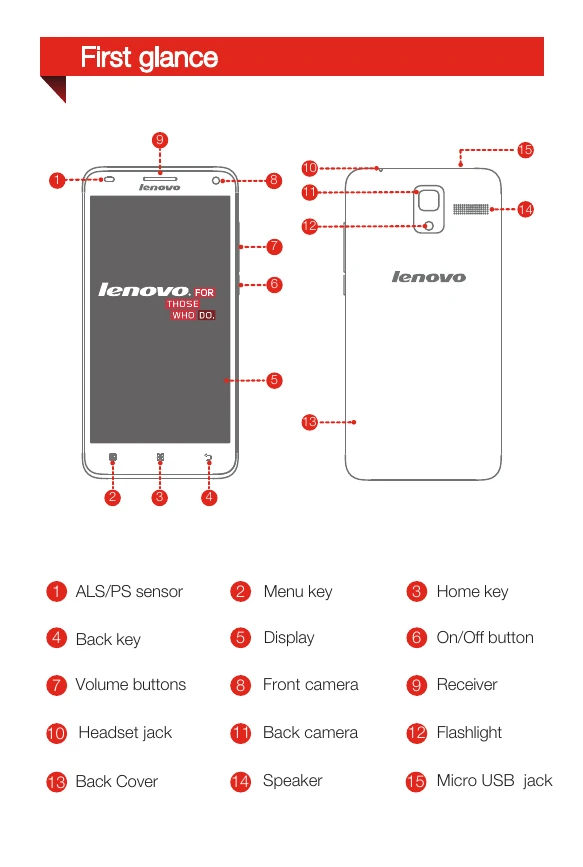
Turning on/off: Press and hold the On/Off button until the Lenovo logo appears to turn on. To turn off, press and hold the On/Off button for a few seconds, then tap 'Power off'.
Charging: Connect your smartphone to a power outlet using the provided cable and USB power adapter, or connect it to a computer using the provided cable.
Preparing your smartphone: Open the back cover, insert the (U)SIM/SIM cards and memory card, install the battery by aligning connectors and pushing down, and then install the back cover. Ensure the smartphone is off before inserting or removing SIM cards.
Privacy Policy