Brand: Lenovo
Category: Smartphone
Document Type:
Language: EN
Brand: Lenovo
Category: Smartphone
Document Type:
Language: EN
Uploaded: Aug. 10, 2025, 12:05 a.m.
Warranty periods vary by region, with typical coverage of 12 to 24 months for the handset.
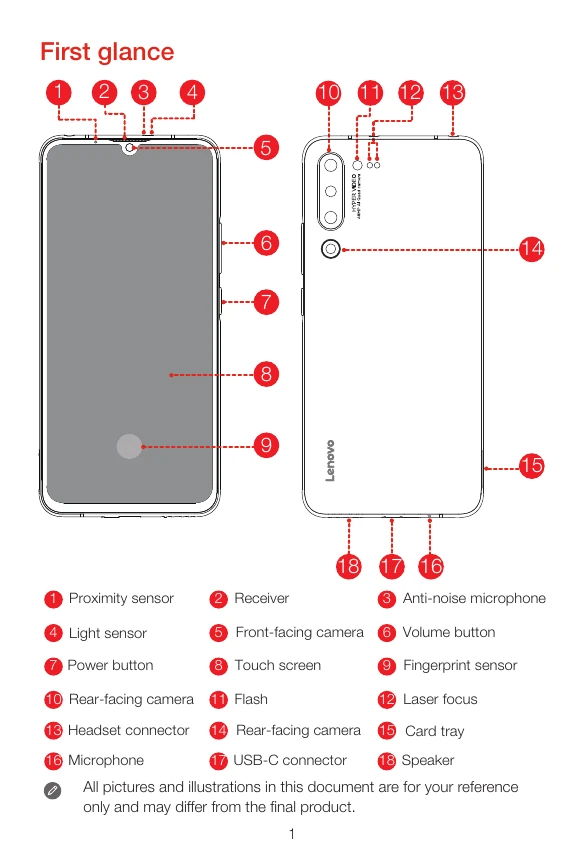
Familiarize yourself with the layout of your Lenovo smartphone, identifying key components such as sensors, cameras, buttons, and ports.
Insert your Nano-SIM and microSD cards into the designated tray. Ensure the phone is turned off before proceeding. The tray can accommodate either one Nano-SIM and one microSD, or two Nano-SIM cards.
Charge your device using either a power outlet with the provided USB adapter and cable, or by connecting to a computer via USB. Monitor the battery level indicators for charging status.
To turn on, press and hold the Power button until the Lenovo logo appears. To turn off or restart, press and hold the Power button, then swipe accordingly.