Getting started: Read the Regulatory Notice before using your smartphone. Download publications and access your User Guide from http://support.lenovo.com.
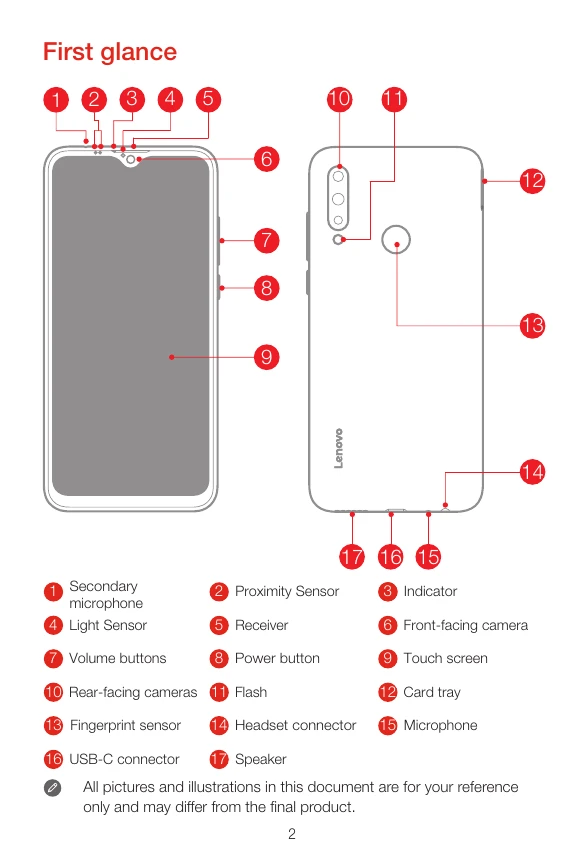
First glance: Familiarize yourself with the device layout, including sensors, buttons, cameras, and ports.
Installing SIM & microSD cards: Use the eject tool to open the card tray and insert Nano-SIM and microSD cards as shown. Remember to turn off the phone before inserting/removing cards.
Charging the battery: Connect your smartphone to a power outlet or computer using the provided cable and adapter.
Turning on/off: Press and hold the Power button to turn on, turn off, or restart your device.
Safety: Read important safety and handling information, including operating temperature, plastic bag notice, and battery safety.
Disposing: Dispose of the phone according to local laws and regulations.