Lenovo Smartphone Products do not have International Warranty Services.
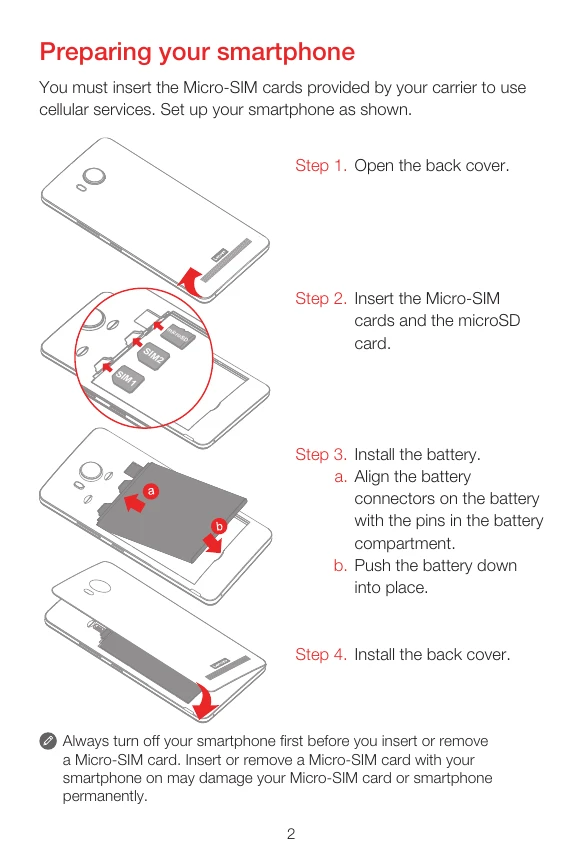
Insert SIM and microSD cards: Open the back cover, insert Micro-SIM cards into SIM1 and SIM2 slots, and the microSD card into its slot.
Install the battery: Align the battery connectors with the pins and push down into place.
Charge the battery: Connect the smartphone to a power outlet or computer using the provided cable and adapter.
Turn on/off: Press and hold the On/Off button until the Lenovo logo appears to turn on. To turn off, press and hold the On/Off button and tap Power off.