Manual for A680

Manual for A680

Brand: Lenovo

Category: Smartphone

Document Type:

Language: EN

Uploaded: Aug. 10, 2025, 12:07 a.m.

Manual Publish Date: 2013-12-01
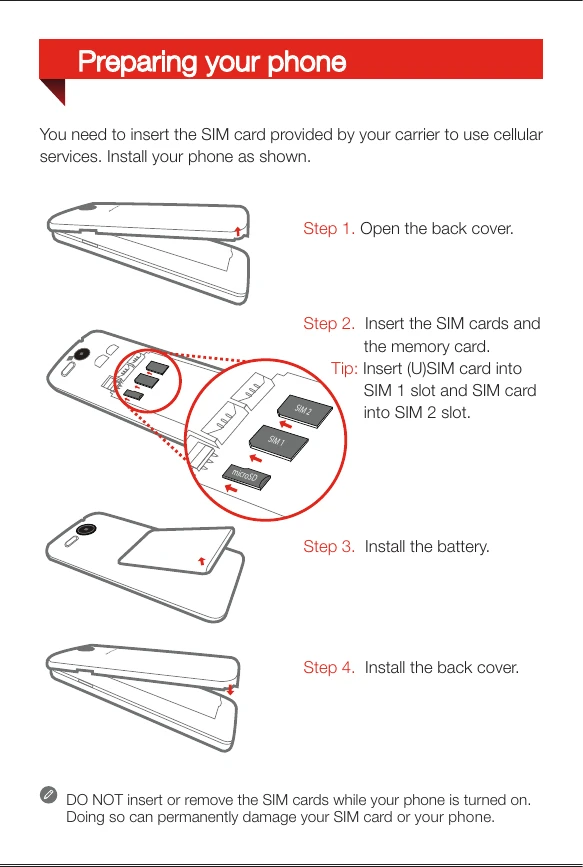
Preparing Your Phone

  1. Open the back cover.
  2. Insert the SIM cards and the memory card.
  3. Install the battery.
  4. Install the back cover.

Charging the Battery

  1. Connect your phone to a power outlet using the included cable and USB power adapter.
  2. Charge the battery using a computer.
Privacy Policy