Manual for A526

Manual for A526

Brand: Lenovo

Category: Smartphone

Document Type:

Language: EN

Uploaded: Aug. 10, 2025, 12:05 a.m.

Manual Publish Date: 2014-01-01
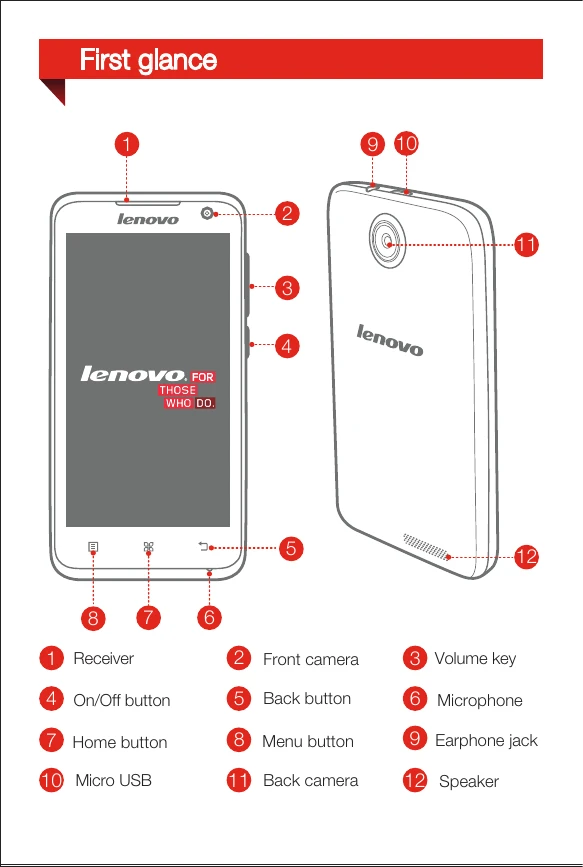
Preparing your phone:
  1. Open the back cover.
  2. Insert SIM cards and memory card into designated slots.
  3. Install the battery.
  4. Install the back cover.
Charging the battery:
  • Method 1: Connect phone to a power outlet using the included cable and USB power adapter.
  • Method 2: Charge the battery using a computer.
Privacy Policy