Brand: LAVATHERM
Category: Home Appliances
Document Type: Manual
Language: EN
Brand: LAVATHERM
Category: Home Appliances
Document Type: Manual
Language: EN
Uploaded: April 20, 2026, 8:03 p.m.
To switch the dryer ON and OFF: Turn the programme selector (Fig. 4/9) clockwise. The pilot light will indicate the ON/OFF status.
To select a drying programme: Turn the programme selector clockwise to the desired programme number (refer to the programme chart on page 11).
To start the selected programme: Press the Start button (Fig. 4/16).
For temperature sensitive fabrics: Press the "S" button (Fig. 4/14) for lower heat.
To add or remove laundry during drying: Press the door release button (Fig. 4/15), open the door, make changes, close the door, and press the Start button again.
After the programme finishes: The laundry cools down, followed by an anti-crease cycle. Remove laundry promptly to prevent creasing.
To switch off: Turn the programme selector to "0".
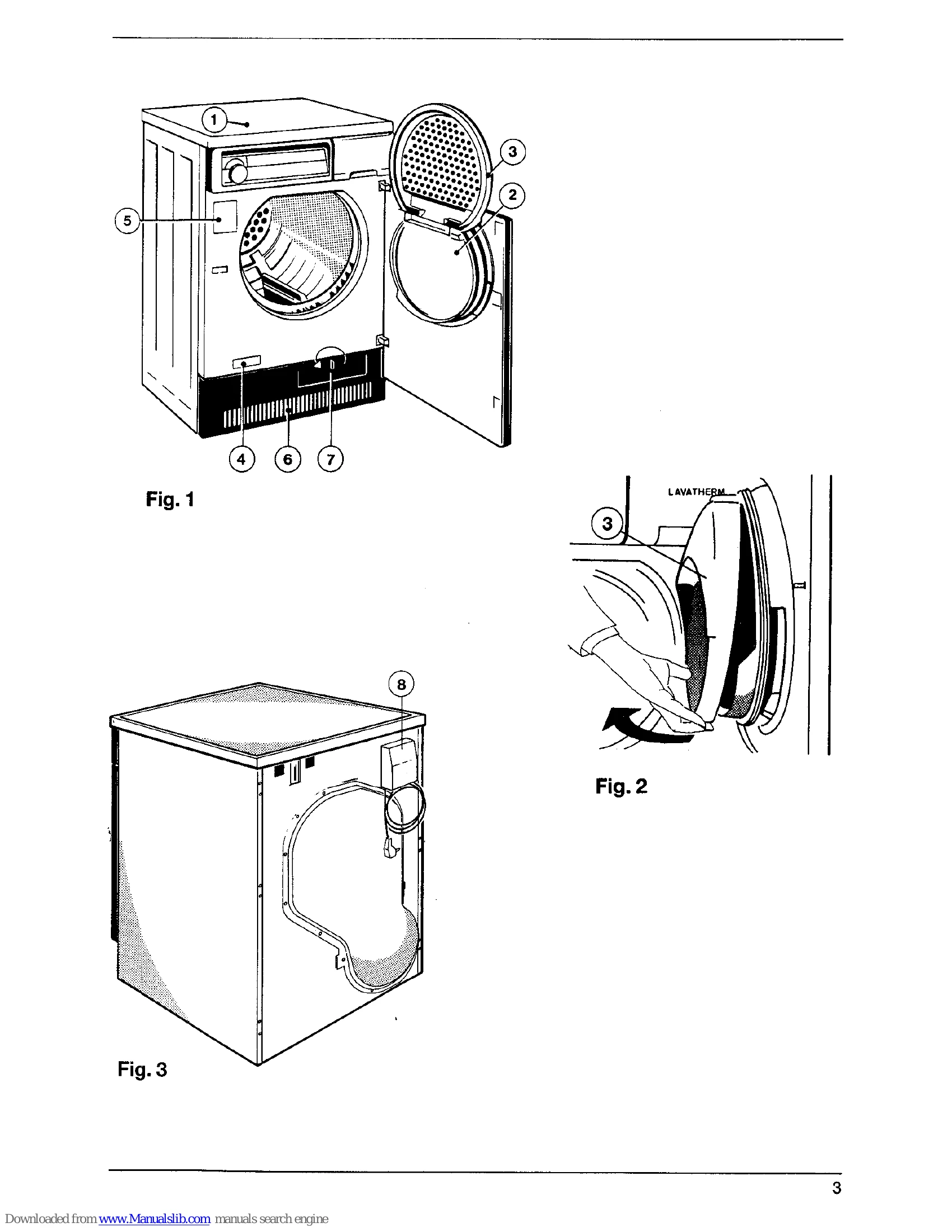
Cleaning the fluff filter: Clean after each drying programme (Fig. 2/3).
Emptying the condensed-water container: Empty after each drying programme (Fig. 4/18).
| If the appliance is not working: | If the drying result is unsatisfactory: |
|---|---|
|
|