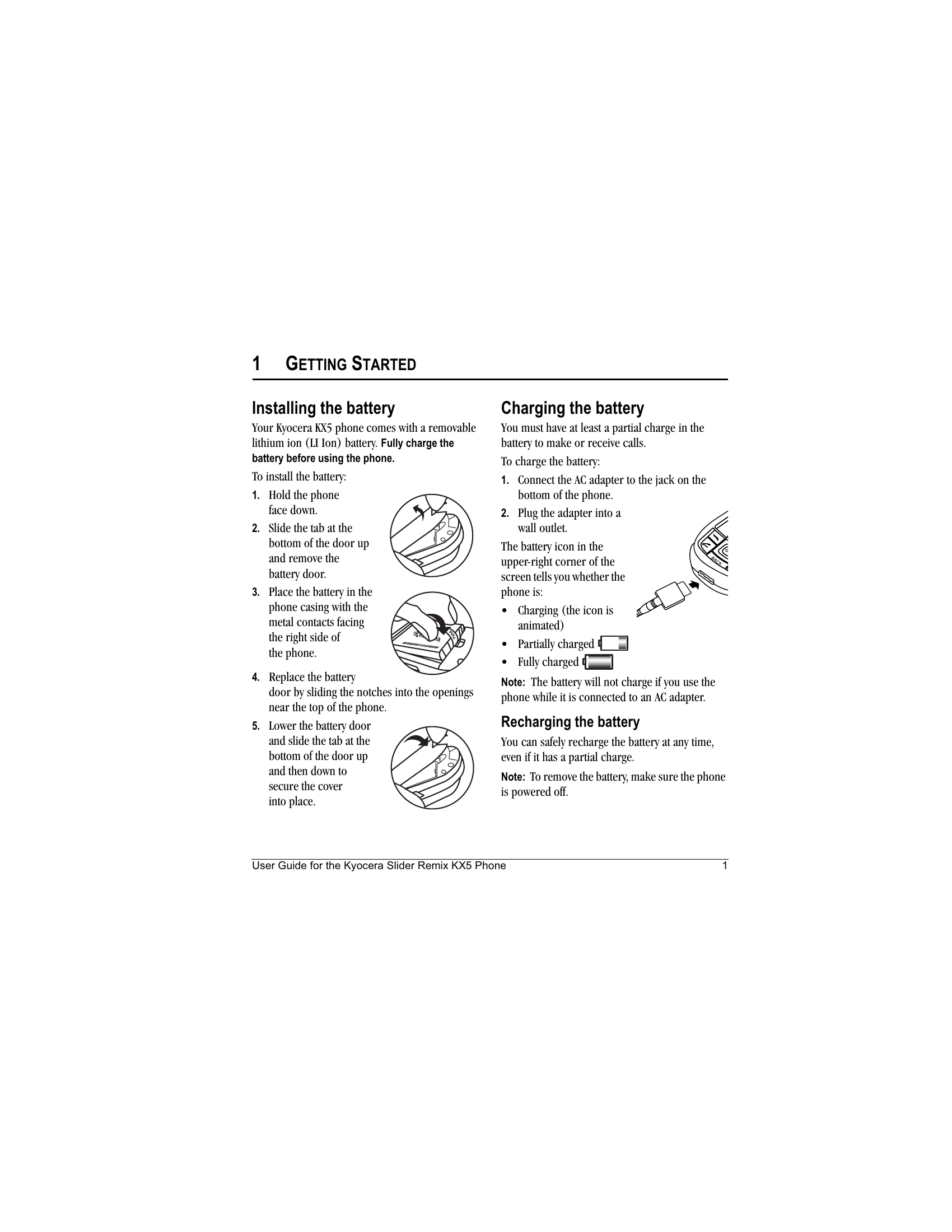
Installing the Battery
1. Hold the phone face down.
2. Slide the tab at the bottom of the door up and remove the battery door.
3. Place the battery in the phone casing with the metal contacts facing the right side of the phone.
4. Replace the battery door by sliding the notches into the openings near the top of the phone.
5. Lower the battery door and slide the tab at the bottom of the door up and then down to secure the cover into place.
Charging the Battery
1. Connect the AC adapter to the jack on the bottom of the phone.
2. Plug the adapter into a wall outlet.
Note: The battery will not charge if you use the phone while it is connected to an AC adapter.
Accessing Keypad Shortcuts
From the home screen, press the navigation key in one of four directions to access three shortcuts and one custom menu.
Music Player Shortcut
From the home screen, press and hold OK. The Music Player screen appears.