Brand: KYOCERA
Category: Cell Phone
Document Type:
Language: EN
Brand: KYOCERA
Category: Cell Phone
Document Type:
Language: EN
Uploaded: Aug. 10, 2025, 12:08 a.m.
Kyocera Wireless Corp. is not liable for any damages resulting from the use of unauthorized accessories.
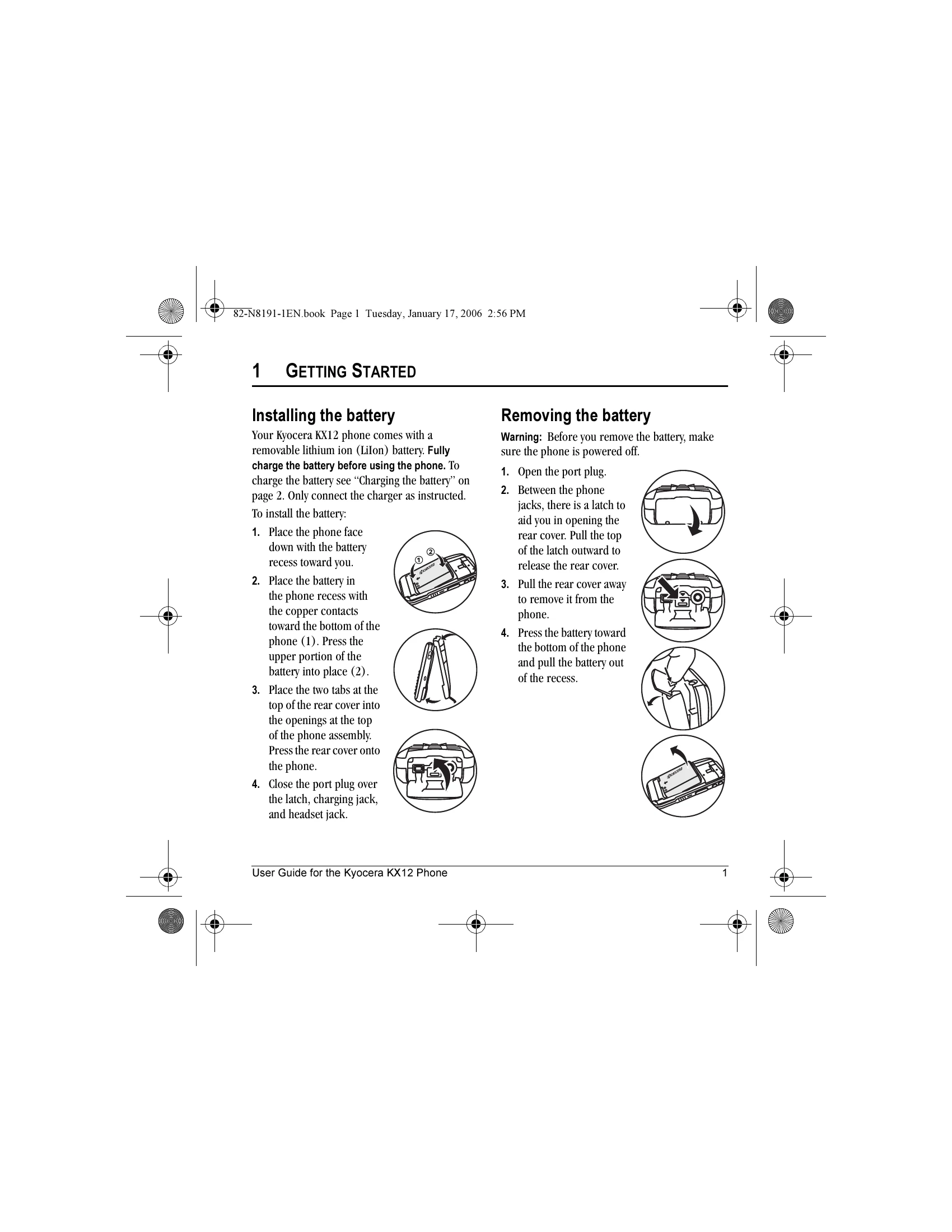
Installing the battery: Place the phone face down, insert the battery with copper contacts at the bottom, and secure the rear cover.
Removing the battery: Ensure the phone is off, open the port plug, release the rear cover latch, remove the cover, and then pull out the battery.
Charging the battery: Open the port plug, connect the charger to the phone with the arrow pointing up, and plug into a wall outlet. The battery icon indicates charge status.
Basic Functions: Turn the phone on/off by pressing and holding the power key. Make calls by entering the number and pressing Send/Talk. Answer calls by pressing Send/Talk. Silence the ringer by pressing Volume Up then answering. Access voicemail by holding the '1' key.
| If the screen seems frozen and the keypad does not respond to keypresses | 1. Remove the battery door. 2. Remove and replace the battery. If the problem persists, return the phone to the dealer for service. |