Manual for K112

Manual for K112

Brand: KYOCERA

Category: Cell Phone

Document Type:

Language: EN
Uploaded: Aug. 10, 2025, 12:07 a.m.

Manual Publish Date: 2003-04-01

Warranty Information

None

Getting Started

  • Insert RUIM Card: Ensure the phone is off. Slide the cover, insert the card with contacts facing down and the cut corner to the left, then slide the cover back.
  • Charge Battery: Fully charge for approximately 12 hours before first use. Connect the adapter to the phone and a wall outlet. The battery icon indicates charge status.

Making a Call

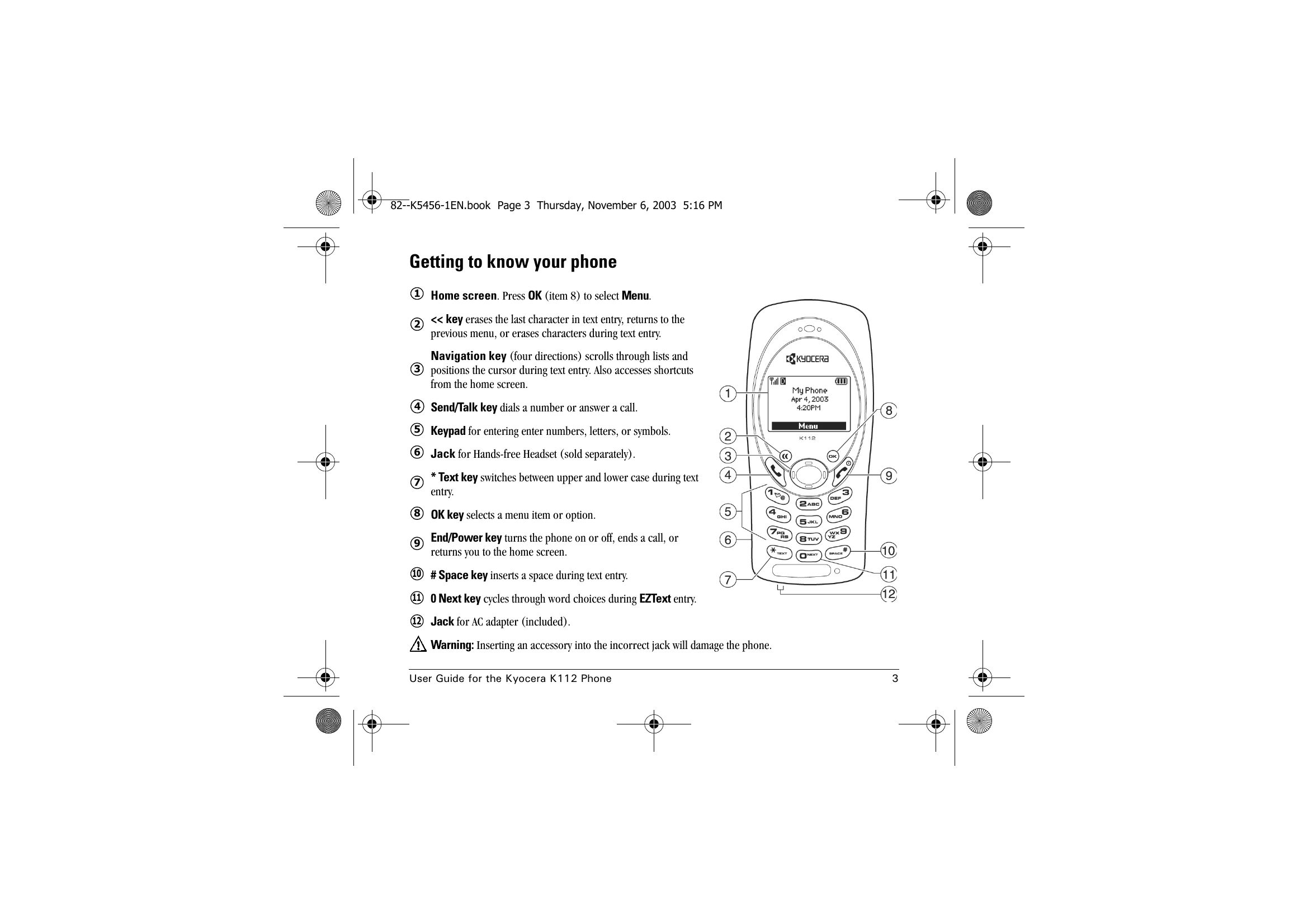
  • Ensure you have signal. Enter the phone number and press the Send/Talk key.
  • Press the End/Power key to end the call.
  • To redial, press the Send/Talk key twice.
  • To call a saved number, access your Contacts list and select the contact.

Answering a Call

  • Press the Send/Talk key to answer.
  • Select Silence to mute the ringer or Hold to put the caller on hold.

Using the Menus

  • Press OK to select Menu.
  • Use the Navigation key to scroll and select menu items.

Troubleshooting and error codes

Problem Possible Cause Solution
Phone does not turn on Battery is drained Charge the battery.
Cannot make or receive calls No service Move to an area with better reception.
Screen is blank Phone is in power save mode Press any key to return to the idle screen.
Cannot enter text Incorrect input mode Change to the appropriate text entry mode (Multitap, EZText, Numbers, Symbols).
Privacy Policy