Manual for PS-31 PS-52

Manual for PS-31 PS-52

Brand: KENWOOD

Category: Other

Document Type: Manual

Language: EN
Uploaded: Nov. 21, 2025, 9:03 p.m.

Warranty Information

Refer to the warranty card for specific warranty details applicable to your region.

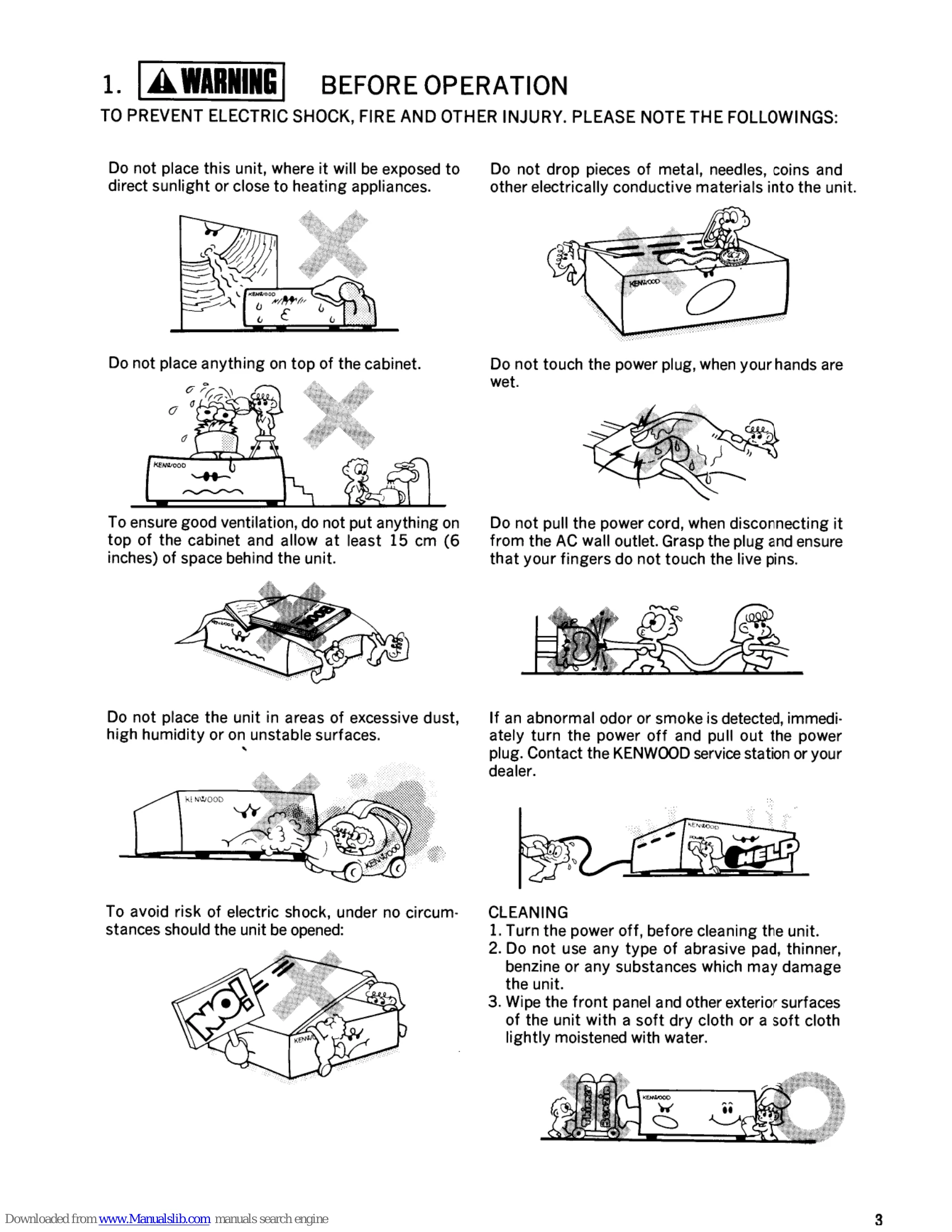
BEFORE OPERATION
  • Do not place the unit in direct sunlight or near heating appliances.
  • Avoid placing metal objects, needles, or coins into the unit.
  • Do not place anything on top of the cabinet.
  • Do not touch the power plug with wet hands.
  • Ensure at least 15 cm (6 inches) of space behind the unit for ventilation.
  • Do not pull the power cord; grasp the plug to disconnect.
  • Avoid dusty, humid, or unstable locations.
  • If abnormal odor or smoke is detected, immediately turn off power and unplug.
  • Never open the unit to avoid electric shock.
CLEANING
  • Turn power off before cleaning.
  • Do not use abrasive pads, thinners, or solvents.
  • Wipe with a soft dry or slightly damp cloth.
OPERATION
  • Turn the DC Power Supply power switch ON.
  • Turn the radio power switch ON.
  • If the protection circuit operates, turn both switches OFF and try again.
  • Turn OFF both power switches when communication is completed.

Troubleshooting and error codes

Problem Possible Cause Remedy
No output voltage DC Power Supply POWER switch is OFF. Turn the POWER switch ON.
DC Power Supply protection circuit operates. Turn the POWER switches of both the radio and the DC Power Supply OFF, and perform the procedure above again.
AC fuse blows Defective fuse. Replace the fuse with one of the same rating. If it blows again, contact a qualified technician.
Privacy Policy