Manual for KNA-G630

Manual for KNA-G630

Brand: KENWOOD

Category: Audio

Document Type: Manual

Language: EN
Uploaded: Nov. 21, 2025, 6:50 p.m.

Manual Publish Date: 2010-01-01

Warranty Information

None

  • Getting Started: The first time you use your Kenwood Navigation System, you need to set up your system. The Help menu provides additional information.
  • Manual Conventions: Learn how to interpret instructions in the manual, including "touch" actions and directional arrows.
  • Tips and Shortcuts: Discover ways to quickly return to the Menu page and scroll faster through choices.
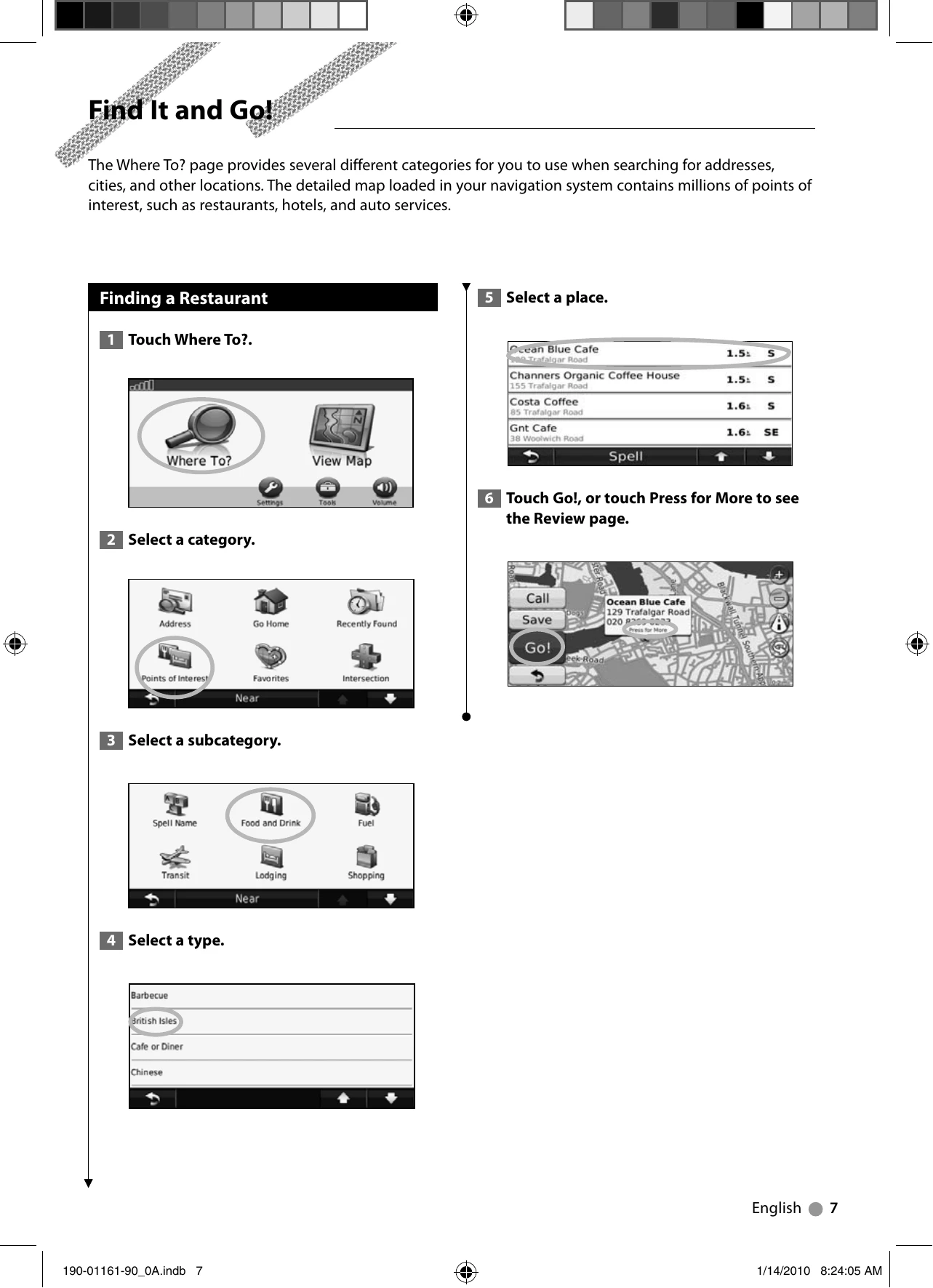
  • Finding Locations: Explore various methods to find places, including searching for restaurants, addresses, and places by spelling their names. You can also search near your current location or in a different city.
  • Routes: Learn how to follow your route, add via points, take detours, and stop your route. You can also create, edit, save, and navigate saved routes.
  • Favorites: Save your favorite places, current location, or home location. You can also find, edit, and delete saved places.
  • Main Pages: Understand the Map Page, Trip Computer, Turn List Page, Next Turn Page, Lane Assist Page, and GPS Info Page.
  • ecoRoute: Utilize features to calculate fuel economy, carbon footprint, and fuel price. Calibrate fuel economy, adjust fuel price, take the ecoChallenge, adjust your vehicle profile, view mileage reports, reset ecoRoute data, and calculate routes that use less fuel.
  • Traffic Information: Learn about understanding FM TMC traffic, traffic in your area, on your route, viewing the traffic map, and traffic delays.
  • Customizing Settings: Customize navigation system settings, including system, map, navigation, display, time, language, security, and volume.
  • Appendix: Find information on updating software and map data, and managing custom POIs.

Troubleshooting and error codes

Problem The system does not turn on. The power cable is not connected properly. Connect the power cable securely.
Problem The GPS signal is weak or lost. The unit is not receiving sufficient satellite signals. Ensure the unit has a clear view of the sky. Avoid obstructions like tall buildings or dense foliage.
Problem The screen is frozen or unresponsive. The system software may be experiencing an error. Try pressing and holding the power button for a few seconds to force a restart.
Problem Navigation is inaccurate. Map data may be outdated or inaccurate. Update the map data. See page 20 for instructions.
Problem ecoRoute data is not being recorded. The navigation system may have been turned off while driving. Keep the navigation system turned on while driving to ensure fuel data is recorded.
Privacy Policy