Brand: KENWOOD
Category: Audio
Document Type: Manual
Language: EN
Brand: KENWOOD
Category: Audio
Document Type: Manual
Language: EN
Uploaded: Nov. 21, 2025, 6:57 p.m.
Warranty details are not explicitly mentioned in this section of the manual.
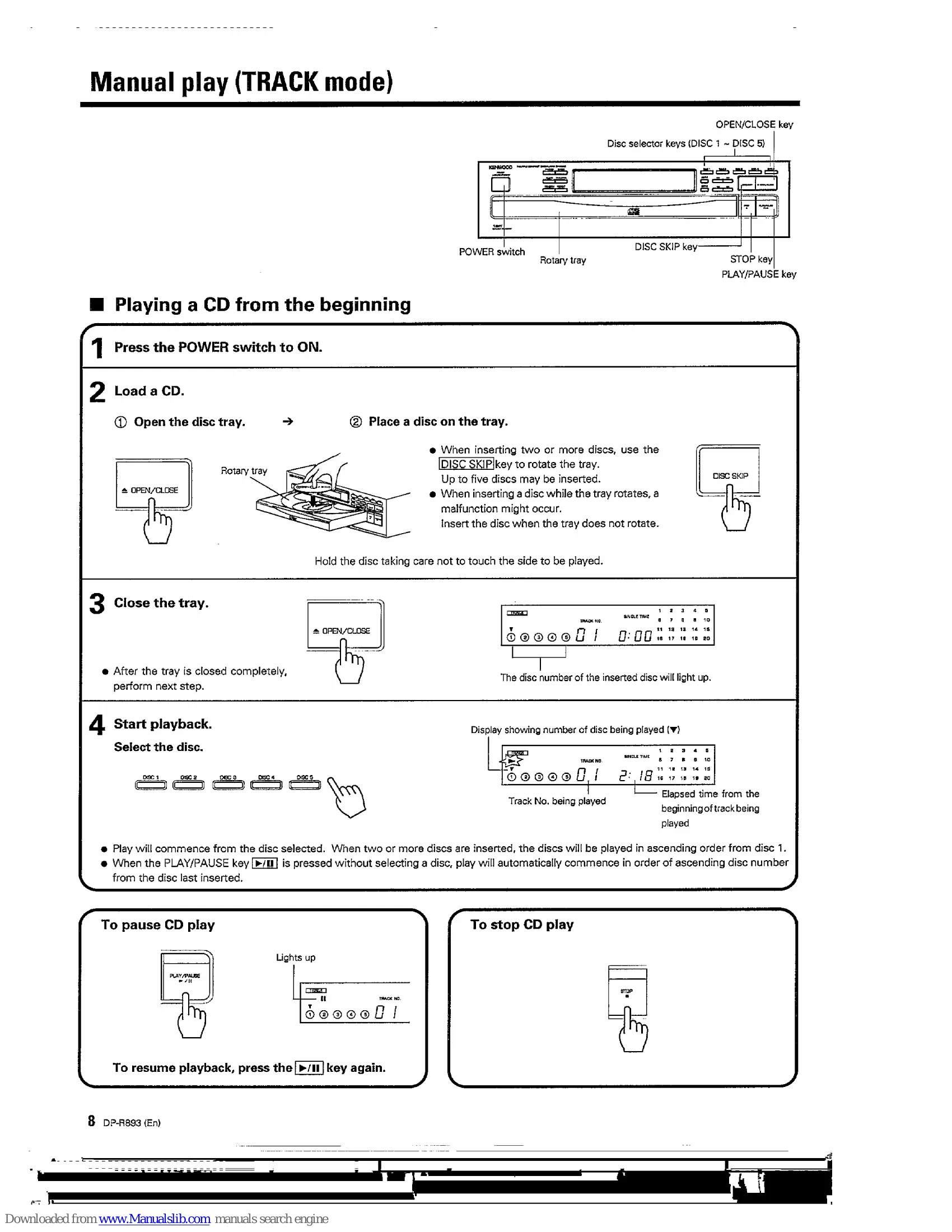
Playing a CD from the beginning:
To pause/resume CD play: Press the PLAY/PAUSE key. Press again to resume.
To stop CD play: Press the STOP key.
Listening from the desired track: Ensure TRACK mode is active (PGM indicator off). Select the disc, then the desired track using the track number keys or search keys. Press PLAY/PAUSE to begin.
Programmed play (PGM mode): Allows playing desired tracks in a specific order (up to 20 selections). Press STOP, enter PGM mode, select tracks, and press PLAY/PAUSE.
| Symptom | Cause | Remedy |
|---|---|---|
| No power is applied with the POWER switch ON. | Power plug is loosely connected. With the power plug connected to the switched AC outlet of an amplifier, the power of the amplifier is turned off. |
Insert the power plug firmly to the AC outlet. Turn the amplifier's power ON. |
| Disc is loaded, player does not play. | Disc is loaded upside down. Disc is loose. Disc is dirty. Disc is cracked. Condensation occurred on the optical lens unit. |
Load the disc again with its label side up. Insert disc properly. Wipe off the dust on the surface of the disc referring to "Disc handling precautions". Replace the disc with a new one. Leave the player for about 1 hour so that the condensation is removed. |
| No sound. | Disc is not loaded. Play mode is not entered (The play/pause indicator is not lit). Disc is too dirty. Disc is cracked. The connection cords are inserted loosely. |
Load a disc and press the PLAY/PAUSE key . Press the PLAY/PAUSE key . Wipe off the dust on the disc surface referring to "Disc handling precautions". Replace the disc with a new one. Connect all connection cords firmly. |
| Music is interrupted. (Sound is skipped.) | Disc is too dirty. Disc is cracked. Oscillation is applied to this unit. |
Wipe off the dust on the disc surface referring to "Disc handling precautions". Replace the disc with a new one. Try selecting a place where no strong vibrations occur by changing the installation place, etc. |
| Disc begins to play when power is switched ON. | The CD player will automatically play when a disc has been inserted and power is switched ON. | To avoid disc playing automatically, remove disc before switching off power. |