Brand: KENWOOD
Category: Audio System
Document Type: Manual
Language: EN
Brand: KENWOOD
Category: Audio System
Document Type: Manual
Language: EN
Uploaded: Nov. 21, 2025, 8:19 p.m.
None
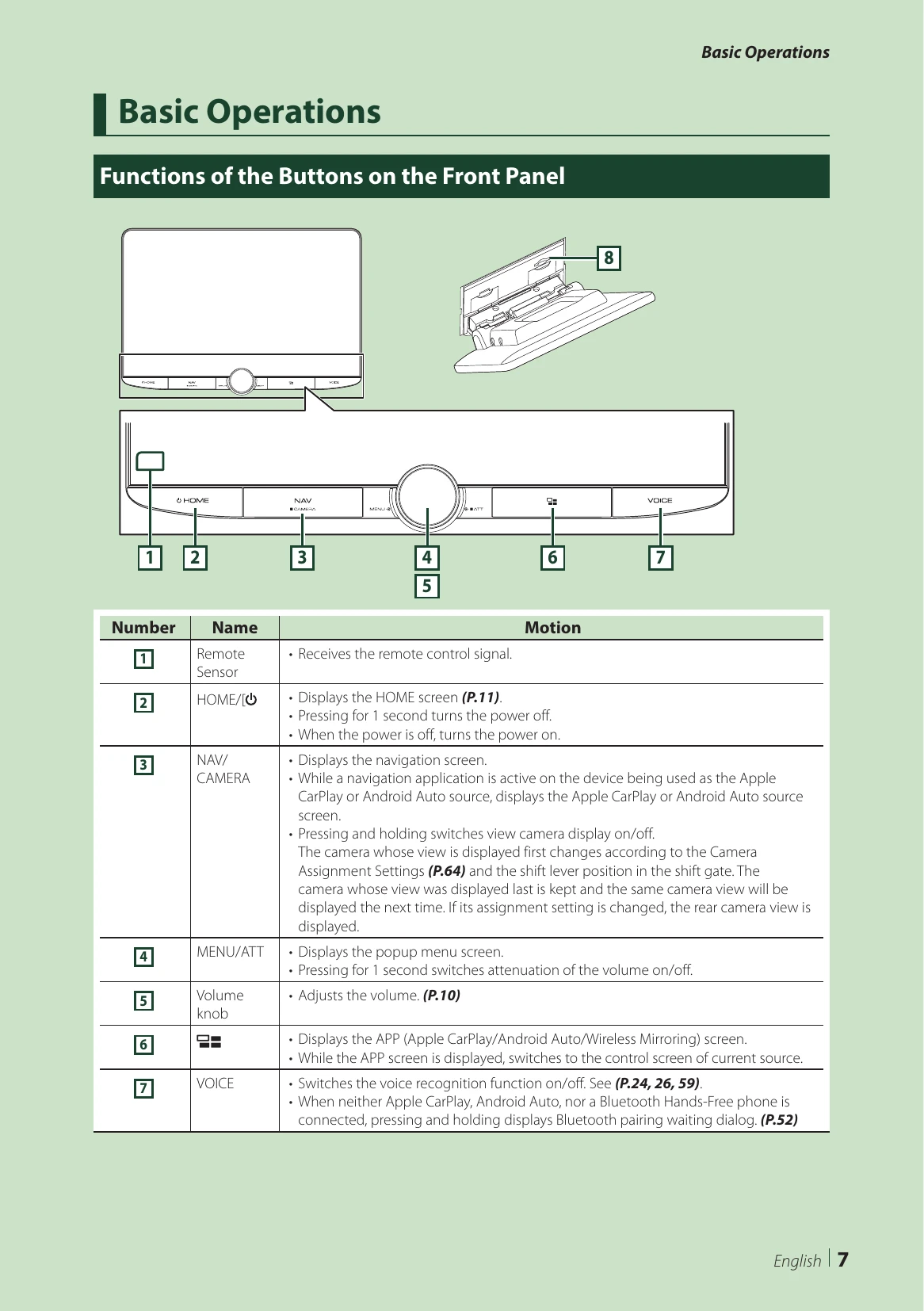
The manual describes the function of each button on the front panel:
Press the HOME/ button to turn the unit ON. To turn it OFF, press and hold the HOME/ button for 1 second. If it's the first time, perform Initial SETUP.
Perform initial setup when using the unit for the first time. This includes setting Locale, Language, Display & Button, and Camera. These settings can also be made from the SETUP menu.
Turn the volume knob clockwise to increase and counter-clockwise to decrease.
Operate the screen by touching, touching and holding, flicking, or swiping.
Most functions can be accessed from the HOME screen, which displays widgets, source selection, and SETUP menus.
Press the MENU/ATT button to display the popup menu with various options like Screen Adjustment, Display OFF, Camera, SETUP, Audio, and USB.
Displays icons for all playback sources, allowing you to change pages and access the SETUP menu.
Select Display OFF from the popup menu. The clock can be displayed when the screen is off by setting "OSD Clock" to "ON".
| Problems and Solutions | Details and Solutions |
| About settings |
|
| About audio operations |
|
| Others |
|
| Error Messages |
|