Manual for LT-42ED91G

Manual for LT-42ED91G

Brand: JVC

Category: Television

Document Type: Manual

Language: EN
Uploaded: Nov. 21, 2025, 7:23 p.m.

Warranty Information

Warranty information is not provided in the extracted portion of this manual.

Initial Setup:

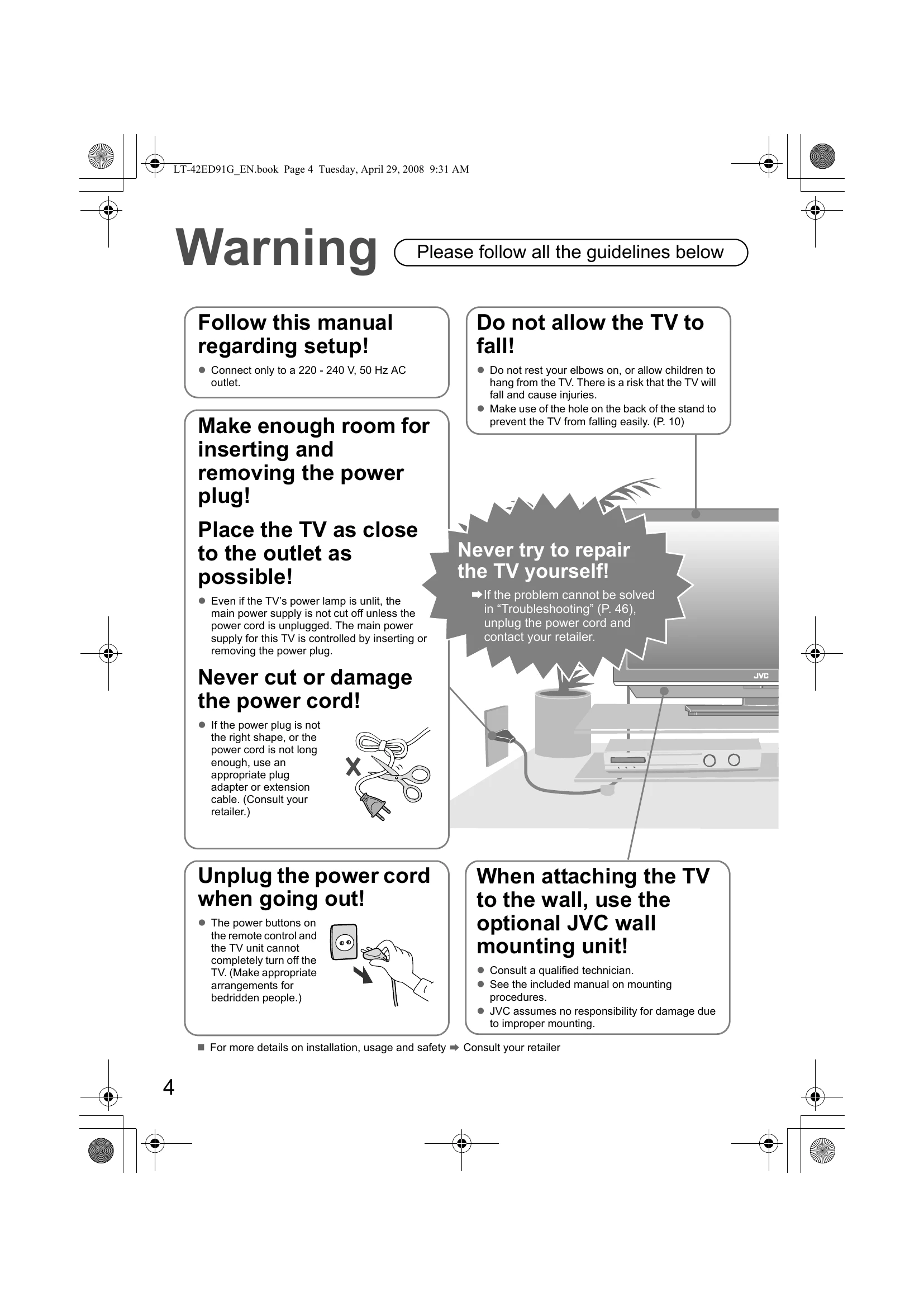
  • Connect the TV to a 220 - 240 V, 50 Hz AC outlet.
  • Ensure adequate space for power cord insertion/removal and placement near the outlet.
  • When wall-mounting, use an optional JVC unit and consult a qualified technician.
  • Connect the aerial to watch TV.

Basic Operation:

  • Use the remote control to switch between TV and AV devices, navigate menus, change channels, and adjust volume.
  • Power on/off the TV using the Power button.
  • Connect external devices like VCRs, DVD recorders, game consoles, and PCs to the appropriate input terminals.
  • Register digital and analogue channels via the initial settings menu.
  • Refer to the separate manual for watching digital channels.

Troubleshooting and error codes

Problem Possible Cause Solution
No picture / No sound
  • Power cord is not plugged in.
  • TV is in standby mode.
  • Aerial is not connected properly.
  • External device is not connected properly.
  • Input source is incorrect.
  • Volume is set to minimum or muted.
  • Plug in the power cord.
  • Press the Power button on the remote control or TV.
  • Check aerial connection.
  • Check external device connections.
  • Select the correct input source (TV/AV).
  • Adjust volume or unmute.
Picture distortion / Poor reception
  • Aerial position or connection is poor.
  • Interference from other electronic devices.
  • Signal is weak.
  • Adjust aerial position or check connection.
  • Move TV away from interfering devices.
  • Rescan channels.
Remote control not working
  • Batteries are dead or inserted incorrectly.
  • Obstruction between remote and TV sensor.
  • Replace or reinsert batteries.
  • Ensure a clear line of sight.
TV does not turn on
  • Power cord is not plugged in.
  • No power supply to the outlet.
  • Plug in the power cord securely.
  • Check the power outlet.
Privacy Policy