Manual for DLA-X35BE

Manual for DLA-X35BE

Brand: JVC

Category: Projector

Document Type: Manual

Language: EN
Uploaded: Nov. 21, 2025, 8:41 p.m.

Warranty Information

Refer to the specific country's warranty policy for details.

  • Safety Precautions: Always disconnect power before servicing. Use specified parts and wiring. Handle high-voltage components with extreme care. Follow specific procedures for wire connectors. Perform safety checks after servicing, including insulation resistance, dielectric strength, clearance distance, and leakage current tests.
  • Installation: Place projector on a stable surface with adequate ventilation. Adjust projection angle and distance for optimal image size. Use zoom and focus controls for image adjustment.
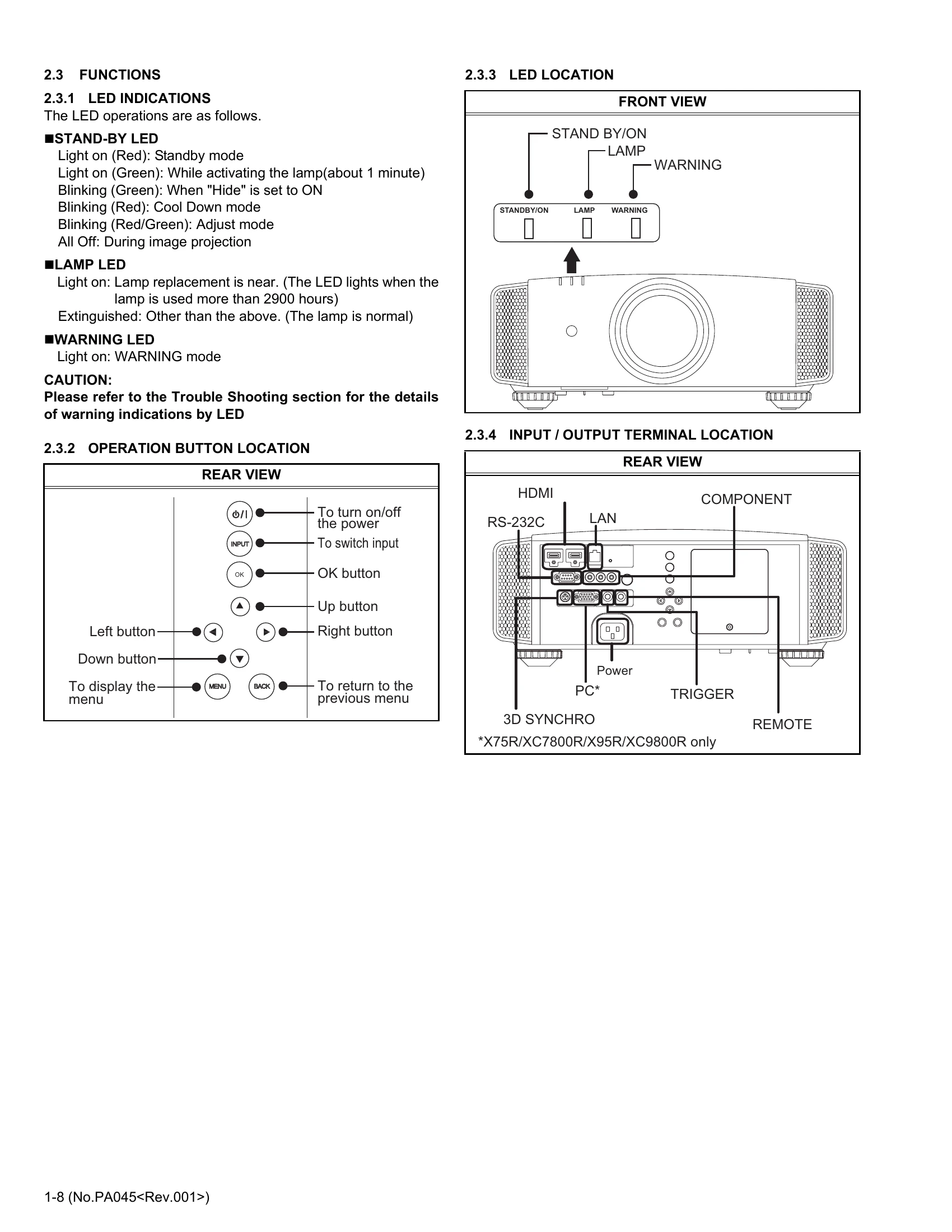
  • Functions: Understand LED indications (Stand-by, Lamp, Warning). Operate using buttons on the unit or remote control. Navigate the service menu using directional and OK buttons.
  • Lamp Unit: Replace lamp unit with specified part number. Allow lamp to cool before handling. Reset lamp time after replacement using the menu or remote control.
  • Adjustment: Requires a personal computer and specific software. Data backup is crucial before adjustments. Follow detailed procedures for EEPROM backup, crosstalk correction, ISF/THX data, color temperature, and pixel shift.

Troubleshooting and error codes

Troubleshooting Item Possible Cause Remedy
No Power Power cord disconnected. Check power cord connection.
Power outlet faulty. Try another outlet.
Internal fuse blown. Replace fuse.
No Image No signal input. Check signal source and cable connection.
Projector not turned on. Press the Power button.
Lamp issue. Check lamp status and replace if necessary.
Poor Image Quality Dirty lens. Clean the lens.
Incorrect settings. Adjust picture settings.
Internal component failure. Refer to service instructions.
Privacy Policy