Brand: JVC
Category: Projector
Document Type: Manual
Language: EN
Brand: JVC
Category: Projector
Document Type: Manual
Language: EN
Uploaded: Nov. 21, 2025, 8:06 p.m.
Manual Publish Date: 2018-12-01
None
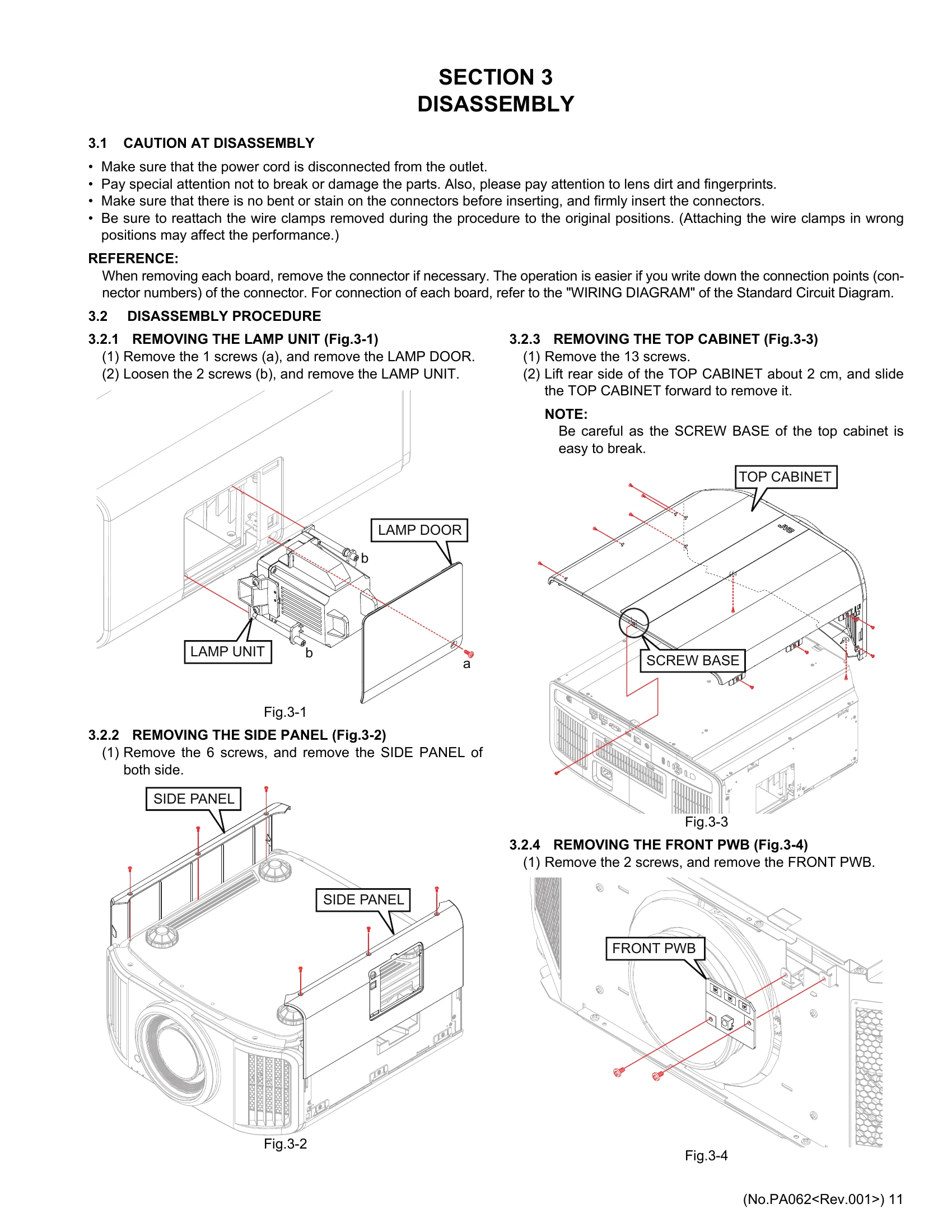
This service manual provides instructions for the maintenance and repair of JVC D-ILA projectors. It covers safety precautions, specific service instructions, disassembly procedures, adjustment procedures, troubleshooting, and USB updates. Key sections include:
Users are advised to refer to the operation manual for basic usage and to follow all safety warnings meticulously.
| Error code | Content | |
|---|---|---|
| 70 | Lamp usage time over | |
| 80 | CPU PWB is abnormal | |
| 86 | Receiving error of HDMI | |
| 90 | Device communication error (Do not transition to emergency) | |
| 91 | DD FPGA does not start up | |
| 92 | DD VPM CPU does not start up | |
| 93 | Communication error of DD FPGA | |
| 94 | DD PWB does not start up | |
| 95 | Communication error of DD ASIC | |
| 96 | Communication error of DD PWB | |
| 97 | Communication error of DD ASIC | |
| 98 | Power supply error of D-ILA device | |
| 9A | Rch D-ILA device is not connected | |
| 9B | Rch D-ILA device is not connected | |
| 9C | Gch D-ILA device is not connected | |
| 9D | Gch D-ILA device is not connected | |
| 9E | Bch D-ILA device is not connected | |
| 9F | Bch D-ILA device is not connected | |
| A1 | Power PWB is abnormal | |
| A5 | Power on sequence error | |
| A6 | Light quantity balance is abnormal | |
| AA | Communication error with C.SENS PWB | |
| AB | Mecha CPU does not start. | |
| B0 | USB memory was disconnected during FW up by USB | |
| B1 | LAN line disconnected during FW up via LAN line | |
| B2 | Main FW up failed | |
| B3 | VPM FW up failed | |
| B6 | Mecha FW up failed | |
| B7 | HDMI_DRV FW up failed | |
| B8 | CMS_DATA FW up failed | |
| B9 | USB file format system is different | |
| BA | UP data file (number of files) is insufficient | |
| EVENT LOG | F0 | Recorded after power is turned on (After D-ILA logo is displayed) |
| F1 | Record after 1 hour after power is turned on | |
| F2 | Recorded after power OFF operation (receiving) | |
| FA | Power OFF is executed by the Off Timer function | |
| FB | Power OFF is executed by the ECO Mode function | |
| E0 | VP: Confirm "TMDS LOCK" | |